








View PDO Linking
This section describes how to view the inputs and outputs. This allows drive inputs and outputs to be linked to the NC-Task and axis.
Output PDO Linking to Axis 1
Controlword Axis 1
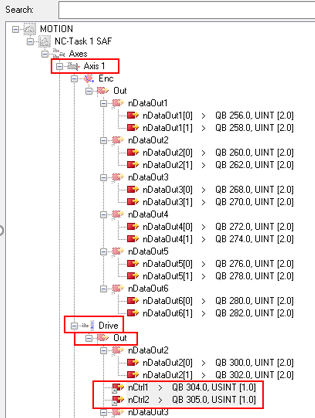
This describes the output linking for Controlword Axis 1.
To view how the PDO objects are linked, in the tree on the left, go to the TwinCAT project > I/O > Device 2 (EtherCAT) > Drive 1 AKD2G Dual Axis SIL2 > Outputs > Controlword Axis1. Click Linked to.
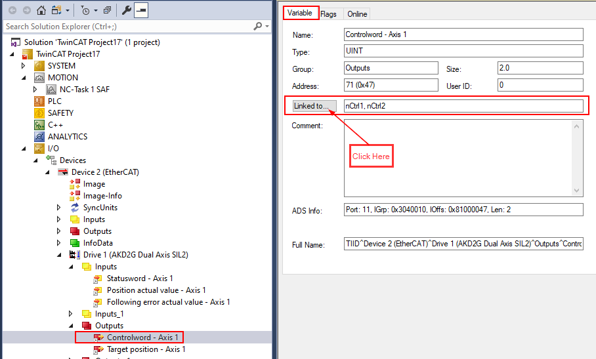
Drive 1 > Outputs > Controlword-Axis1 >Linked to
Target Position Axis 1
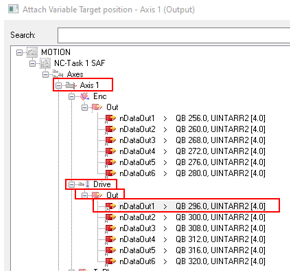
This describes the output linking for Target Position Axis 1.
To view how the PDO objects are linked, in the tree on the left, go to the TwinCAT project > I/O > Devices > Device 2 (EtherCAT) > Drive 1 AKD2G Dual Axis SIL2 > Outputs > Target Position Axis1. Click Linked to.
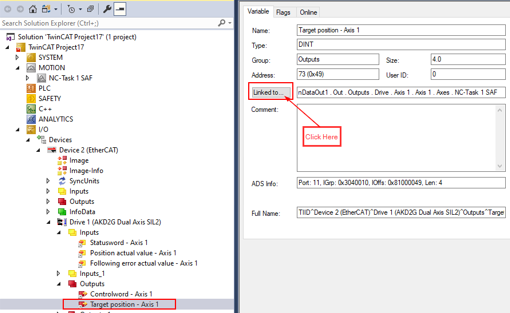
Drive 1 > Outputs > Target Position Axis1 Linked to
Input PDO Linking Axis 1
Statusword Axis 1
This describes the input linking for Statusword Axis 1.
To view how the PDO objects are linked, in the tree on the left, go to the TwinCAT project > I/O > Devices > Device 2 (EtherCAT) > Drive 1 AKD2G Dual Axis SIL2 > Inputs > Statusword Axis1. Click Linked to.
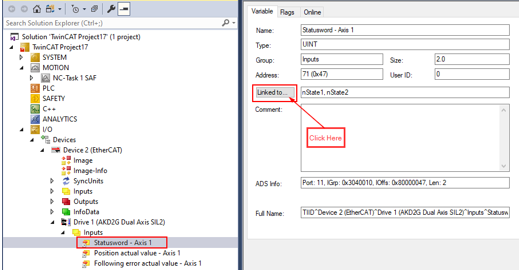
Drive 1> Inputs > Statusword Axis 1 > Linked to.
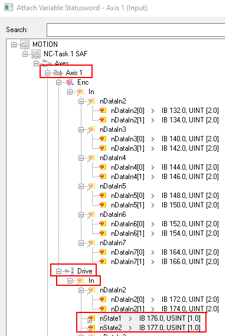
Position Actual Value Axis 1
This describes the input linking for Position Actual Value Axis 1.
To view how the PDO objects are linked, in the tree on the left, go to the TwinCAT project > I/O > Devices > Device 2 (EtherCAT) > Drive 1 AKD2G Dual Axis SIL2 > Inputs > Position Actual Value Axis1. Click Linked to.
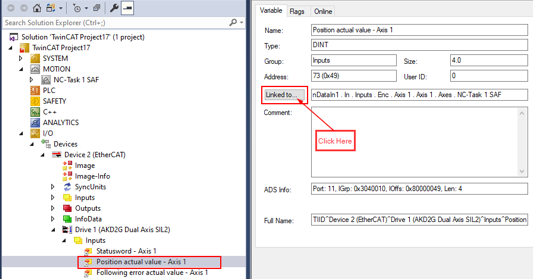
Drive 1 > Inputs > Position Actual Value Axis 1 > Linked to.
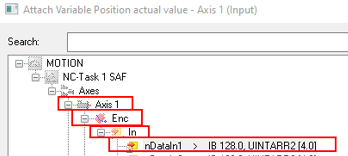
Following Error Actual Value Axis 1
This describes the input linking for Following Error Actual Value Axis 1.
To view how the PDO objects are linked, in the tree on the left, go to the TwinCAT project > I/O > Devices > Device 2 (EtherCAT) > Drive 1 AKD2G Dual Axis SIL2 > Inputs > Following Error Actual Value Axis1. Click Linked to.
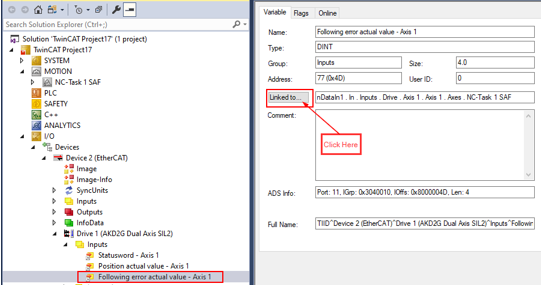
Drive 1 > Inputs > Following Error Actual Value Axis 1 > Linked to.
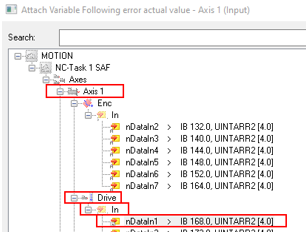
View Axis 2 PDO Mapping and Linking
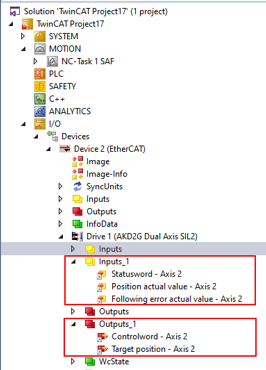
This describes the viewing for Axis 2 PDO mapping and linking. Expand the following as shown below. Repeat these steps for Axis 1 to view the Axis 2 PDO mapping and linking.
To view how the PDO objects are linked, do the following:
- In the tree on the left go to the TwinCAT project > MOTION > NC-Task 1 SAF.
- In the tree on the left go to the TwinCAT project > I/O > Devices > Device 2 (EtherCAT) > Drive 1 AKD2G Dual Axis SIL2 > Inputs_1.
- In the tree on the left go to the TwinCAT project > I/O > Devices > Device 2 (EtherCAT) > Drive 1 AKD2G Dual Axis SIL2 > Outputs_1.
To continue, follow the steps in Generate Mappings.


