Part 2: Disable the Axis
Part two demonstrates how to disable the axis.
-
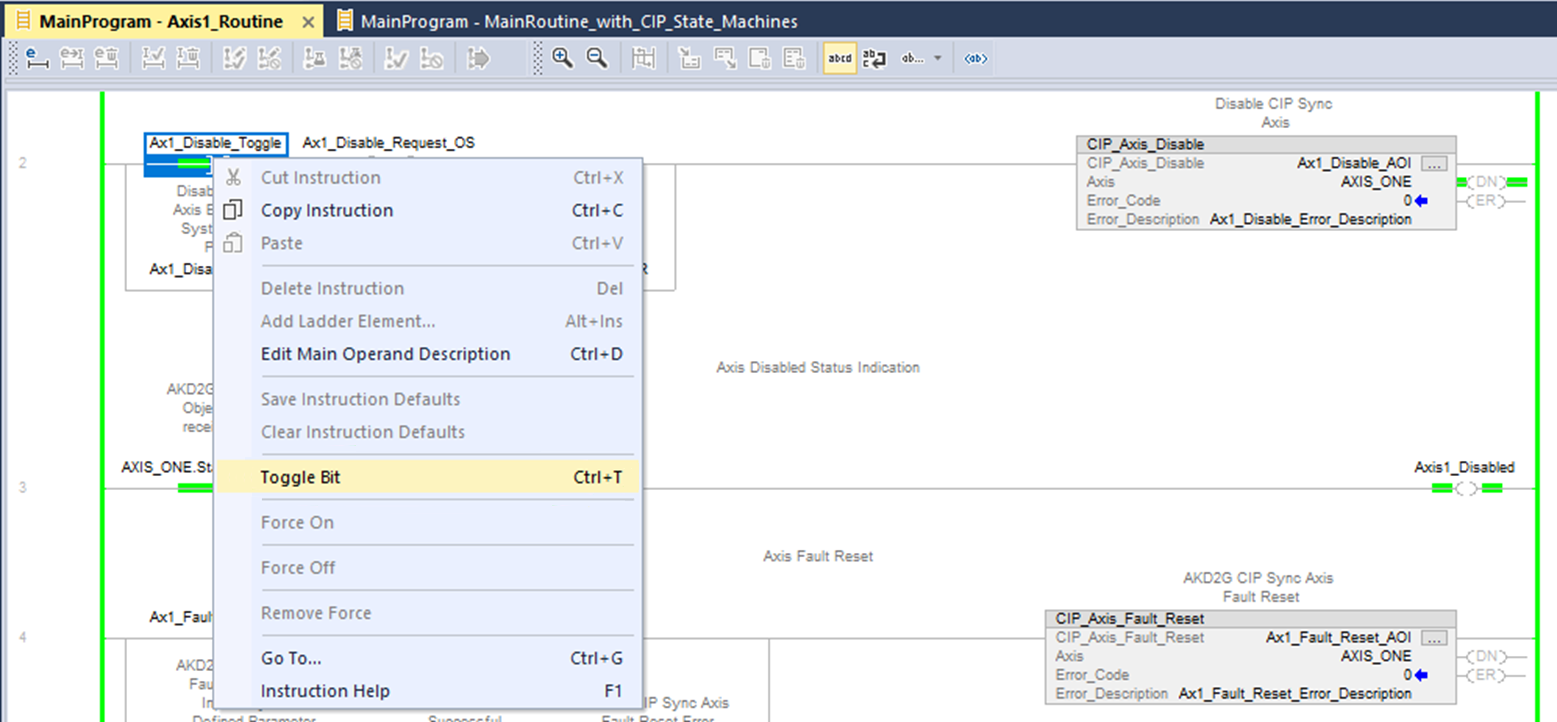
Navigate to the CIP_Axis_Disable rung and right-click on the Ax1_Disable_Toggle normally open contact and select Toggle Bit to disable the axis.
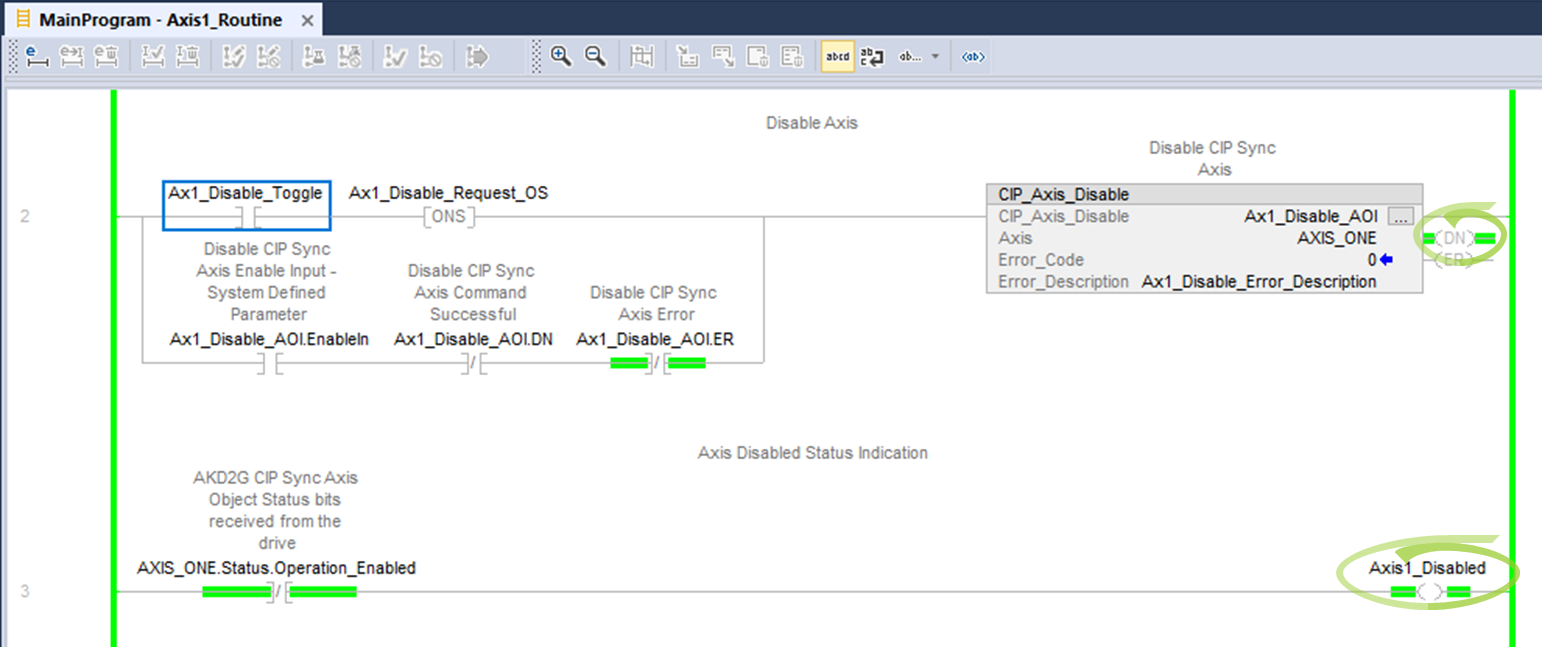
The CIP_Axis_Disable .DN (Done) bit turns ON and the status Axis1_Disabled coil in the following rung turns ON based on the axis’ state machine not being in the operation enabled state.
The status coil Axis1_Enabled from Step 1 is now OFF and the axis is inactive in WorkBench.

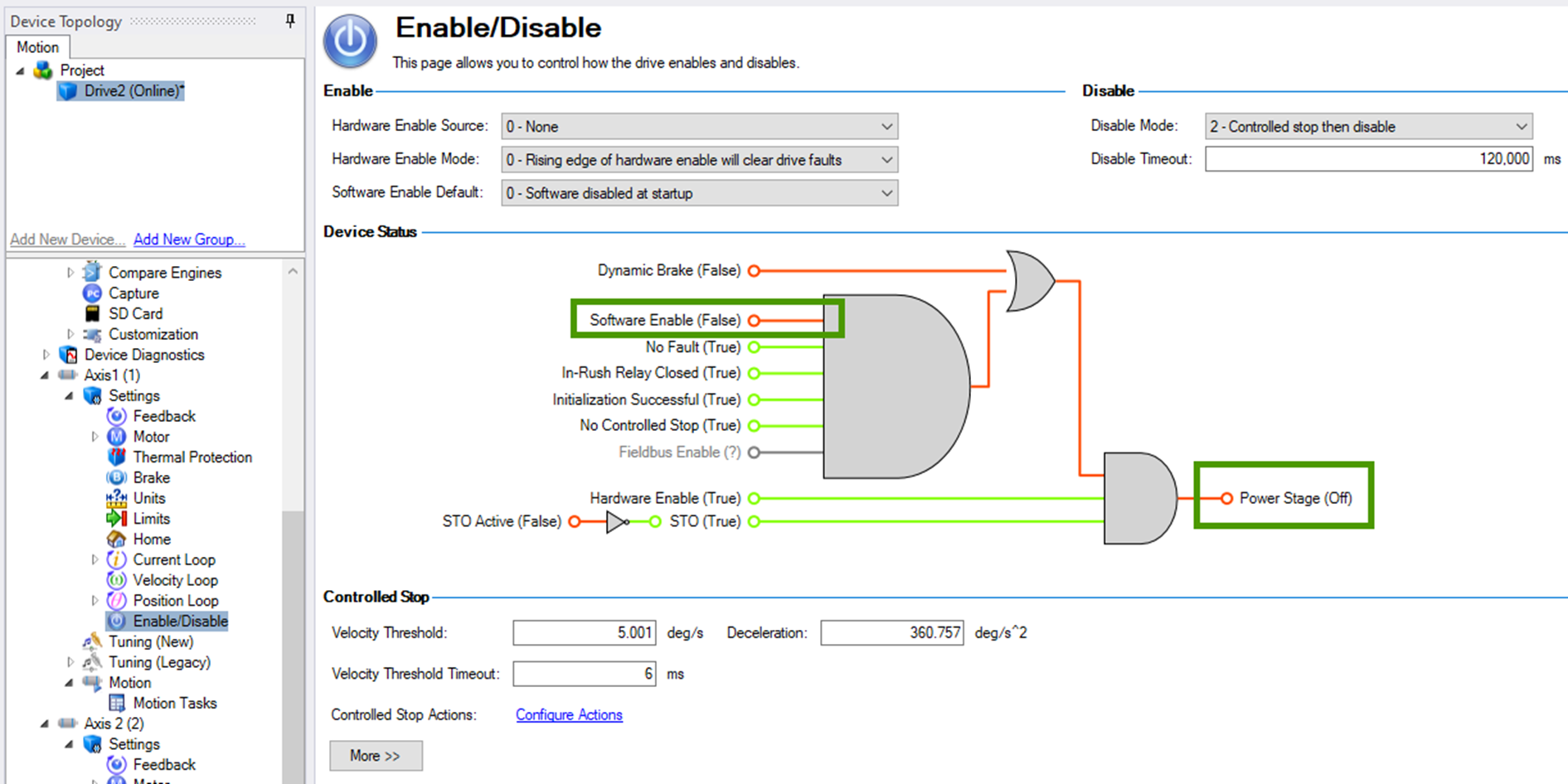
The Software Enable in the Axis 1 Enable/Disable view is OFF (False) and the Power Stage is OFF.
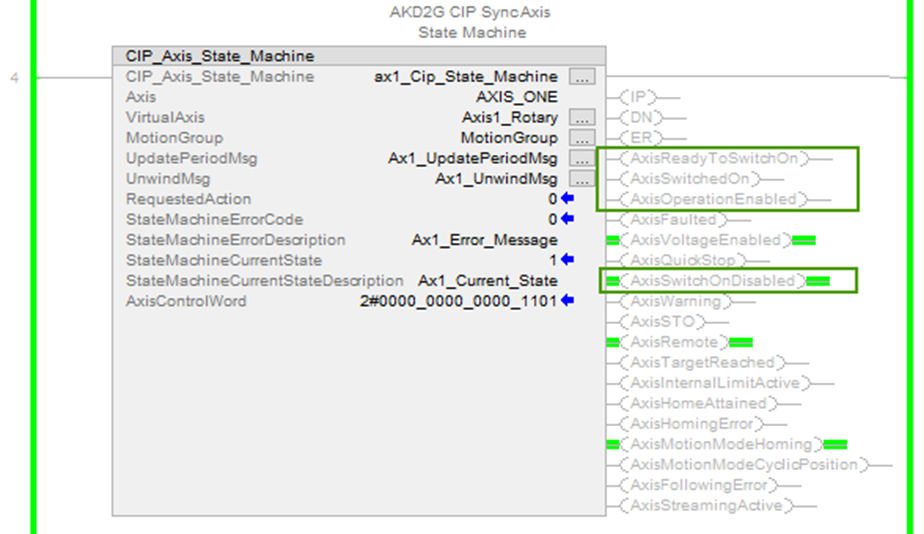
The status (not in operation Enabled/Disabled) can also be viewed in the status output bits of the CIP_Axis_State_Machine AOI for Axis 1.
-
- The CIP_Axis_State_Machine can be viewed under MainProgram → MainRoutine_with_CIP_Axis_State_Machines.
The following axis status bits will be OFF when the request to disable succeeds:
- AxisReadyToSwitchOn
- AxisSwitchedOn
- AxisOperationEnabled
The following axis status bits will be ON when the request to disable succeeds:
- AxisSwitchOnDisabled
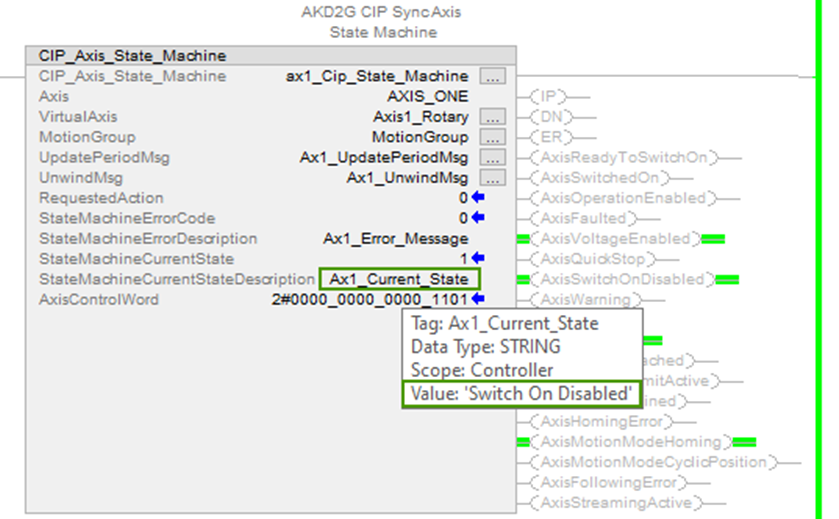
The Current State of the State Machine for Axis 1 can be viewed as a current state number or as a string message when the cursor is hovered over the StateMachineCurrentStateDescription tag.
-
Toggle the Ax1_Disable_Toggle contact OFF before proceeding.