








Part 5: Enable Streaming the Axis
The following steps guide the user through enabling streaming the axis which is required prior to utilizing the motion instructions.
Enabling Streaming
Once the axis is Enabled and Homed, the axis is ready to start accepting streamed position data points from the Virtual Axis in the PLC (which is correlated to the Real Axis in the drive). Once the axis state is operation enabled AND streaming is enabled, Rockwell Motion Instructions which support Axis Type = AXIS_VIRTUAL can be utilized.
To enable streaming:
-
Navigate to the rung with the CIP_Axis_Enable_Streaming AOI under MainTask→ MainProgram → Axis1_Routine.
-
Right-click ax1_cyclic_position_on_request.
-
Select Toggle Bit to toggle the bit ON so it executes.
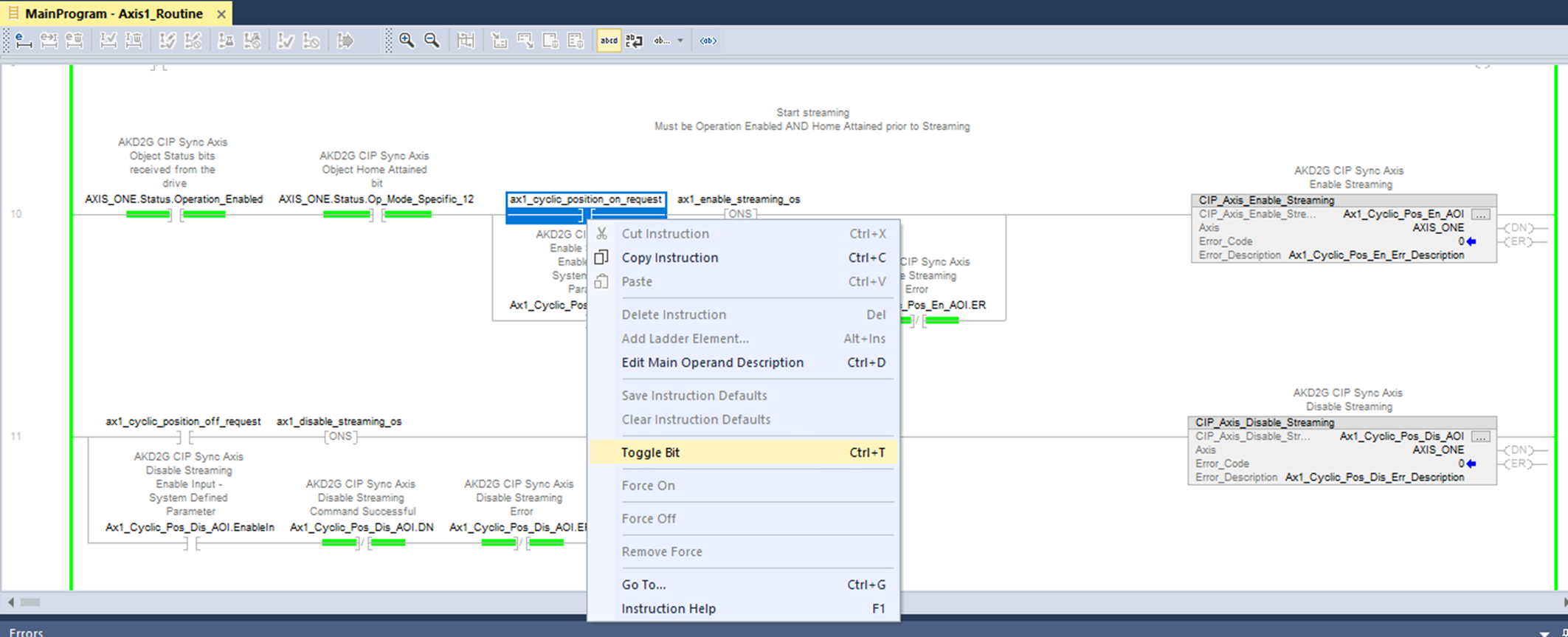
The DN (Done) bit turns ON the output.

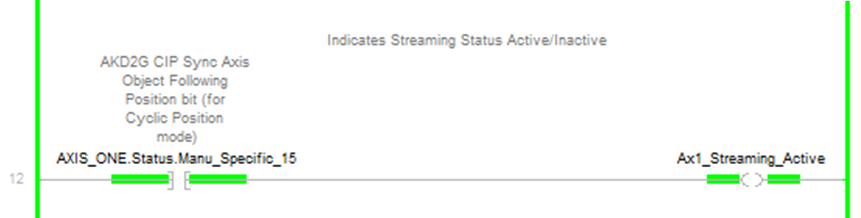
Below the CIP_Axis_Enable_Streaming rung, the streaming active status is displayed with the coil Ax1_Streaming_Active and is based on the status bit that indicates Streaming is active (AXIS_ONE.Status.Manu_Specific_15).
-
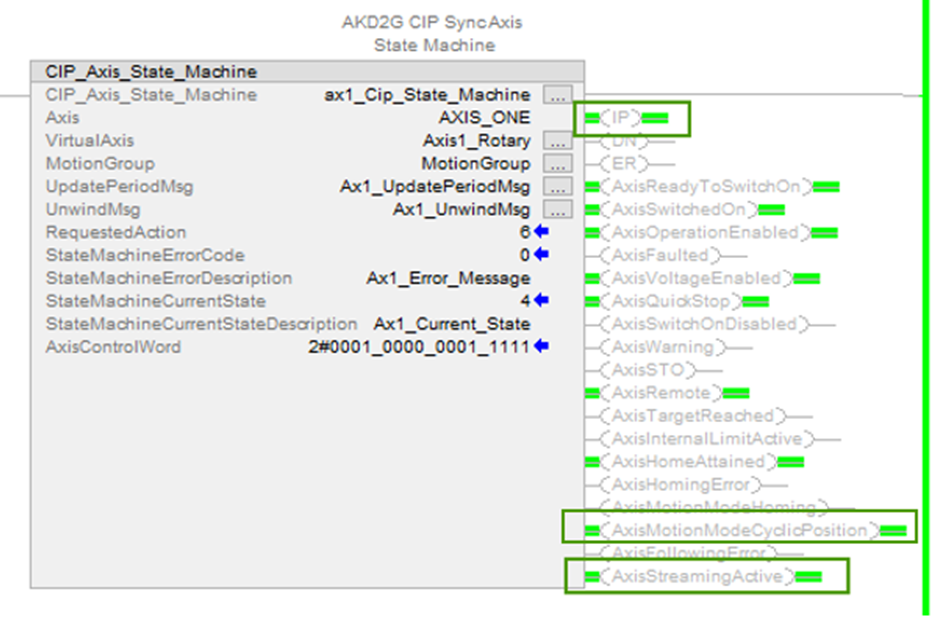
- This can also be viewed using CIP_Axis_State_Machine, which can be viewed under MainProgram → MainRoutine_with_CIP_Axis_State_Machines.
The following output bit of the CIP_Axis_State_Machine turns OFF:
- AxisMotionModeCyclicPosition
- AxisStreamingActive
- The IP bit of the CIP_Axis_State_Machine
-
Toggle the ax1_cyclic_position_on_request contact OFF before proceeding.


