








Part 6: Jogging and Stopping the Axis
The following steps will guide the user through jogging and stopping the axis in the Sample Project.
Jogging and Stopping the Axis
With Streaming Active it is possible to use the Motion Active Jog (MAJ) and Motion Active Stop (MAS) instructions to jog and stop the axis.
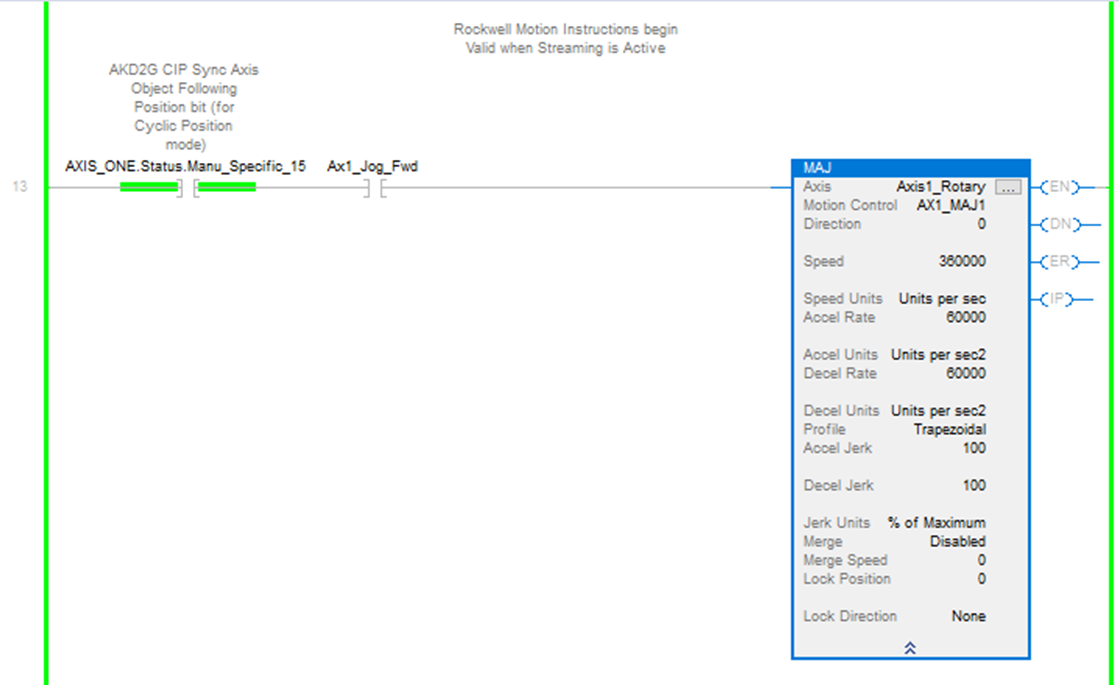
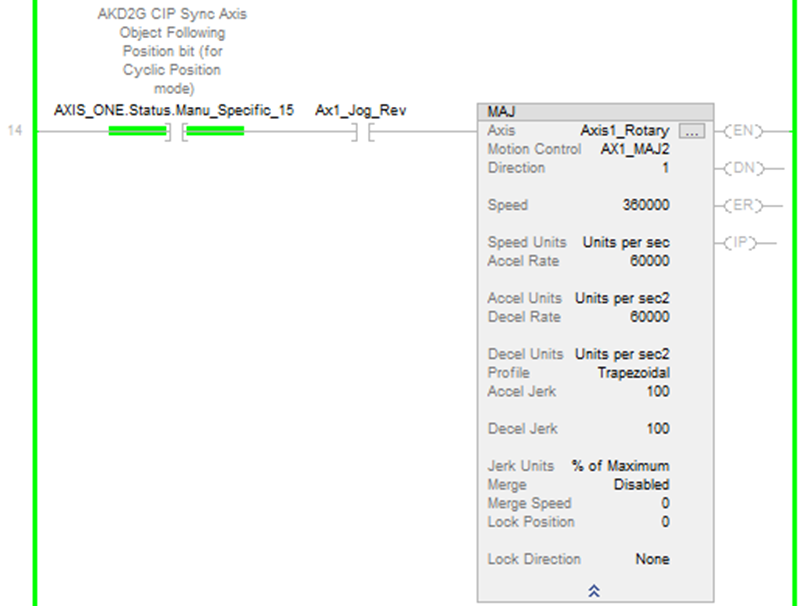
The Sample project has two rungs, one for jogging forward (Direction = 0) and one for jogging reverse (Direction = 1).
Each of these two rungs has:
-
the Speed set to 360000 or 360 deg/s (or 1 rev/s)
-
an interlock to ensure Streaming is Active for the axis
-
a normally open contact to toggle to Jog Forward/Stop (Ax1_Jog_Fwd)
-
a normally open contact to toggle to Jog Reverse/Stop (Ax1_Jog_Rev)
|
|
|
Figure 1: Jog Forward/Stop (Ax1_Jog_Fwd) Jog Forward/Stop (Ax1_Jog_Fwd) |
Figure 2: Jog Reverse/Stop (Ax1_Jog_Rev) Figure 3: Jog Reverse/Stop (Ax1_Jog_Rev) Jog Reverse/Stop (Ax1_Jog_Rev) |
When the Ax1_Jog_Fwd or Ax1_Jog_Rev contact is toggled ON the respective MAJ instruction is triggered and jogging in the given direction commences.
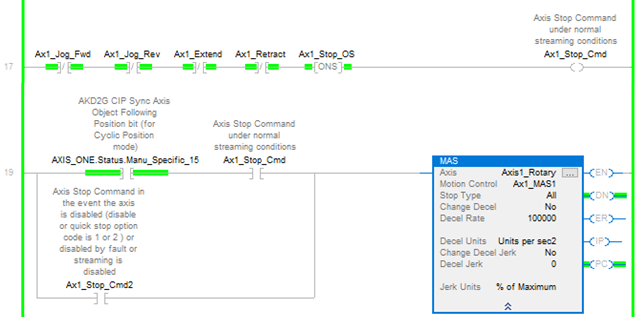
When the Ax1_Jog_Fwd or Ax1_Jog_Rev contact is toggled OFF, on falling edge, two rungs are used to trigger the MAS instruction.
Using this method the Ax1_Jog_Fwd or Ax1_Jog_Rev contacts can be toggled ON and OFF to Jog/Stop.
Jogging Forward
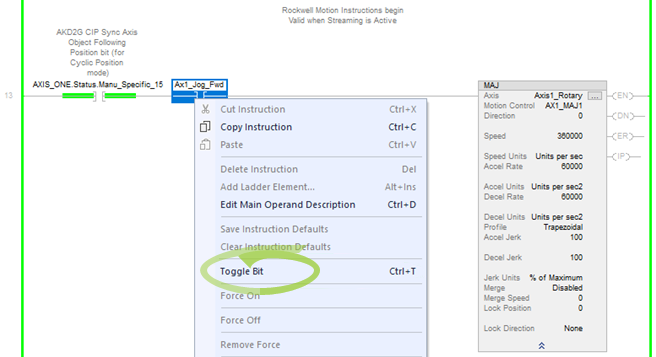
To start jogging in the forward direction , toggle the Ax1_Jog_Fwd contact in the rung with the MAJ with its Direction set to 0. (Under MainTask → MainProgram → Axis1_Routine) The MAJ IP (in process) bit turns ON while jogging is active.
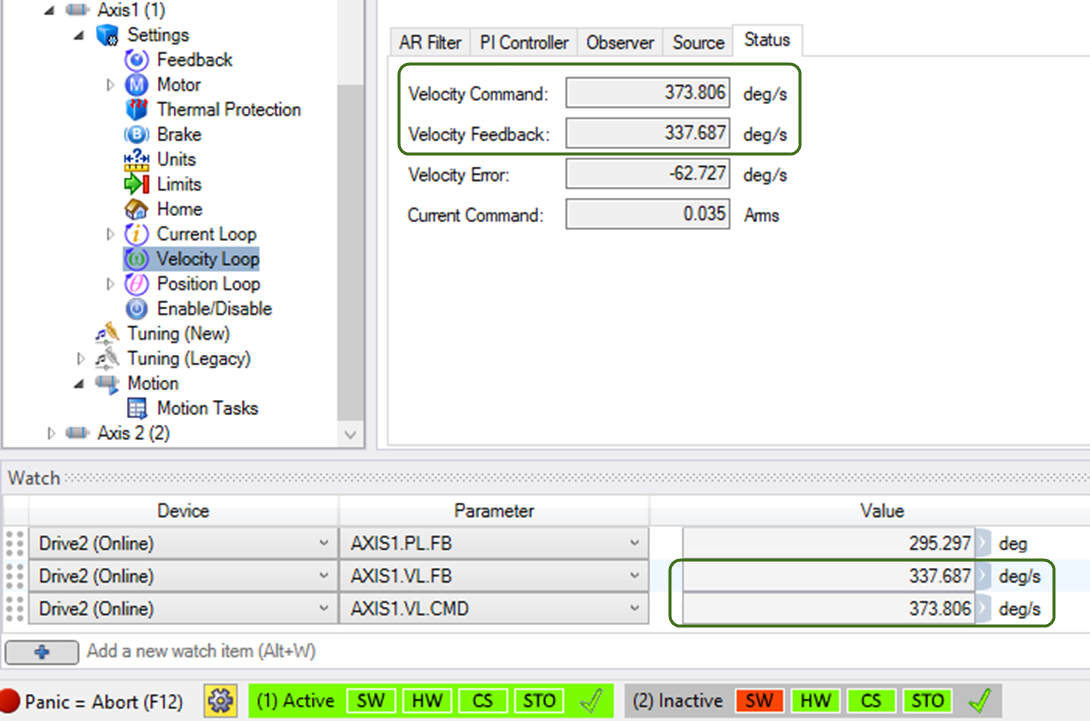
In WorkBench, the velocity is shown to be approximately the 360 deg/s commanded by the MAJ instruction.
-
- The velocity of the axis can be viewed in the Scaling tab of WorkBench's Velocity Loop view or in the Watch window when set to monitor AXIS1.VL.FB and/or AXIS1.VL.CMD.
To Stop Jogging Forward, toggle the Ax1_Jog_Fwd contact.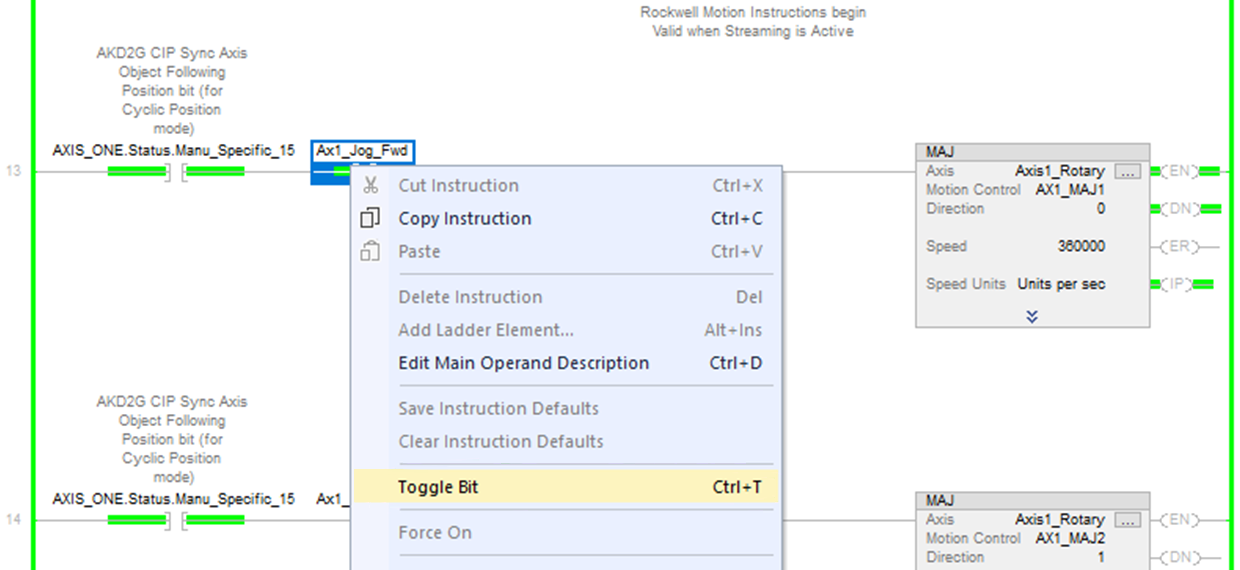
The MAJ IP status bit turns OFF and the MAS PC status bit turns ON.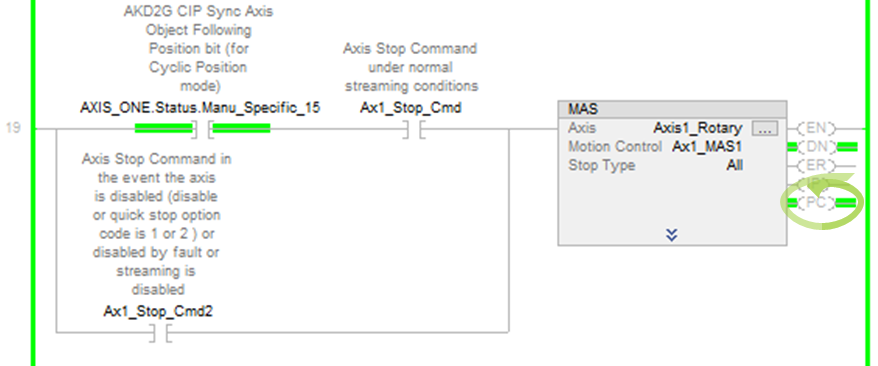
The Velocity Command now displays 0 deg/s in WorkBench.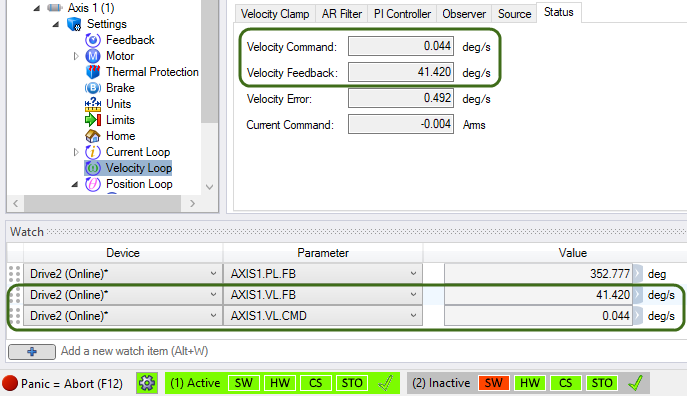
Jogging Reverse
To start jogging in the reverse direction, toggle the Ax1_Jog_Rev contact in the rung with the MAJ with its Direction is set to 1.
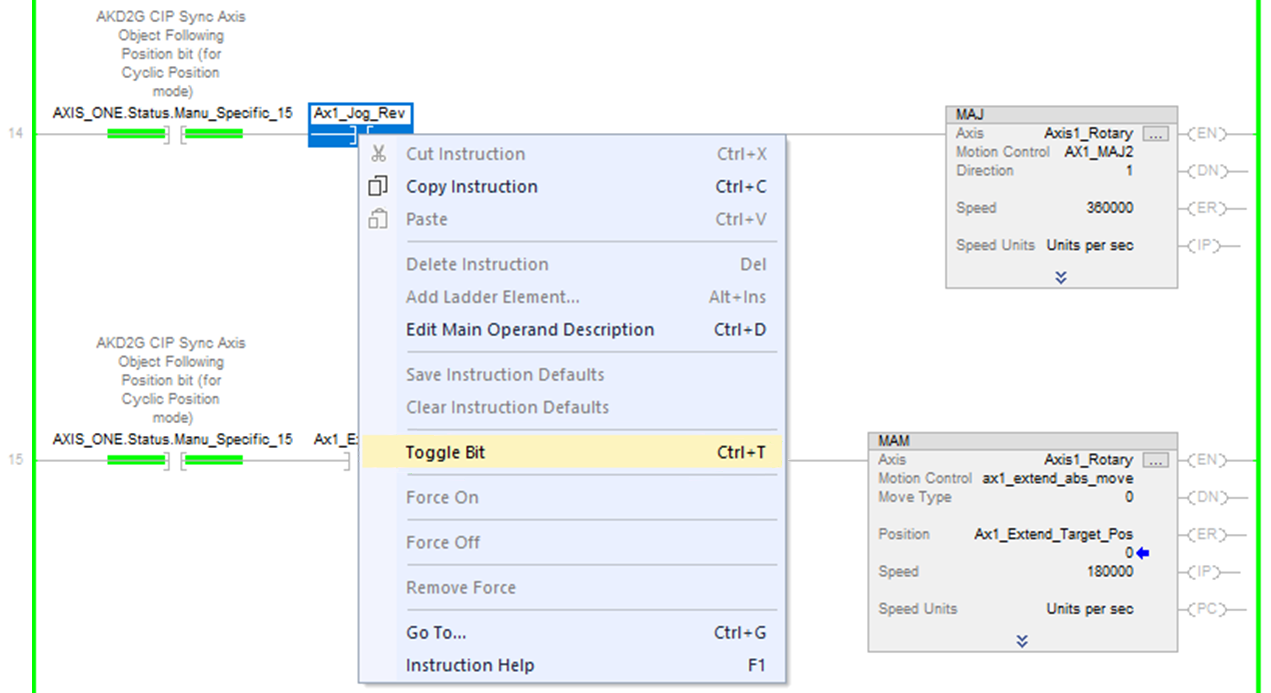
The MAJ IP (in process) bit turns ON while jogging is active.
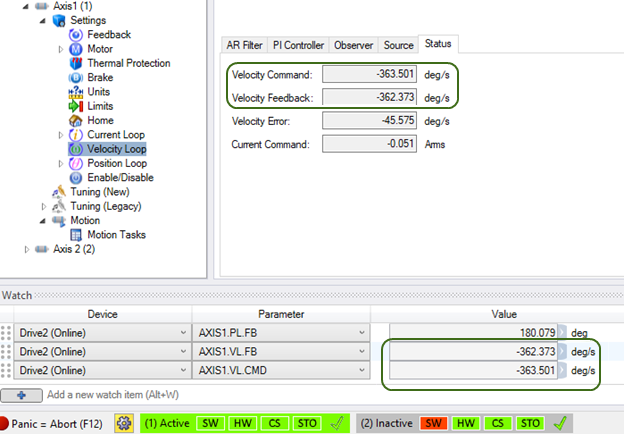
The velocity of the axis is approximately the -360 deg/s commanded by the MAJ instruction.
-
- The velocity of the axis can be viewed in the Scaling tab of WorkBench's Velocity Loop view or in the Watch window when set to monitor AXIS1.VL.FB and/or AXIS1.VL.CMD.
To stop jogging in the reverse direction, toggle the Ax1_Jog_Rev contact in the rung with the MAJ where the Direction is set to 1.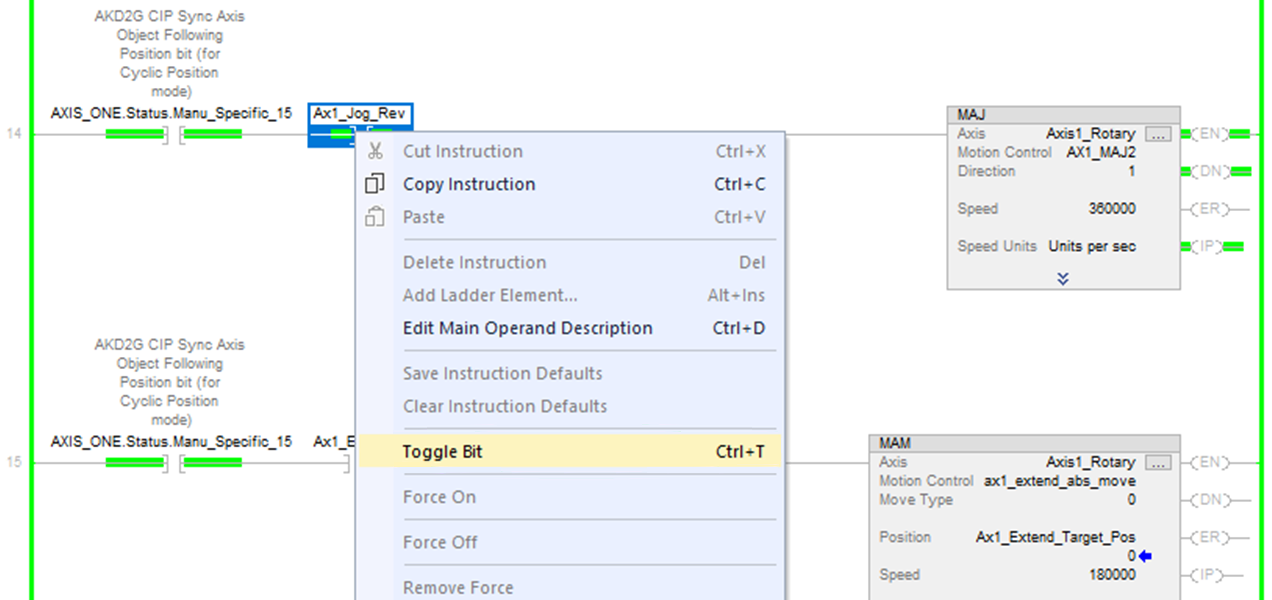
The MAJ IP status bit turns OFF.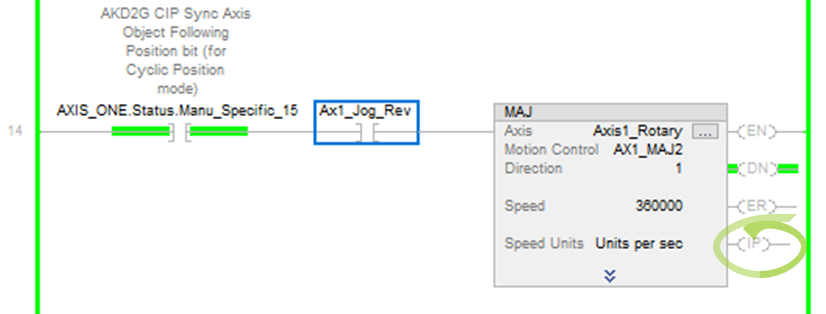
The MAS PC status bit turns ON.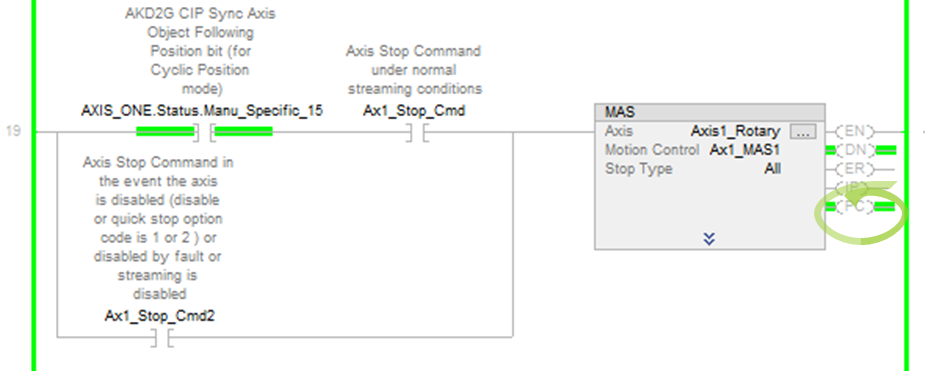
In WorkBench the Velocity Command can be viewed as 0 deg/s.


