Part 7: Indexing (Extend and Retract) the Axis
The following steps describe indexing using absolute moves in the Sample Project using the Axis1_Routine ladder logic.
Extending and Retracting the Axis
The Sample project’s logic for indexing absolute moves is similar to the jog forward and jog reverse logic.
Two rungs have been setup for the moves Extend and Retract where both moves are absolute positioning moves.
The rung for Axis 1 Extend has an interlock to ensure streaming is active prior to triggering the MAM (Motion Axis Move) instruction and a normally open contact Ax1_Extend so the user can toggle the bit to execute the move.
The Sample project hardcodes most of the attributes of the ax1_extend_abs_move MAM instruction with the exception of the Position which was given the tag name Ax1_Extend_Target_Pos to allow the user of the Sample project to vary the go to position of the extend (a value between 0 and 360 degrees on the rotary axis).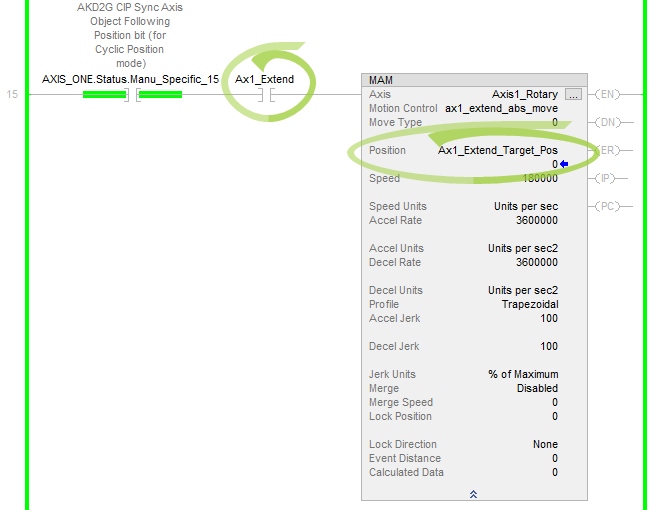
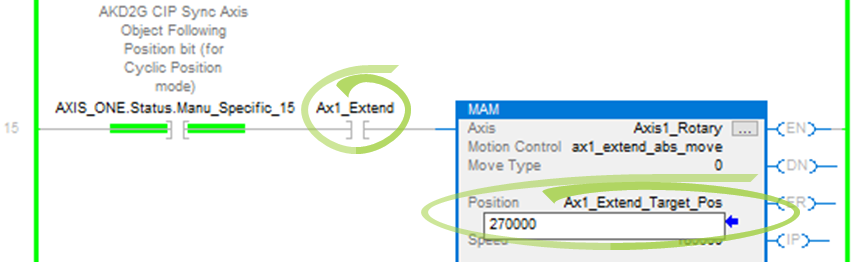
For the demonstration in the Sample project, a target position value of 270000 (for 270 degrees) will be entered.
-
Double-click on the Position field value and enter the value.
-
Press Enter to accept the change.
Other settings which have been hardcoded for the move profile are:
-
Target Velocity of 180000 or 180 deg/s
-
Acceleration and Deceleration values of 3600000 or 3600 deg/s2
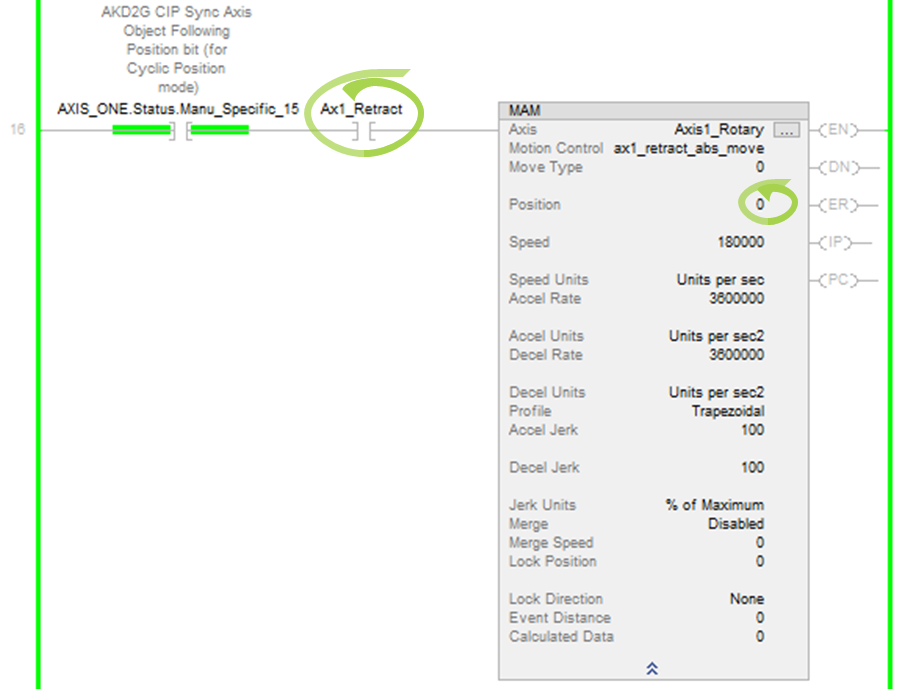
For the Retract move, a second MAM (Motion Axis Move) instruction was setup in another rung with an interlock to ensure the axis’ streaming is active prior to triggering the move and a normally open contact Ax1_Retract is provided for the user to toggle to trigger the move.
The retract MAM instruction’s Position field is hardcoded to 0 (return to 0 degrees). This allows the user to extend to a variable set position between 0 and 360 degrees and then command a return back to 0 (i.e., retract).
Other settings hardcoded for the move profile:
-
Target Velocity (tag name Speed) of 180000 or 180 deg/s
-
Accel Rate and Decel Rate of 3600000 or 3600 deg/s2
After Jogging (in the previous step, Part 6), the rotary feedback position will be in the range of 0 to 360 degrees.
-
To start the Retract move (to the 0 position), toggle the Ax1_Retract contact.
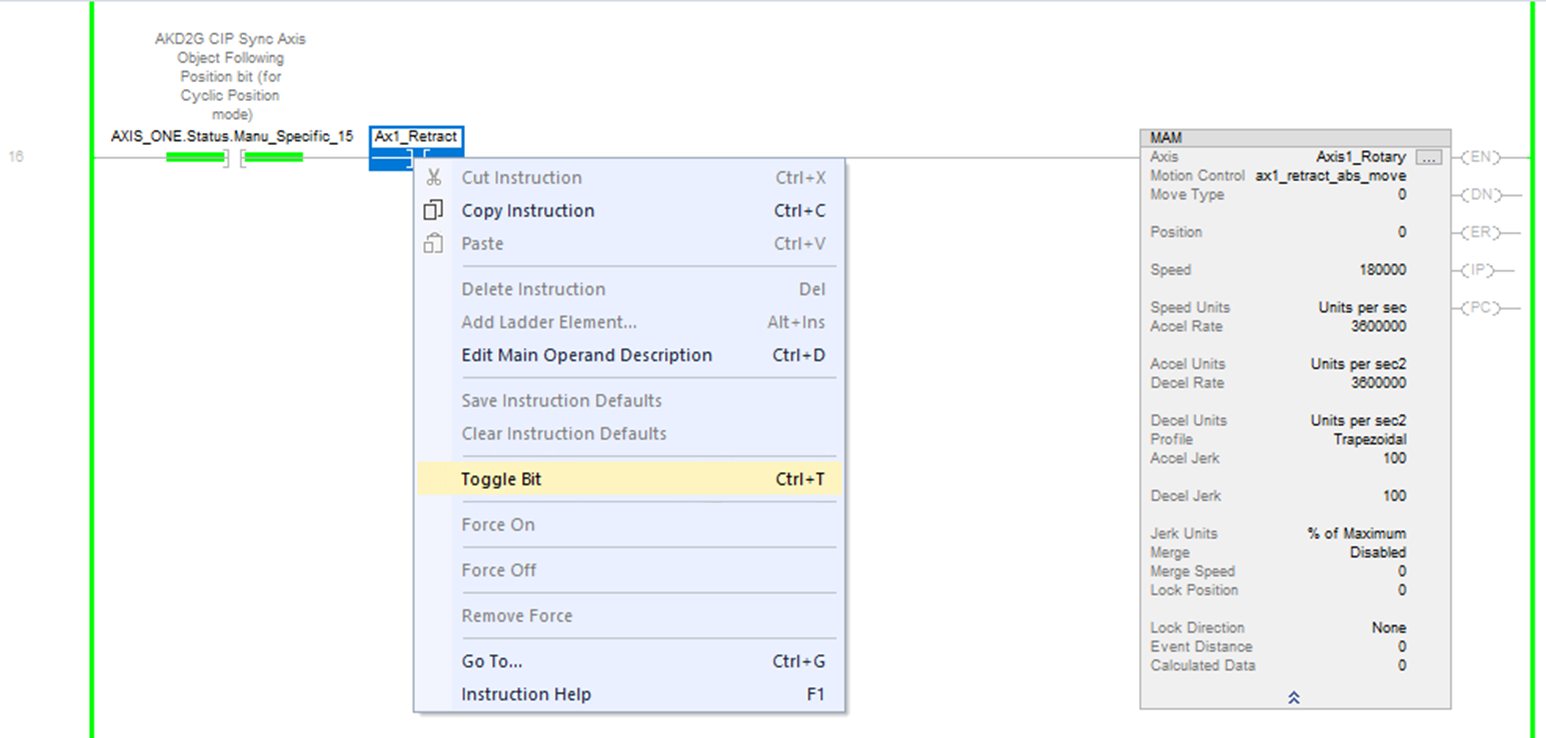
The IP (in process) status bit of the MAM instruction will turn ON during the move and the turn OFF when the PC (process complete) status bit turns ON once the move is complete.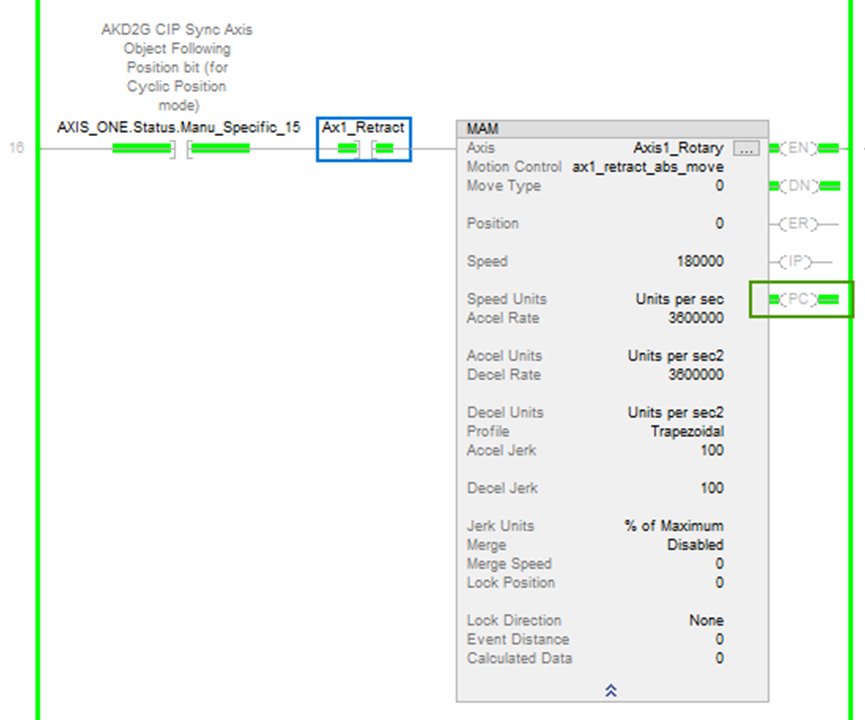
In WorkBench, the position feedback of the axis can be observed at 0, 360 degrees.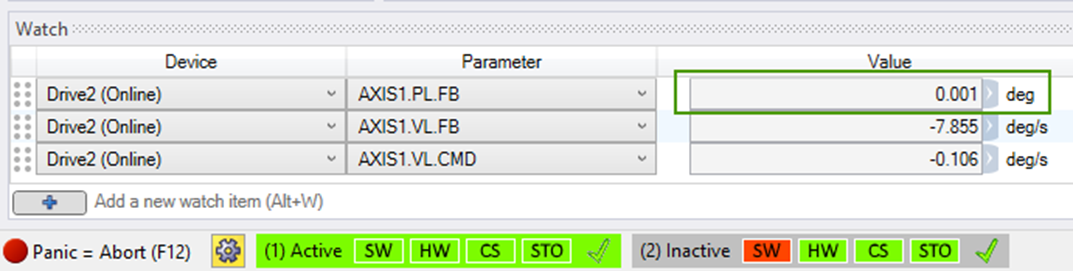
To move to the Home Position (i.e. 0 degrees), trigger the Ax1_Retract.
The current position of the axis can be viewed in the Watch window in WorkBench.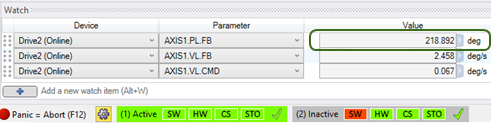
-
Toggle the Ax1_Retract contact OFF before proceeding.
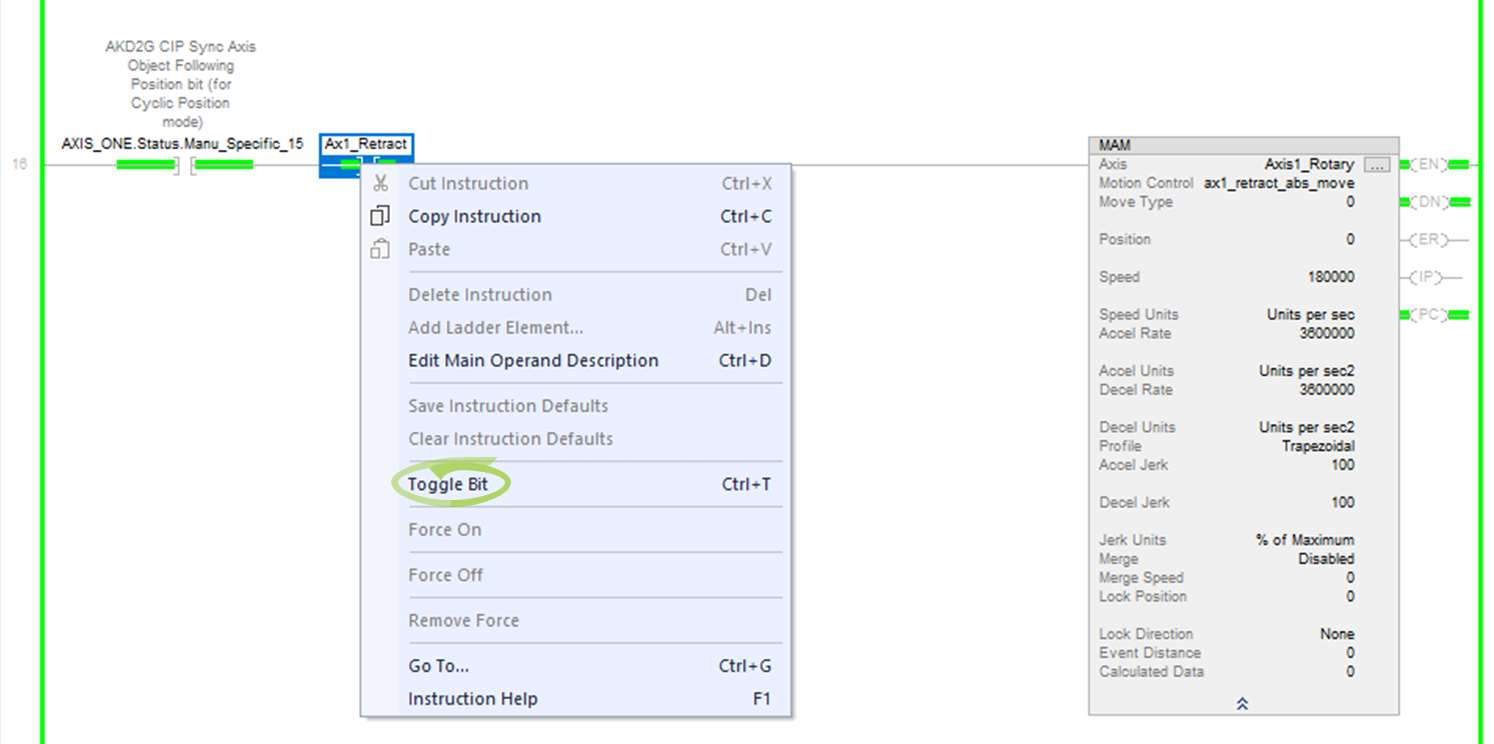
Toggle the Ax1_Retract contact OFF before proceeding.
To start the Retract move, toggle the Ax1_Retract contact.
The IP (in process) status bit of the MAM instruction will turn ON during the move and the turn OFF when the PC (process complete) status bit turns ON once the move is complete. The position feedback of the axis can now be viewed in WorkBench at 0, 360 degrees. -
Next, to Extend and make a move to the absolute position of 270 degrees, toggle the Ax1_Extend normally open contact in the rung with the ax1_extend_abs_move MAM instruction before proceeding.
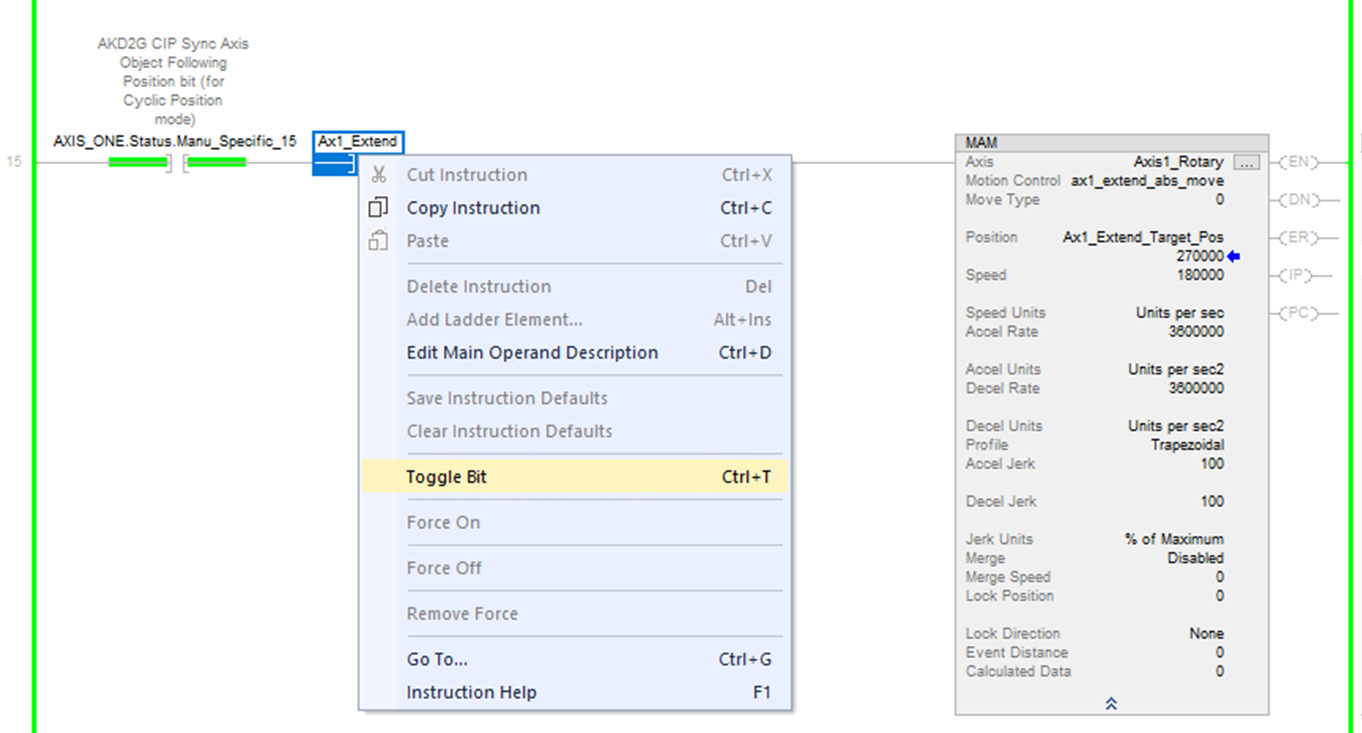
The IP (in process) status bit of the MAM instruction will turn ON during the move and the turn OFF when the PC (process complete) status bit turns ON once the move is complete.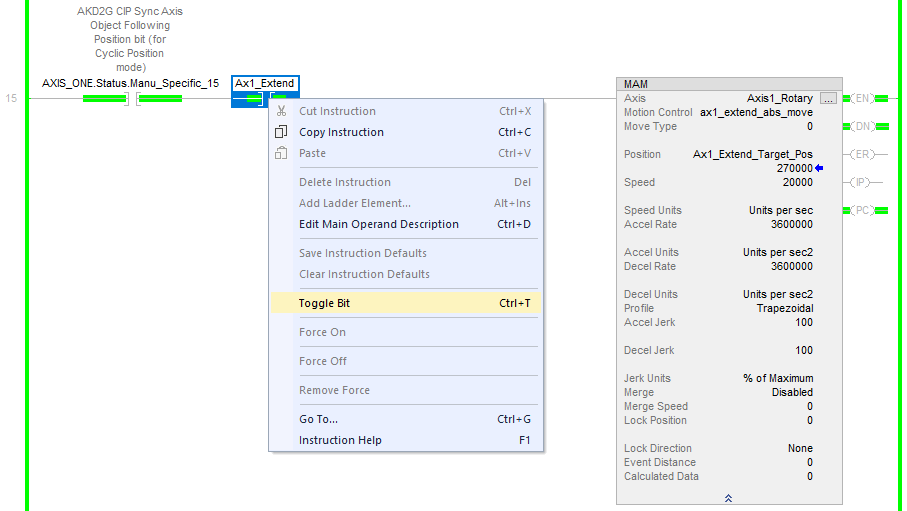
The position feedback of the axis can now be viewed in WorkBench at 270 degrees, which is what was entered in this example.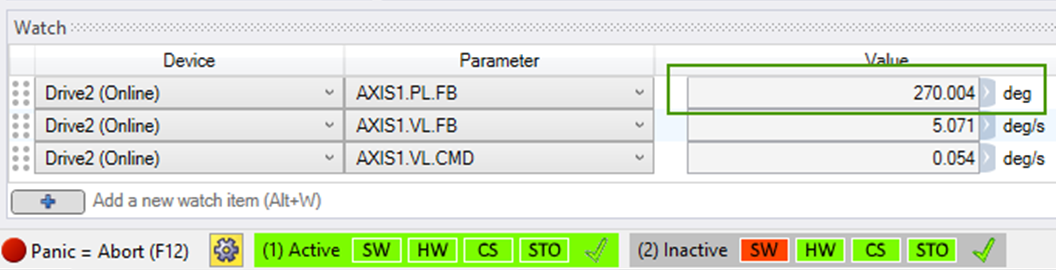
Toggle the Ax1_Retract contact OFF before proceeding.
-
Next, to Extend and make a move to the absolute position of 270 degrees, toggle the Ax1_Extend normally open contact in the rung with the ax1_extend_abs_move MAM instruction before proceeding.
The IP (in process) status bit of the MAM instruction will turn ON during the move and the turn OFF when the PC (process complete) status bit turns ON once the move is complete. The position feedback of the axis can now be viewed in WorkBench at 270 degrees, whihc is what was entered in this example.
The triggering and cycling of Extend and Retract can be repeated as many times as desired. When finished with experimenting with Extend and Retract make sure both the Ax1_Extend and Ax1_Retract contacts are toggled OFF before proceeding.
The triggering and cycling of Extend and Retract can be repeated as many times as desired. When finished with experimenting with Extend and Retract make sure both the Ax1_Extend and Ax1_Retract contacts are toggled OFF.
-
-
-
The extend position can be altered to a value different than 270 (i.e. 45, 90, 180, etc.).
-
An axis can be stopped in the middle of a move by toggling the Ax1_Extend or Ax1_Retract contacts prior to the Extend or Retract move completing.
-
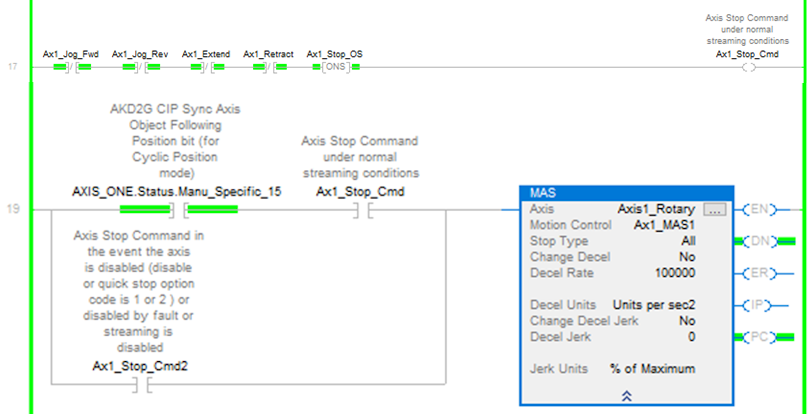
Like the Jog Forward and Reverse methods, when the Ax1_Extend or Ax1_Retract contact is toggled OFF, ON falling edge, there are two rungs used to trigger the MAS (Motion Axis Stop) instruction.