








Part 8: Disable Streaming
The following steps describe how to disable streaming using the CIP_Axis_Disable_Streaming AOI in Studio 5000 using the Axis1_Routine ladder logic.
Disabling Streaming
If it is no longer necessary to follow the Virtual Axis position data points, to stop streaming, making Streaming Not Active allows the CIP_Axis_Home AOI to be executed again (i.e., re-home). Recall in the rung that contains the CIP_Axis_Home AOI, there is an interlock such that when Streaming is Active the CIP_Axis_Home AOI cannot be triggered.
-
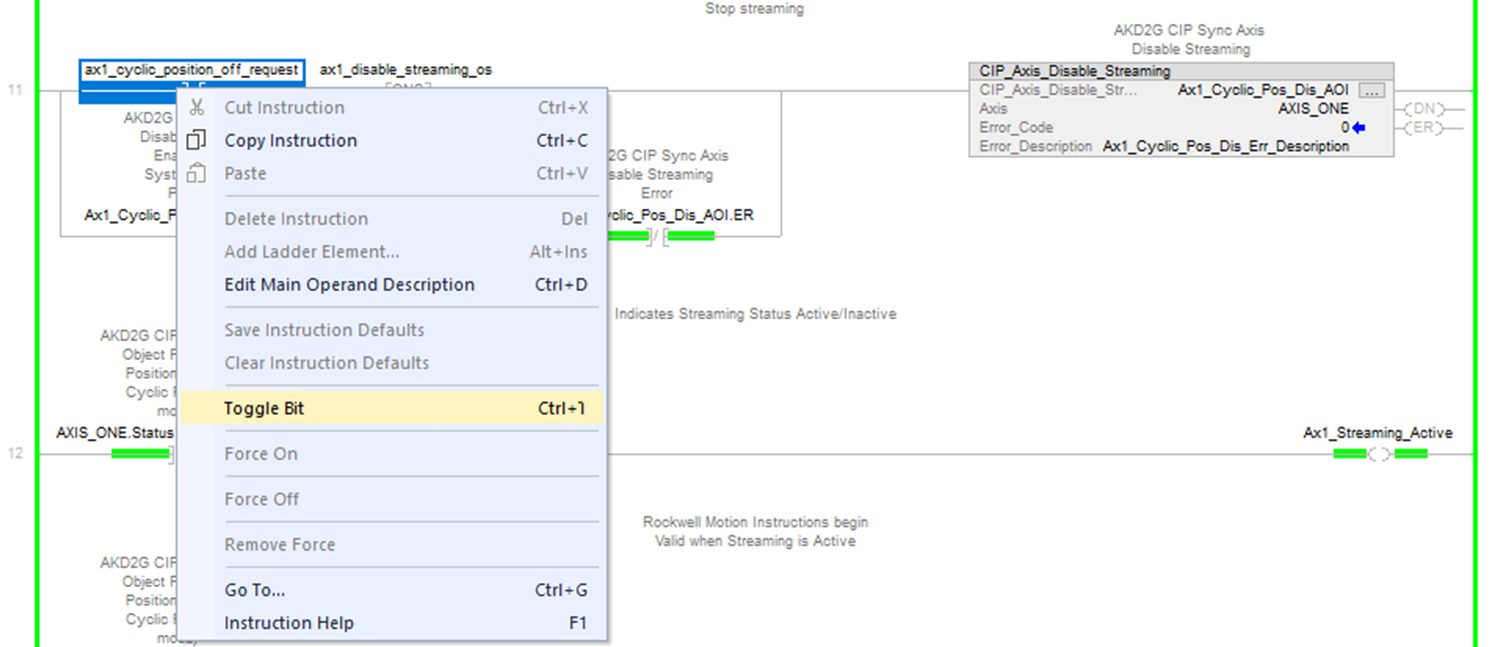
To disable streaming, navigate to the CIP_Axis_Disable_Streaming AOI and toggle the ax1_cyclic_position_off_request normally open contact. (Found under MainTask → MainProgram → Axis1_Routine)
In the rung below the CIP_Axis_Disable_Streaming AOI the status coil Ax1_Streaming_Active set by the axis status bit AXIS_ONE.Status.Manu_Specific_15 turns OFF.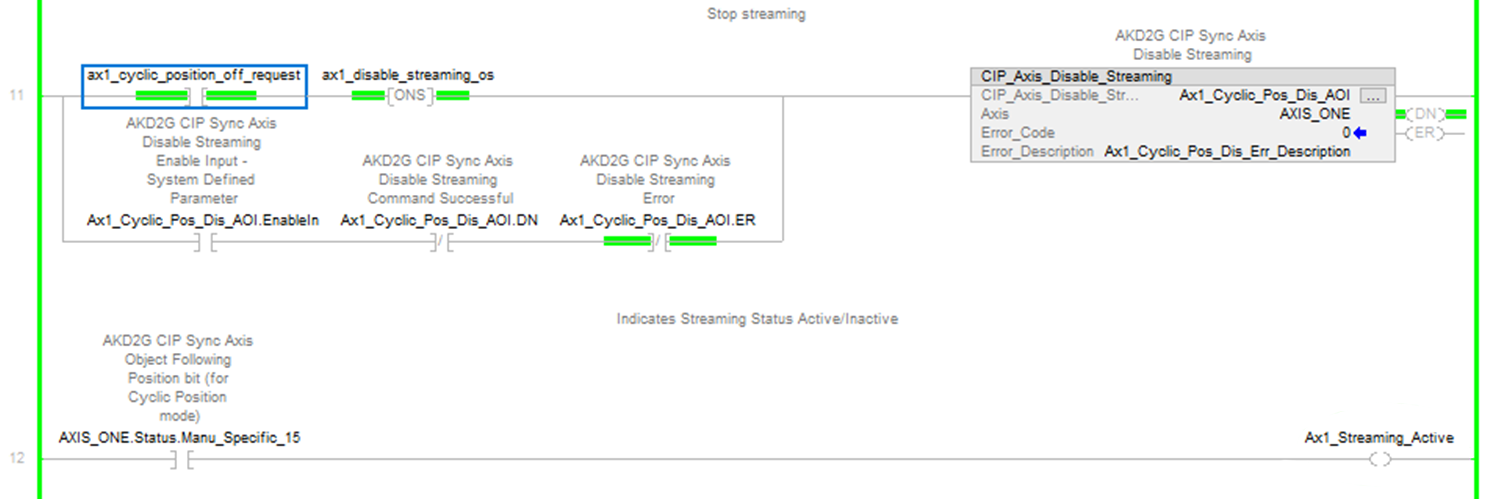
In the rung below the CIP_Axis_Disable_Streaming AOI the status coil Ax1_Streaming_Active set by the axis status bit AXIS_ONE.Status.Manu_Specific_15 turns OFF.
-
- The Streaming Not Active status can also be viewed using CIP_Axis_State_Machine, which can be viewed under MainProgram → MainRoutine_with_CIP_Axis_State_Machines.
The IP bit of the CIP_Axis_State_Machine also turns OFF.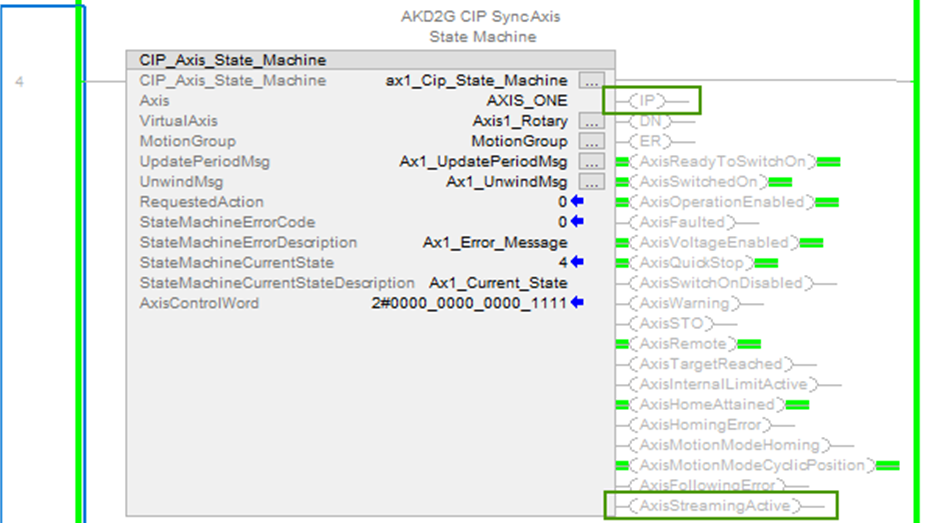
The IP bit of the CIP_Axis_State_Machine also turns OFF.
The IP bit of the CIP_Axis_State_Machine also turns OFF.
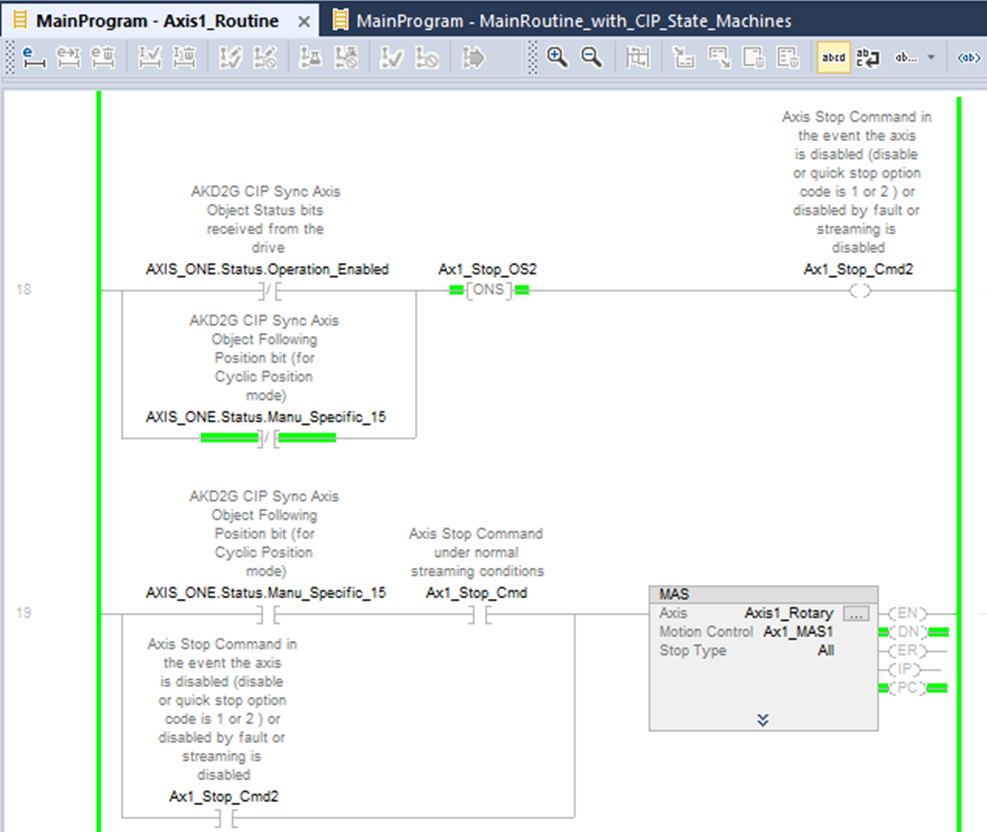
In addition to the triggers of the MAS instruction, a secondary stop trigger Ax1_Stop_Cmd is shown in the ladder logic which is triggered when:
-
the axis is disabled or faulted and not in Operation Enabled any longer
-
streaming goes from Active to Not Active
This issues the MAS instruction so the Virtual Axis is stopped in these conditions.
-
Toggle the ax1_cyclic_position_off_request normally open contact OFF before proceeding.
Toggle the Ax1_cyclic_position_off_request normally open contact OFF before proceeding.


