








Part 9: Other AOIs demonstrated in the Sample project
This section gives an overview of the CIP_Axis_Fault_Reset AOI and CIP_Axis_Quick_Stop AOI and their usage in the Sample Project.
CIP_Axis_Fault_Reset AOI
In the event the axis is faulted, and assuming the fault condition is remedied, the axis fault can be cleared from the PLC by triggering the CIP_Axis_Fault_Reset AOI.
In WorkBench Axis 1 is shown as faulted.

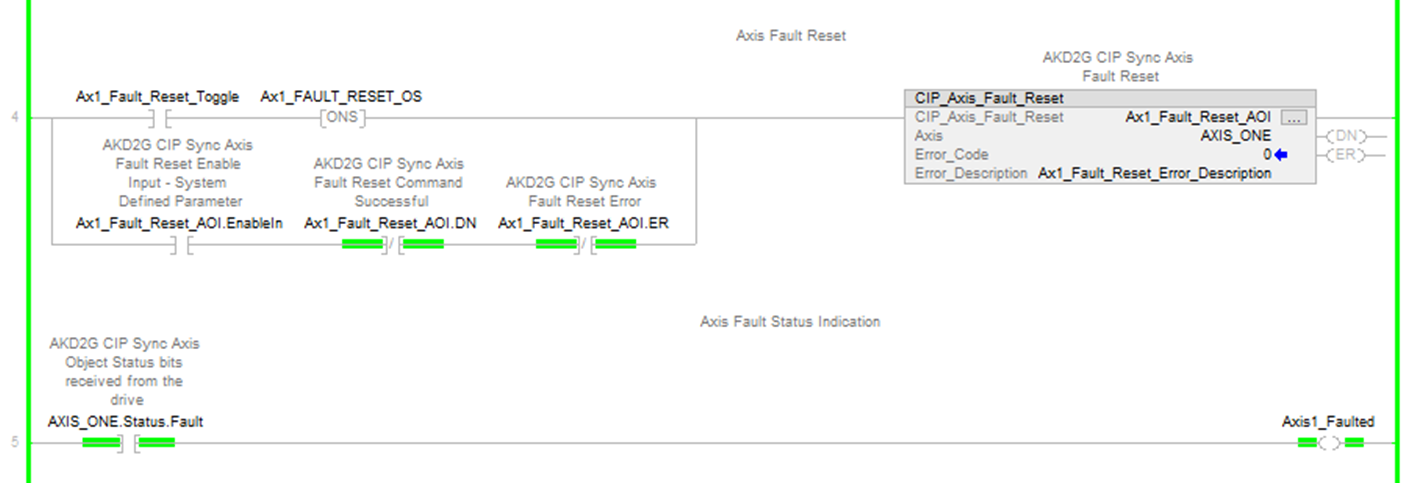
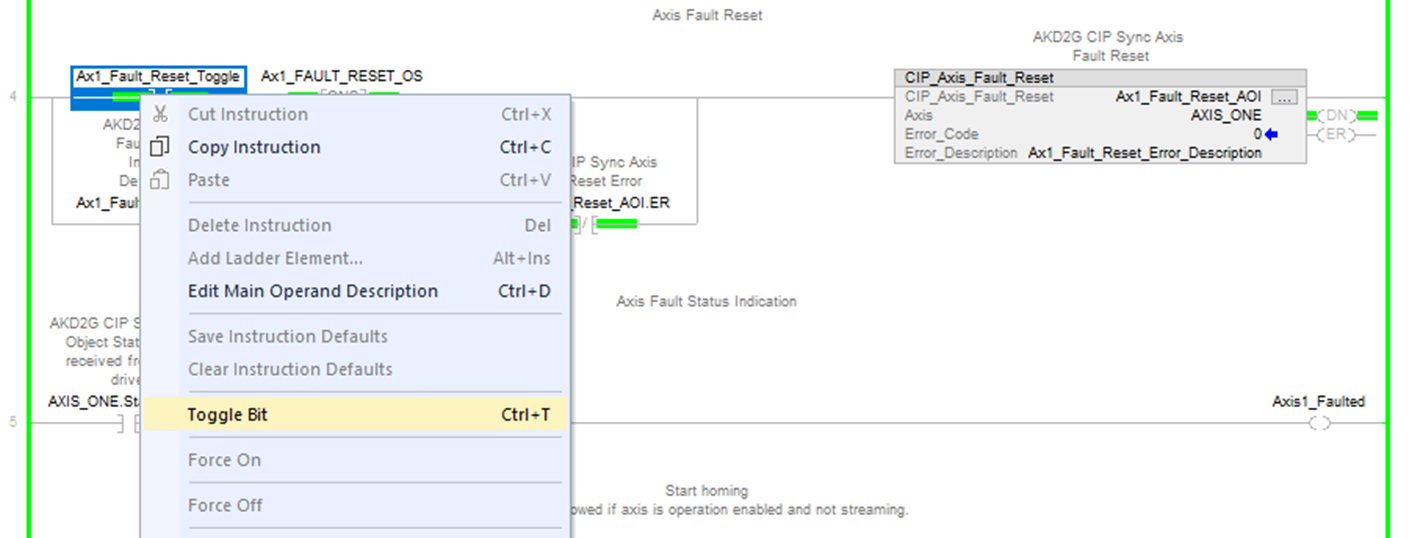
In the Sample project there are two rungs where the first rung contains the CIP_Axis_Fault_Reset AOI. The second rung has a coil Axis1_Faulted which turns ON when the AXIS_ONE.Status.Fault status bit is ON for axis fault indication in the ladder.
-
- The fault status can also be viewed using CIP_Axis_State_Machine, which can be viewed under MainProgram → MainRoutine_with_CIP_Axis_State_Machines.
The AxisFaulted status output bit of the CIP_Axis_State_Machine for Axis 1 is shown as ON (Faulted). When the mouse cursor is hovered over the field and tag Ax1_Current_State, the description of the Current State of the State Machine as Faulted.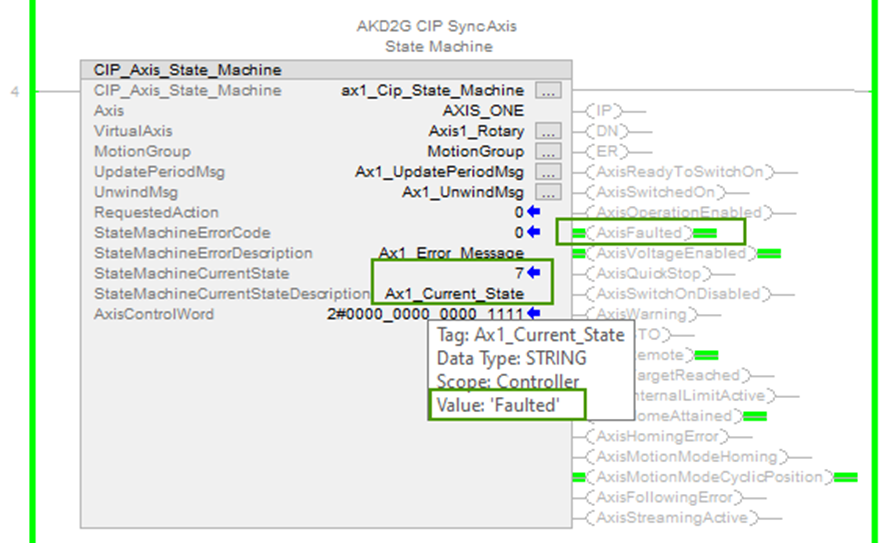
-
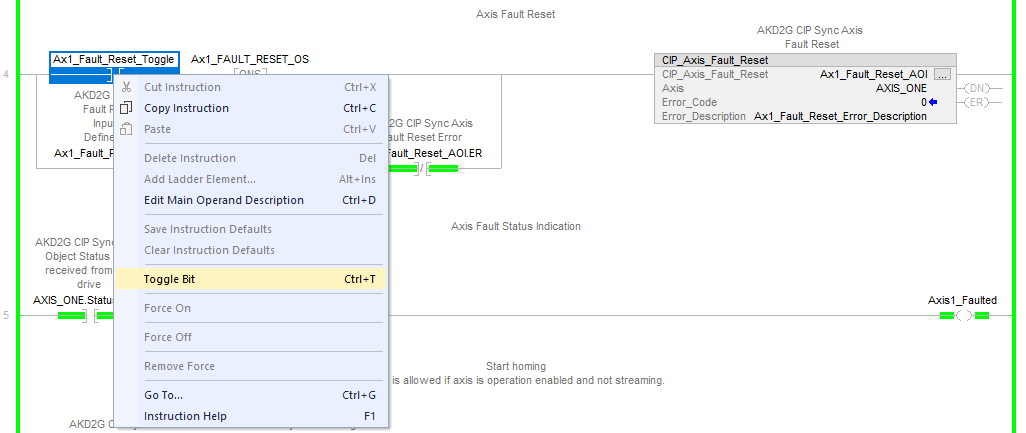
To clear the fault, navigate to the rung with the CIP_Axis_Fault_Reset AOI and toggle the normally open contact Ax1_Fault_Reset_Toggle.
When the fault is cleared, the DN bit of the CIP_Axis_Fault_Reset AOI turns ON. In the following rung, the Axis1_Faulted coil turns OFF.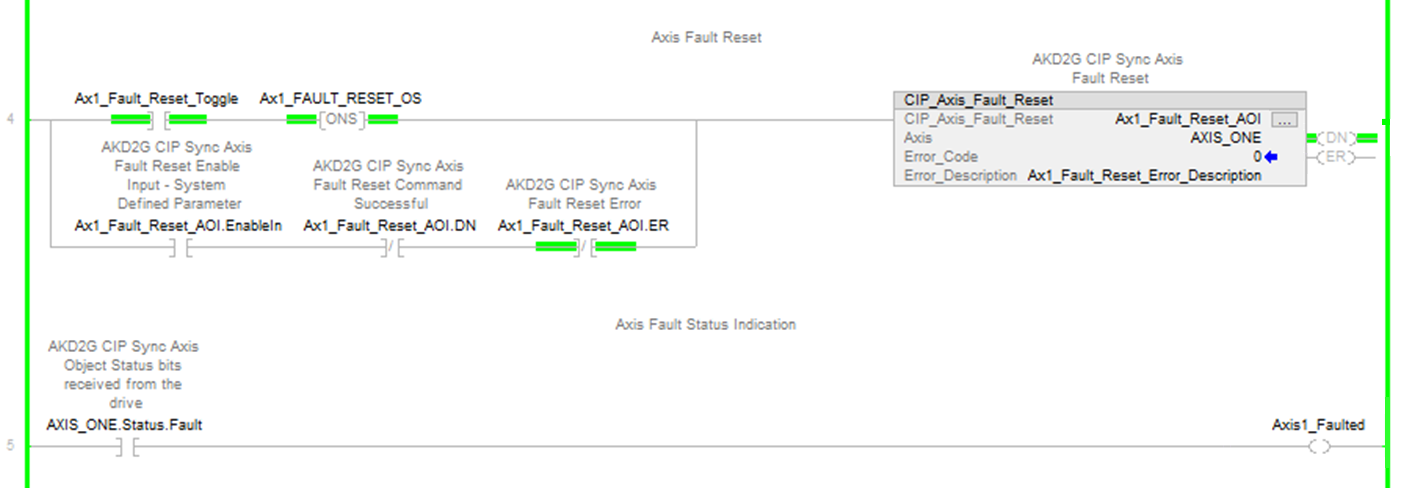
To clear the fault, navigate to the rung with the CIP_Axis_Fault_ResetAOI and toggle the normally open contact Ax1_Fault_Reset_Toggle.
When the fault is cleared, the DN bit of the CIP_Axis_Fault_Reset AOI turns ON. In the following run, the Axis1_Faulted coil turns OFF.
The WorkBench status bar shows that the fault ON Axis 1 has cleared.
The AxisFaulted output status bit of the CIP_Axis_State_Machine for Axis 1 is OFF (i.e., not faulted). Hover the mouse cursor over the field for the State Machine’s Current State Description, it displays Switch On Disabled.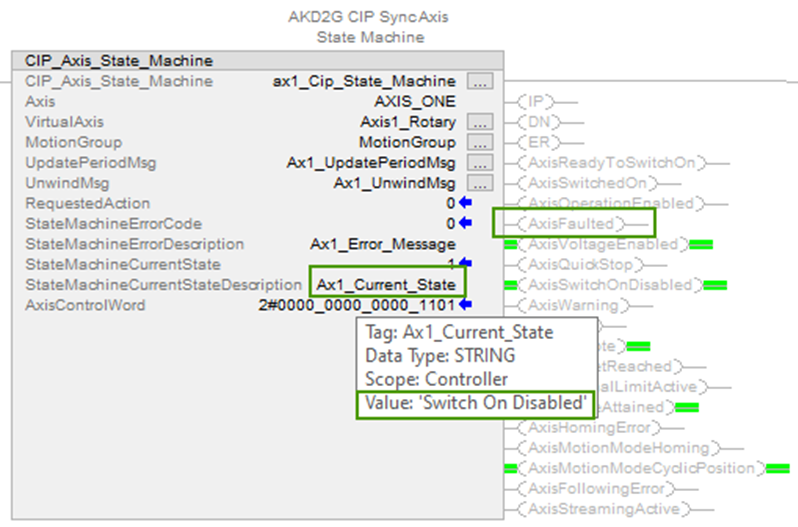
-
Toggle the Ax1_Fault_Reset_Toggle contact OFF before proceeding.
CIP_Axis_Quick_Stop AOI
The CIP_Axis_Quick_Stop AOI requests the state machine to switch from Operation Enabled to Quick Stop Active. It also performs a Quick Stop where the axis either 1) performs a deceleration to stop and then disables or 2) performs a deceleration to stop and then stays enabled in accordance with the AXIS#.EIP.QUICKSTOPACTION parameter where default is 2 - Controlled Stop and Disable. The CIP_Axis_Quick_Stop AOI is primarily useful for aborting the Home move (streaming is NOT active) and decelerating to a stop. While streaming is active the MAS (Motion Axis Stop) instruction would typically be used to decelerate the axis to a stop.
Example:
-
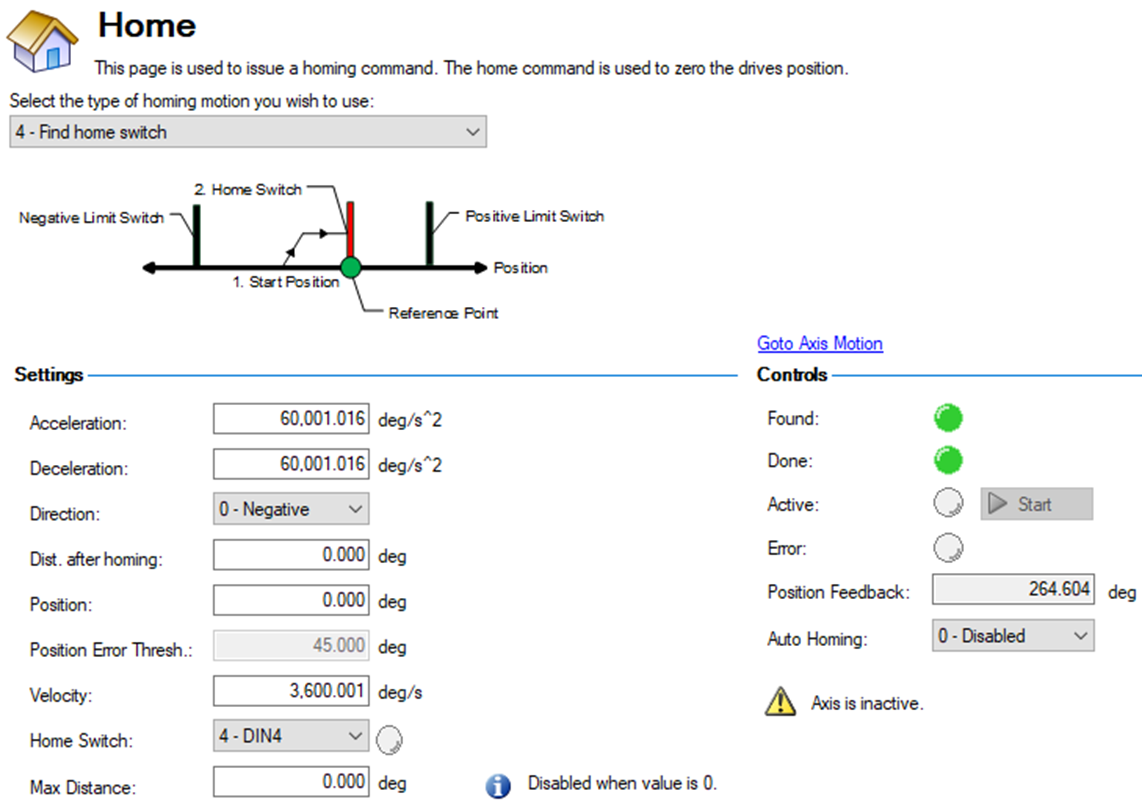
In WorkBench, under Axis 1 → Home change the type to homing motion 4 - Find Home Switch.
In WorkBench, under Axis 1 → Home change the type to homing motion 4 - Find Home Switch. In this demonstration, the following settings were used.
-
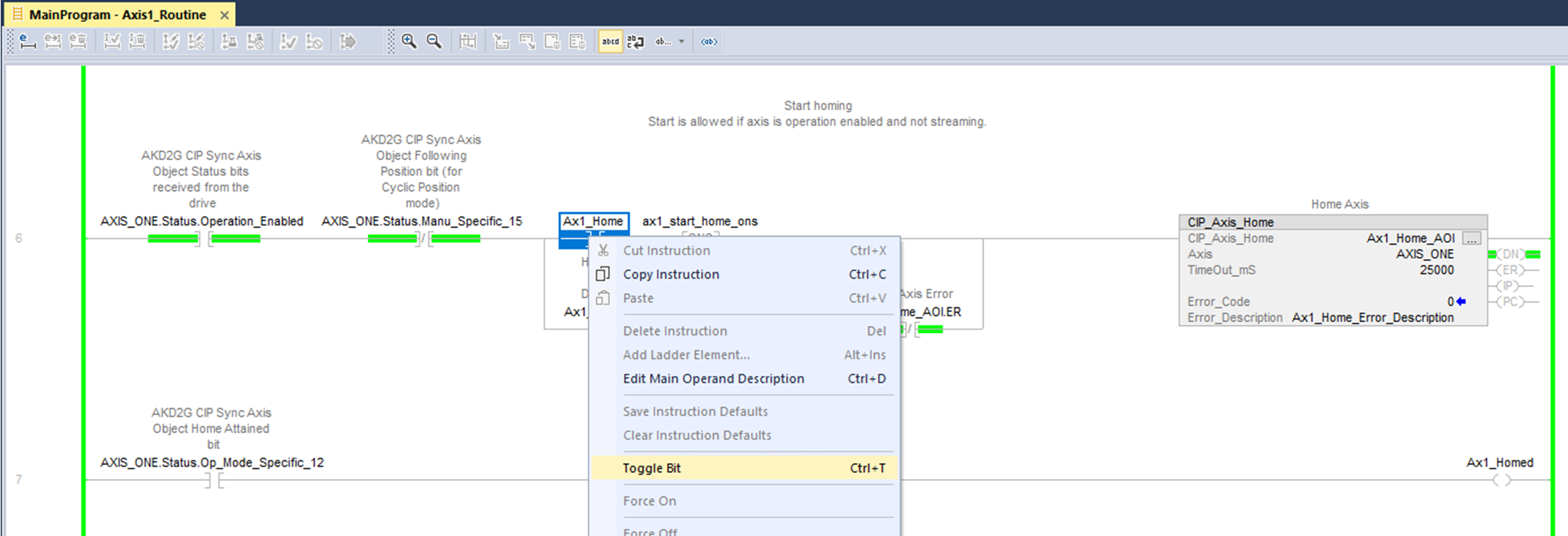
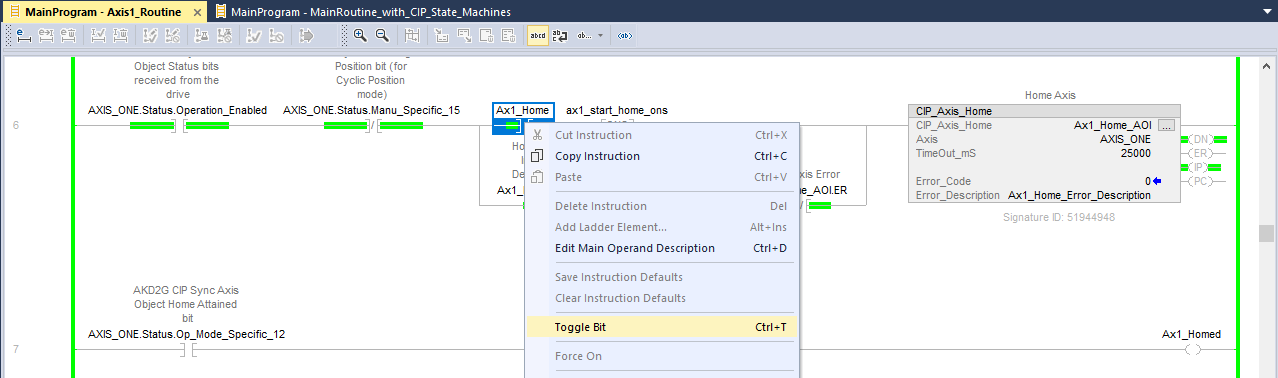
In Studio 5000, in the rung with the CIP_Axis_Home AOI for Axis 1, toggle the bit for the Ax1_Home normally open contact to start the Home. The motor starts to spin in the negative direction towards a switch.
In Studio 5000, in the rung with the CIP_Axis_Home AOI for Axis 1, toggle the bit for the Ax1_Home normally open contact to start the Home. The motor starts to spin in the negative direction towards a switch.
-
Toggle the Ax1_Home OFF.
-
The CIP_Axis_Home AOI IP output bit turns ON indicating Homing In Process.
-
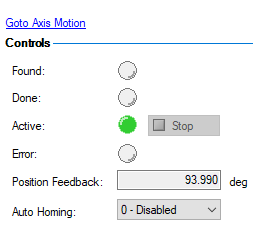
In WorkBench 's Axis 1 Home view the Home Active lamp is illuminated.
-
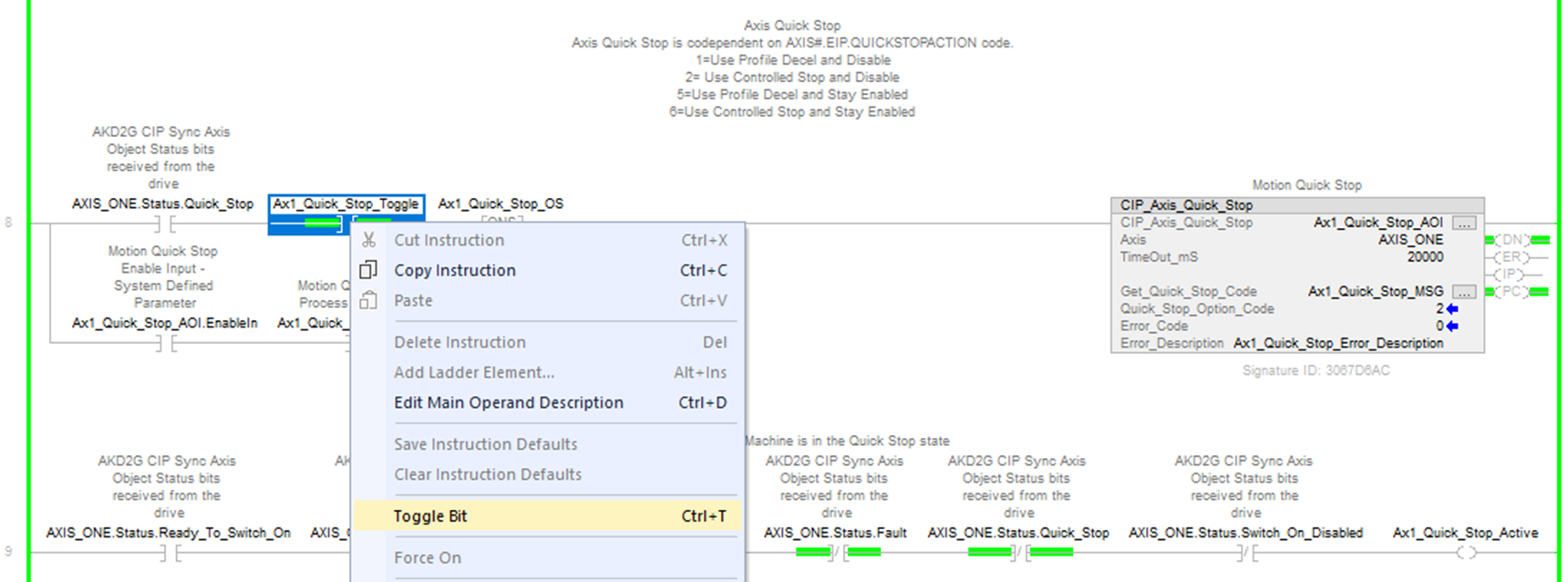
Issue a CIP_Axis_Quick_Stop by toggling the Ax1_Quick_Stop_Toggle normally open contact in the rung with Axis 1 CIP_Axis_Quick_Stop AOI.
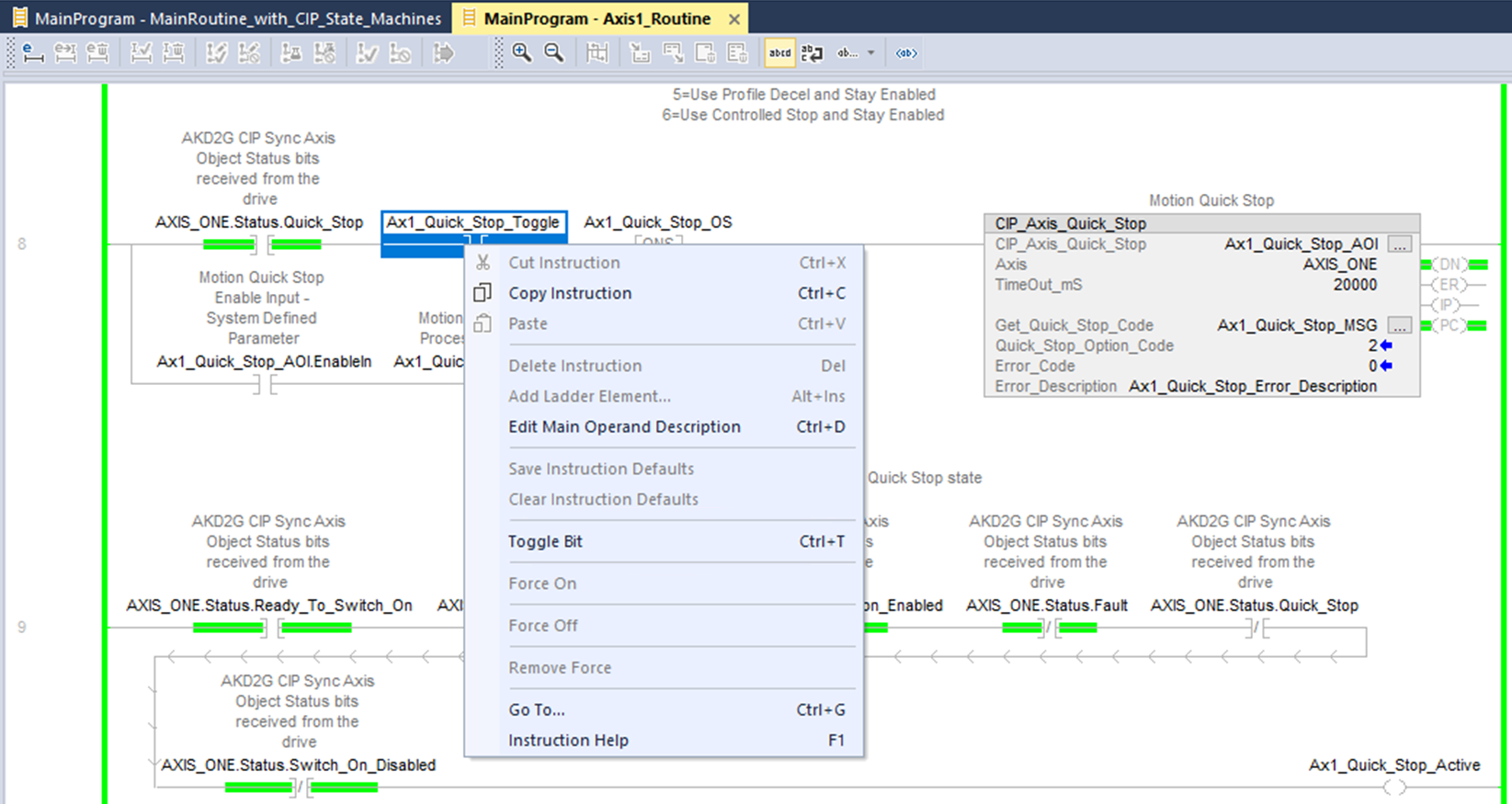
In rung 9 there is a coil named Ax1_Quick_Stop_Active which turns ON while the Quick Stop is in process.
The Ax1_Home toggle and Ax1_Quick_Stop_Toggle both need to be toggled OFF before proceeding. -
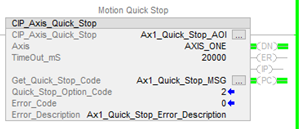
While the Quick Stop deceleration ramp is in process the IP bit of the CIP_Axis_Quick_Stop AOI turns ON. When the Controlled Stop then Disable is complete, the PC bit turns ON.
-
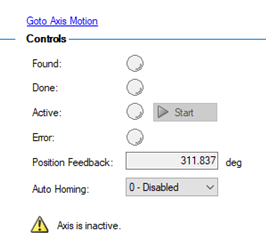
In WorkBench's Home view, Active lamp is OFF indicating Homing is no longer in process.
-
In WorkBench’s status bar, Axis 1 SW (software enable) is OFF and the axis is INACTIVE.

-
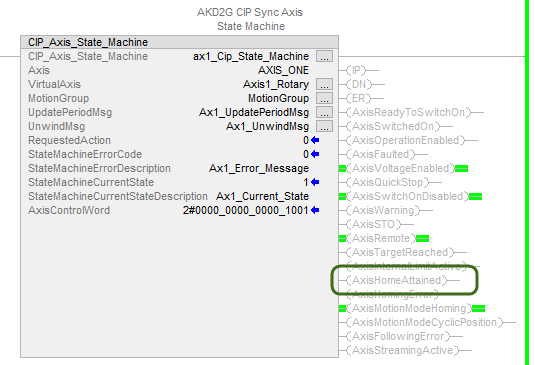
In Studio 5000 under MainProgram → MainRoutine_with_CIP_Axis_State_Machines the status bit AxisHomeAttained is now OFF.
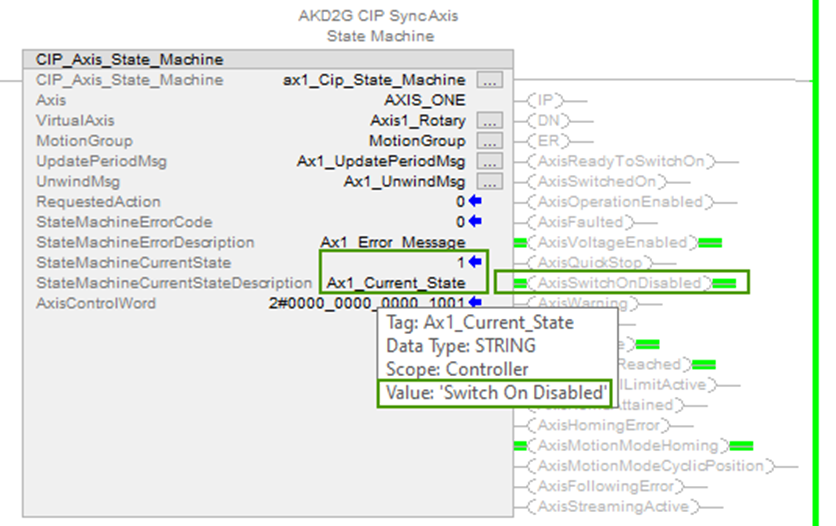
- The current Switch On Disabled status can also be viewed using CIP_Axis_State_Machine, which can be viewed under MainProgram → MainRoutine_with_CIP_Axis_State_Machines.
-
-
In WorkBench, set the Home Mode for Axis 1 back to Current Position.

-
Select Save To Device before continuing to the next example.

-
Toggle the Ax1_Quick_Stop_Toggle OFF before proceeding.
-
-
-
If the CIP_Axis_Home AOI is executing and the CIP_Axis_Quick_Stop is triggered the axis will decelerate at the Controlled Stop deceleration ramp (On the Enable/Disable view in WorkBench) and then disable (per the default AXIS#.EIP.QUICKSTOPACTION = 2).
-
When the ramp to stop is finished the axis’ state goes to “Switched On Disabled”
-
If the Home Move is executing and the Quick Stop AOI is triggered, the Home Move is aborted but the Homing AOI stays enabled until user timeout or axis disables (i.e., controlled stop then disable from the Quick Stop) whichever happens first. If the Home User Timeout occurs faster than the Quick Stop completing the CIP_Axis_Home AOI errors ON User Timeout; If the Quick Stop finishes first then the CIP_Axis_Home AOI errors ON Axis Not Enabled. The Home Attained bit turns OFF.
-


