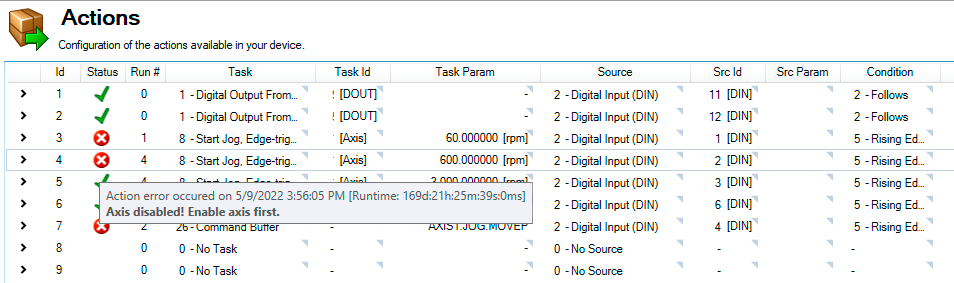






Actions Table Example, Execution, & Errors
The About Actions table is used to configure any available actions on your device.
Action Example
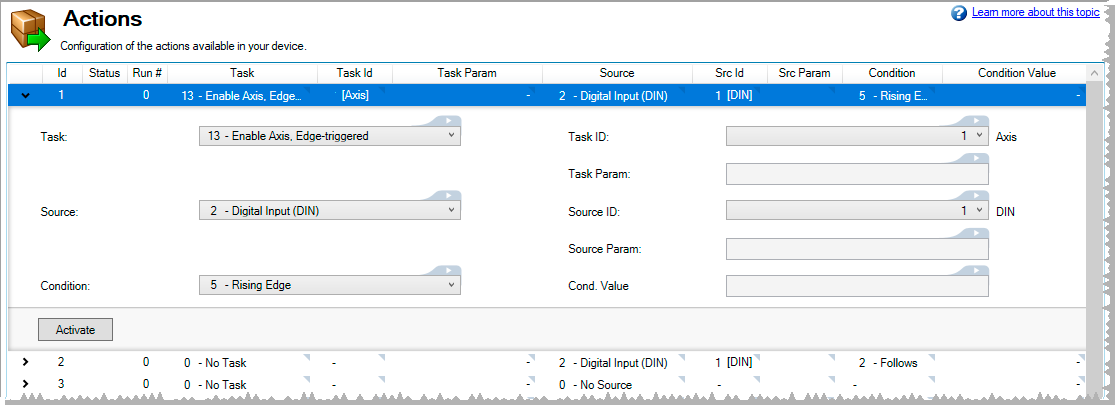
Action 1 as seen below attempts to Enable Axis 1 any time it is triggered by a rising edge on Digital Input 1. This action also has a Source ID setting which digital input to react on and a Task ID setting which axis to enable.
Action Errors
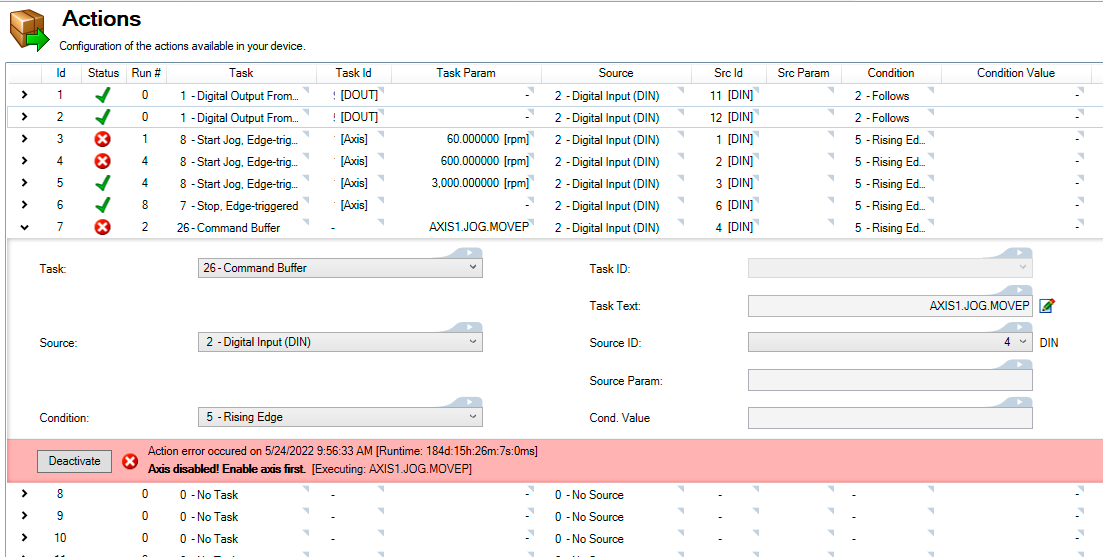
When an action error occurs, the Activate/Deactivate banner turns red and displays the error information along with the offending keyword, if applicable.
Error information may also be retrieved by clicking on the error icon in the Status column.