Export a UDFB with All Associated Methods
Use this procedure to export a UDFB and all associated methods together as a single package.
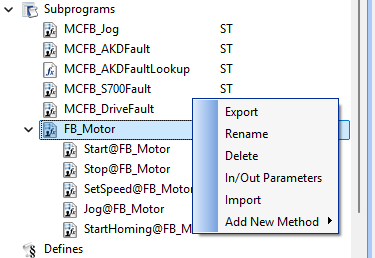
- In the Project Explorer, right-click the UDFB.
The context menu appears. (Figure 1) - Select Export.
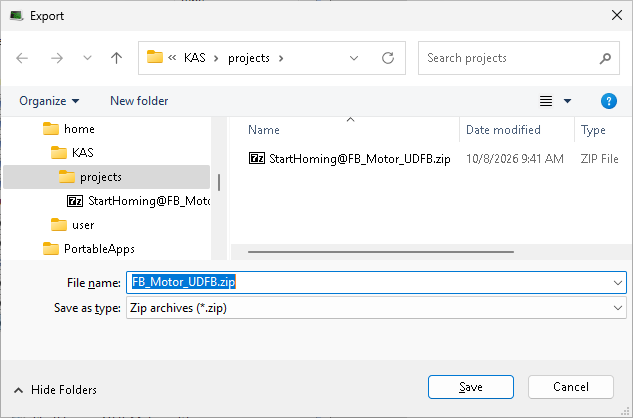
The Export dialog box opens. (Figure 2) - Select a destination folder.
- Enter a filename.
-
-
KAS-IDE automatically proposes a default filename based on the UDFB name.
- Click Save to save the file in the designated location and close the dialog box.
KAS-IDE exports the UDFB and all associated methods as a single .ZIP file.
The exported package includes:
- Method definitions.
- Method interfaces.
- Method implementations.
- UDFB definition.
- UDFB implementation.
- UDFB parameter definitions.
See Also


