Import a Method
Methods are imported from previously exported .xk5 files.
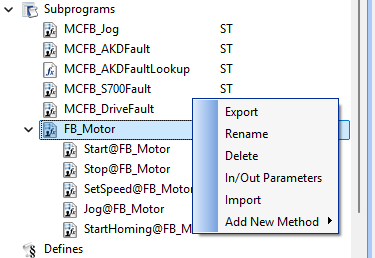
- In the Project Explorer, right-click the destination UDFB.
The context menu appears. (Figure 1) - Select Import.
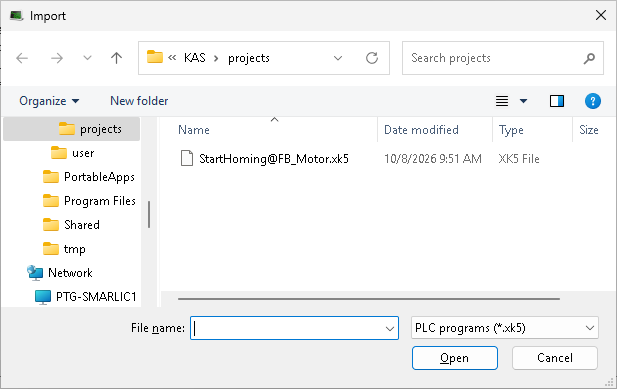
The Import dialog box opens. (Figure 2) - Locate and select the applicable .XK5 file.
- Click Open.
The dialog box closes.
KAS-IDE validates the package and imports the method into the selected UDFB.
See Also


