AKT2G-IO-SM-Lxx Stepper Drive I/O Tab
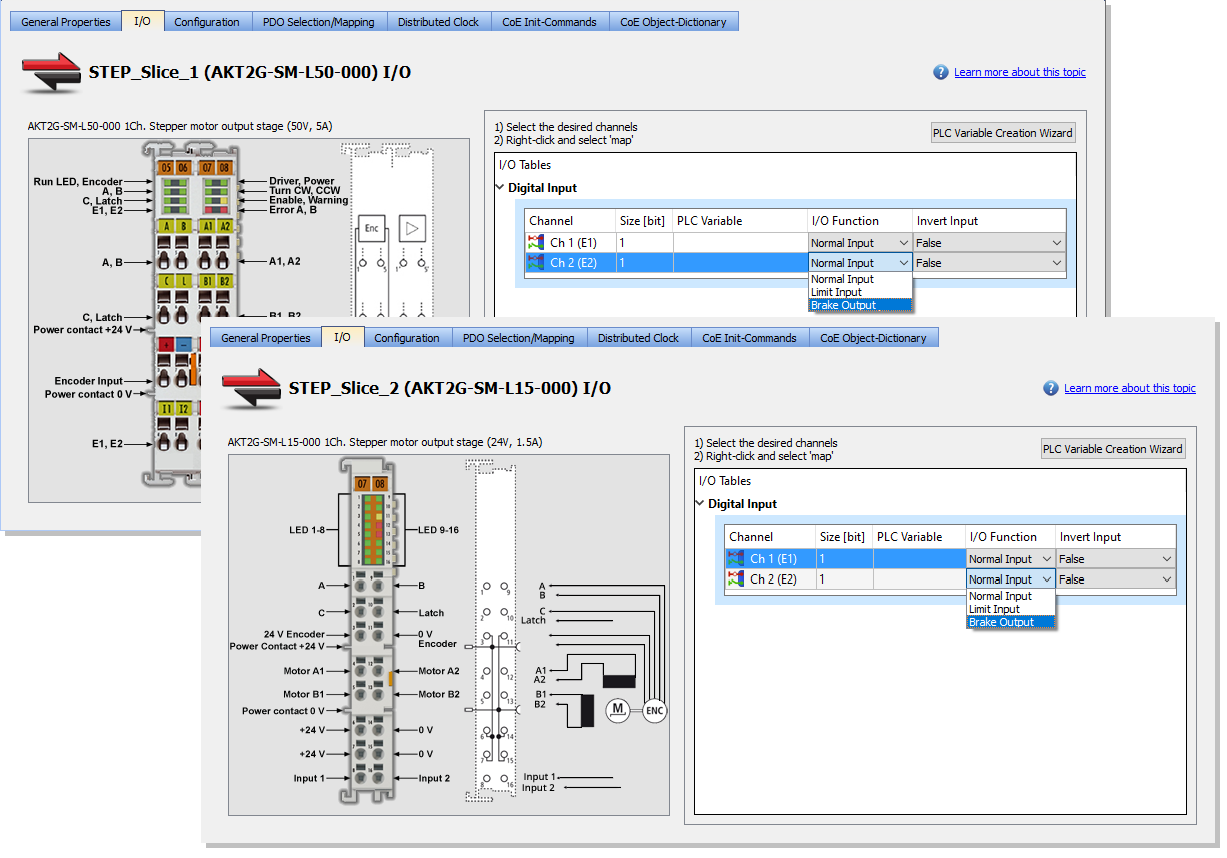
This tab is used to assign PLC variables to device I/O.
|
Control |
Description |
|---|---|
|
PLC Variable column |
A PLC variable may be assigned to each channel.
|
|
I/O Function drop-down |
The AKT2G-IO-SM-Lxx stepper slices provide two digital inputs.
|
|
Invert Input drop-down |
This option inverts the state of the input when set to True.
|
-
-
- See Add and Configure I/O Slices for adding a stepper drive to your project.
- See AKT2G-SM-L15-000 or AKT2G-SM-L50-000 for information on the devices.
- See AKT2G-SM-Lx Object Description for stepper drive-specific object descriptions.


