Sequential Function Chart (SFC) Editor
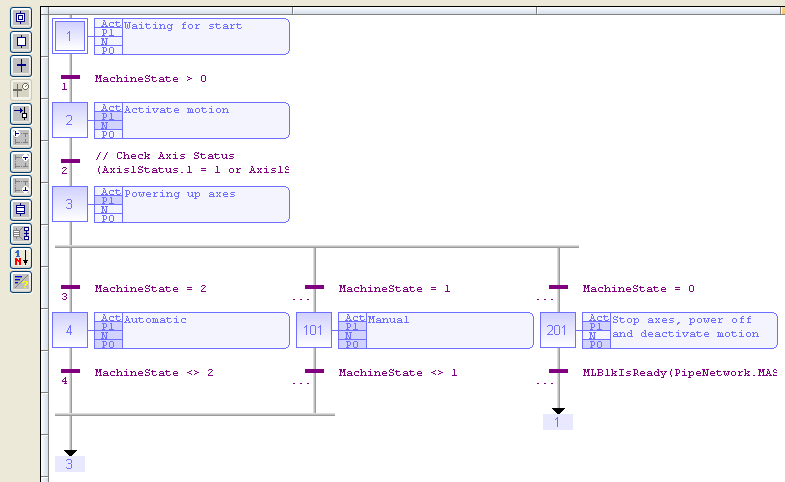
- The editor supports graphic features (e.g., drag-and-drop) to rapidly arrange the elements of the diagram. (Figure 1)
- It supports automatic chart formatting when inserting or deleting items using quick inputs with the keyboard.
-
-
For each step, the cells referring to P1, N, and P0 actions are colored when they are defined.
-
-
- Select a step, transition, or jump and press Ctrl+ENTER to change its number.
- Press the Spacebar on the main corner (on the left) of a ulergence or convergence, to set either double or single horizontal line style.


