ESI files which are referenced from a project's EtherCATEtherCAT is an open, high-performance Ethernet-based fieldbus system. The development goal of EtherCAT was to apply Ethernet to automation applications which require short data update times (also called cycle times) with low communication jitter (for synchronization purposes) and low hardware costs devices are stored in the project.

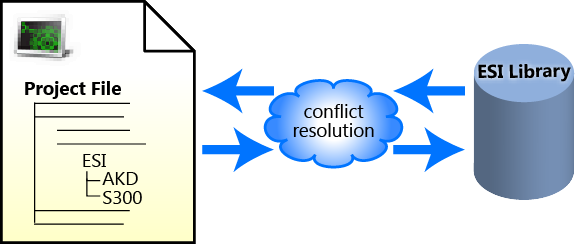
Figure 4-111: Opening — Upon opening a KAS project, the project's ESI files are compared to the internal library. If there are conflicts, you are prompted to resolve them.
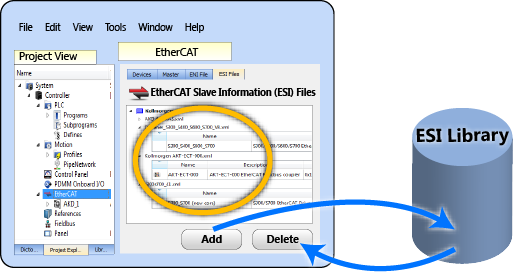
Figure 4-112: Adding/Deleting — Adding or deleting an ESI file from the KAS IDE affects KAS's internal library of ESI files.
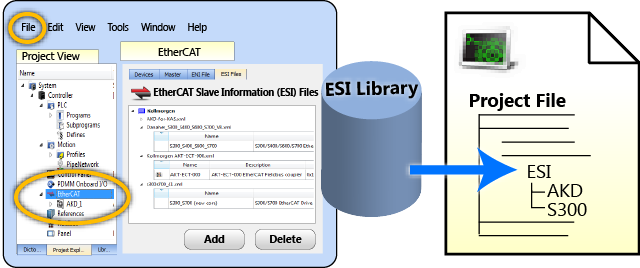
Figure 4-113: Saving — When a KAS project is saved, a copy of the ESI file(s) is included in the project file.
The ESI files are stored along with the project so the project can easily be moved to another location and it will still compile. It still compiles because the ESI files are copied back to the local folder.
There is the possibility that the names and/or contents of files can be conflicting. The system checks the files before adding them. You will be prompted to chose the correct file should any conflicts be found.
WARNING: Replacing an ESI file changes the configuration of any associated device to the new file. You will be prompted to confirm or cancel replacing an ESI file and the associated devices' configurations.
ESI files will be replaced when:
|
Copyright © 2015 Kollmorgen™ |
|
