MC_BUFFER_MODE_ABORTING
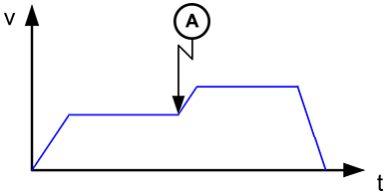
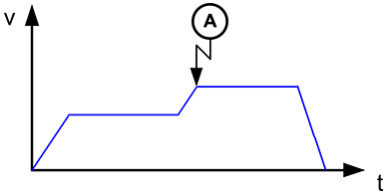
The current move stops execution immediately. The next move becomes active and begins to accelerate or decelerate from the current velocity to its programmed velocity.
In the image to the left the second function block starts execution at point "A".
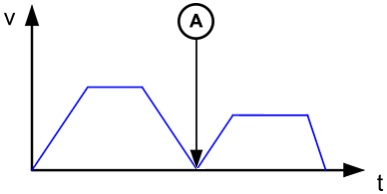
The current move completes as was originally specified, coming to a stop. When the current move reaches its endpoint, the next move becomes active and begins to accelerate to its programmed velocity.
In the image to the left the second function block starts execution at point "A".
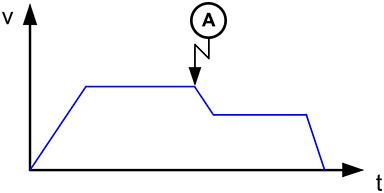
The current move stays at its programmed velocity to its endpoint. When the current move reaches its endpoint, the next move becomes active and begins to accelerate or decelerate to its programmed velocity.
In the image to the left the second function block starts execution at point "A".
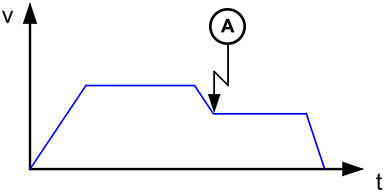
The current move will begin to accelerate or decelerate so that it reaches the next move's programmed velocity at the time the current move reaches its endpoint.
In the image to the left the second function block starts execution at point "A".
The velocity is blended to the lowest velocity of the two moves.
- If the current move’s velocity is lower than the next move’s velocity, Blending Previous will be used.
- If the next move’s velocity is lower than the current move’s velocity, Blending Next will be used.
In the images to the left the second function block starts execution at point "A".
The velocity is blended to the highest velocity of the two moves.
- If the current move’s velocity is higher than the next move’s velocity, Blending Previous will be used.
- If the next move’s velocity is higher than the current move’s velocity, Blending Next will be used.
In the images to the left the second function block starts execution at point "A".


