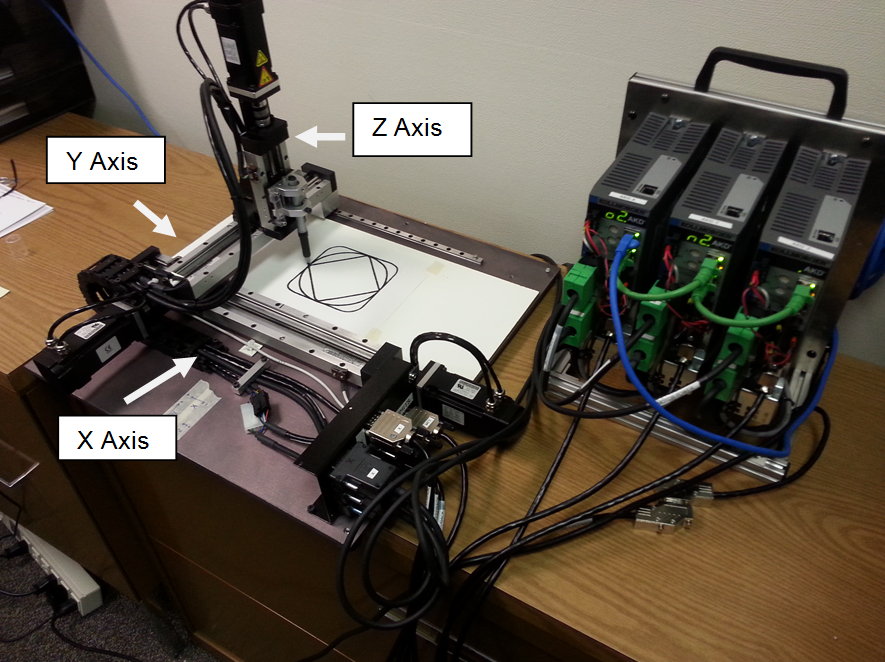
This application example details sample code for a 3 axis system:
Code was developed for an PDMM but can also be used with a PAC"Programmable Automation Controller" PAC is a compact controller that combines the features and capabilities of a PC-based control system with that of a typical programmable logic controller (PLC). A PAC thus provides not only the reliability of a PLC, but also the task flexibility and computing power of a PC. Additionally, because they function and communicate over popular network interface protocols, PACs are able to transfer data from the machines they control to other machines and components in a networked control system based KAS system.
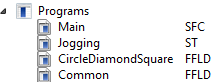
The application code provided with this application module is contained in four programs (that can be exported then imported into a project):
| Program Name | FunctionA function calculates a result according to the current value of its inputs. A function has no internal data and is not linked to declared instances. | Language |
|---|---|---|
| Main | Initialize the axis, the axis group, and motion | Sequential Function Chart(SFC) with Structured Text (ST) |
| Jogging | Jog the axes | Structured Text (ST) |
| CircleDiamondSquare | Perform homing and the circle, diamond, square motion | FFLD (Free Form Ladder Diagram) |
| Common | Common application functionality: Error ResetNew start of the microprocessor, Power Axis On/Off, EnableEnable signal for the drive, Hardware-Enable with 24V signal to X8, Software-Enable command by setup Software, fieldbus or permanently set. Both are required for enabling the drive. Group Motion, Read Axis Status, Read Axis Positions, Read Axis Group Positions | FFLD (Free Form Ladder Diagram) |
The key function blocks and Kollmorgen UDFBs used in the application:
| Name | Function | Program |
|---|---|---|
| MC_InitAxesGrp | Home the axis | Main |
| MC_AddAxisToGrp | Set a motor/load position after homing | Main |
| IMC_GrpEnable | Enable the group motion | Common |
| MC_GrpReadActPos | Read group position | Common |
| MC_ReadActPos | Read individual axis positions | Common |
| MC_ReadStatus | Read axis status | Common |
| MC_Power | Power an axis | Common |
| MC_MoveRelative | Make a relative move | CircleDiamonSquare |
| MC_SetPosition | Establish axis position after homing | CircleDiamonSquare |
| MC_SetHomePosition | Establish home position for the axis group | CircleDiamonSquare |
| MC_MoveLinAbs | Move 2 axis (x, y) linear interpolation move | CircleDiamonSquare |
| MC_MoveCircAbs | Move 2 axis (x, y) circular interpolation move | CircleDiamonSquare |
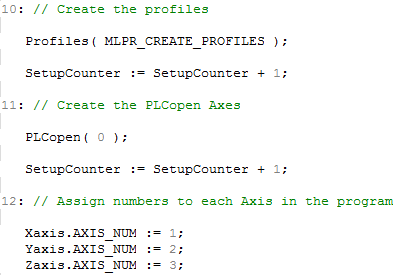
The main program consists of 2 steps: Setup and IDLE:
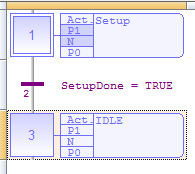
In the Setup step:





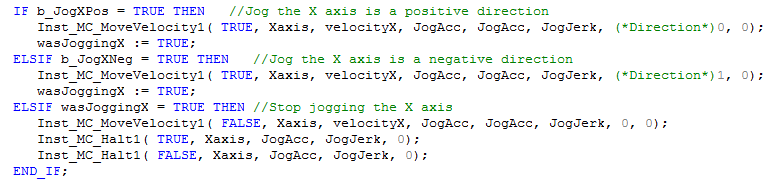
The Jogging Program allows motor jogging in either direction. The following is the code for the X axis. The Y and Z axis are similar:
The CircleDiamondSquare program performs 2 axis coordinated motion. Key parts of the program are as follows:
2. Network 3: DisableRemoval of the ENABLE signal. Disables power stage. limit switches before homing: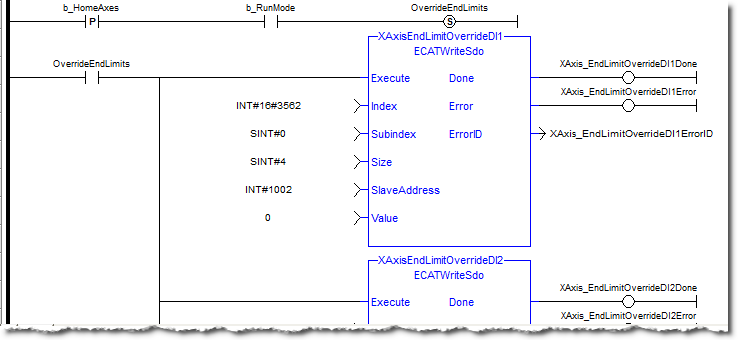
Network 4: Reset both single axis and CM axes command and actual positions to zero before any homing sequence. This is necessary so the summed super imposed axis positions are 0 and will not affect single axis motion.
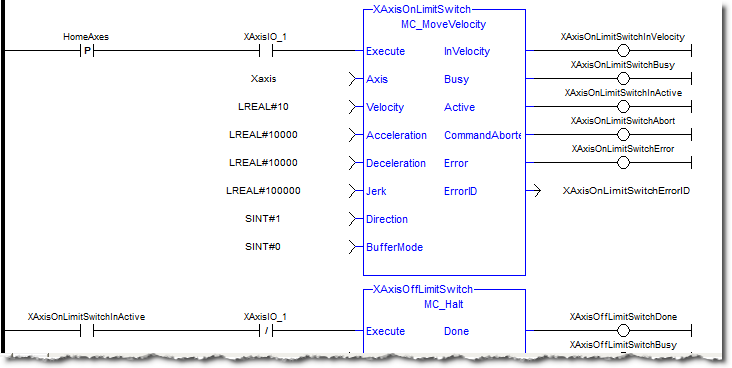
Network 6: End limits and home switches are common for each axis, therefore the re-enable of end limits after the axis home sequence is completed is performed: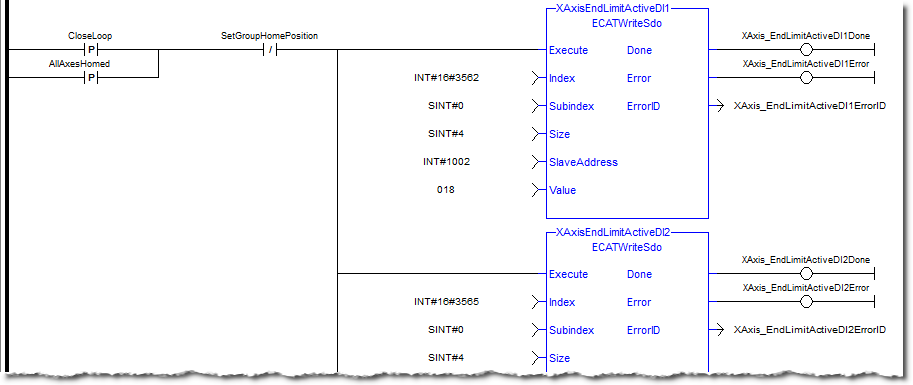

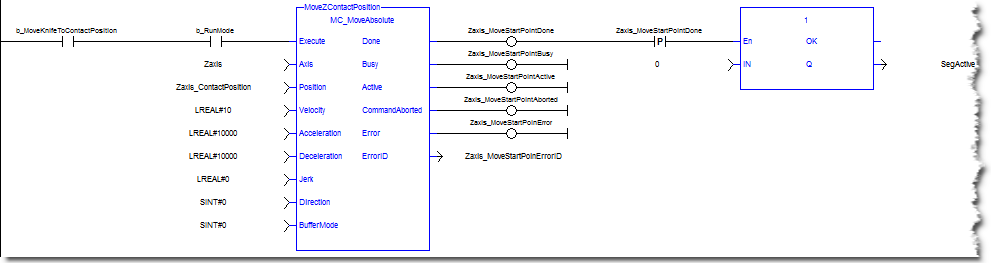
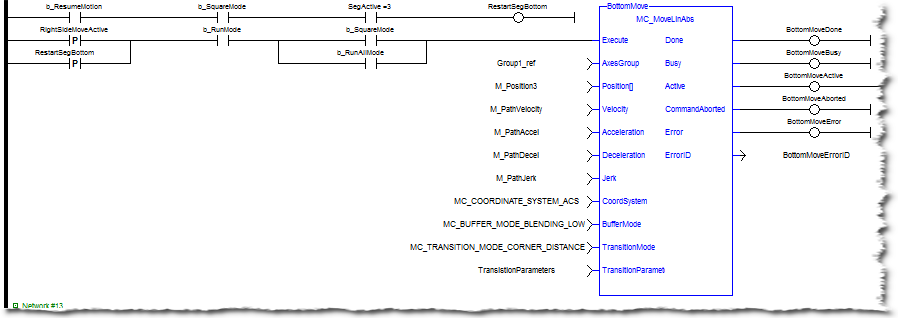
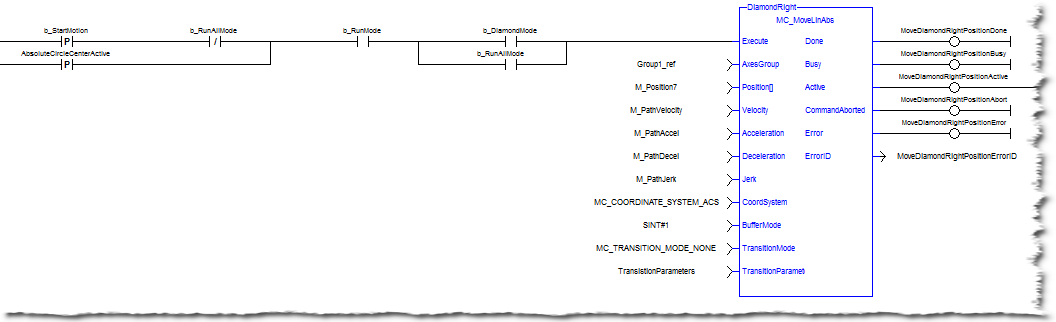
Networks 10 to 13: Make Square CM move. The starting position is the center or half way distance point of the top segment. This is required so the final corner of the square will transition with a radius. If the starting point was at the corner then the last segment would not be a radius. This starting position is also the ending point for the square. Restart the segment move if it has been halted while in motion.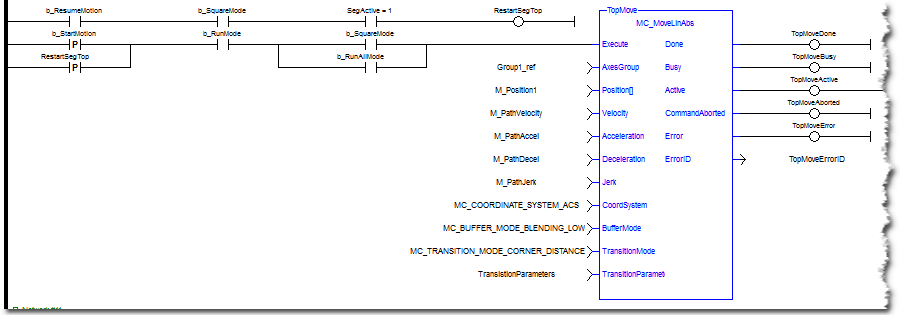
Network 15: Make circle move. The default circle center XY positions are based on the square center point.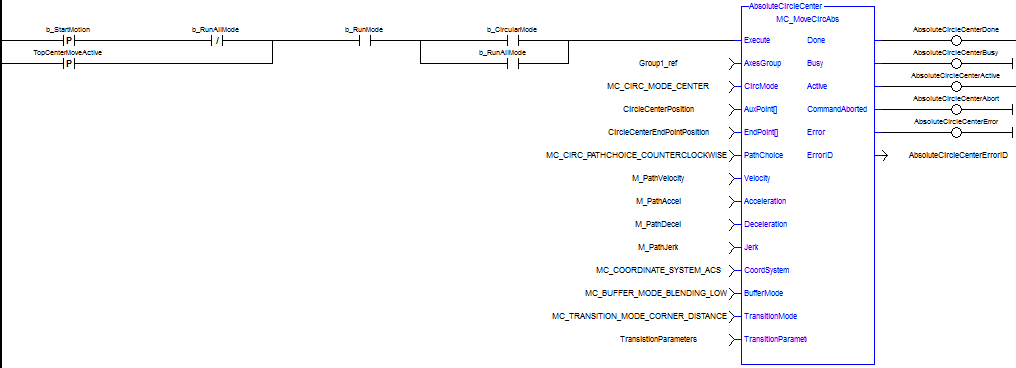
The Common Program performs standard functions used in many applications.
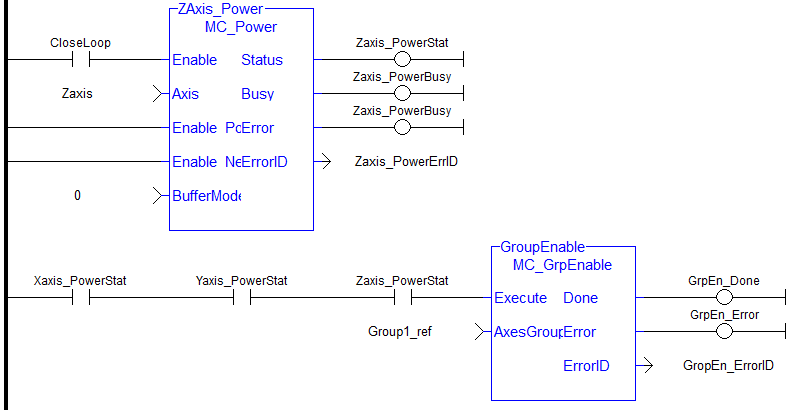
This code powers up the axis and the axis group: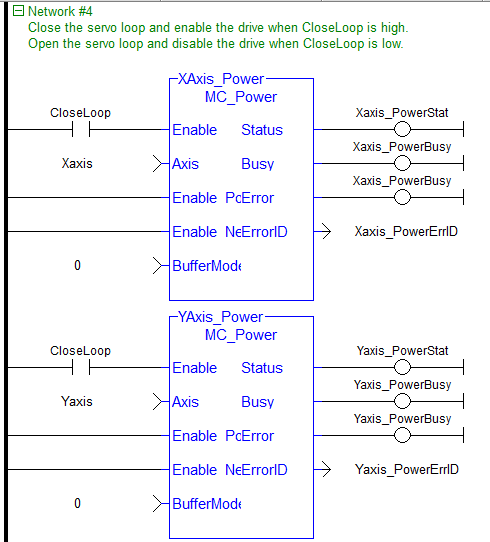
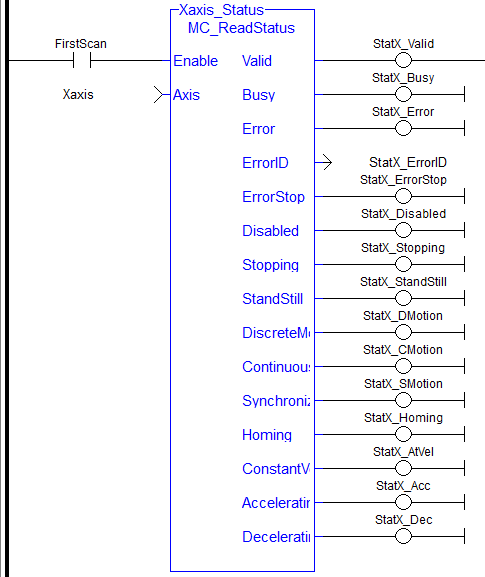
The following outputs actual positions of each axis and the group (only X axis shown):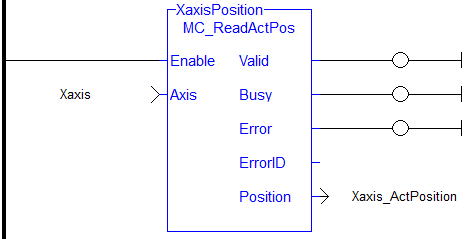

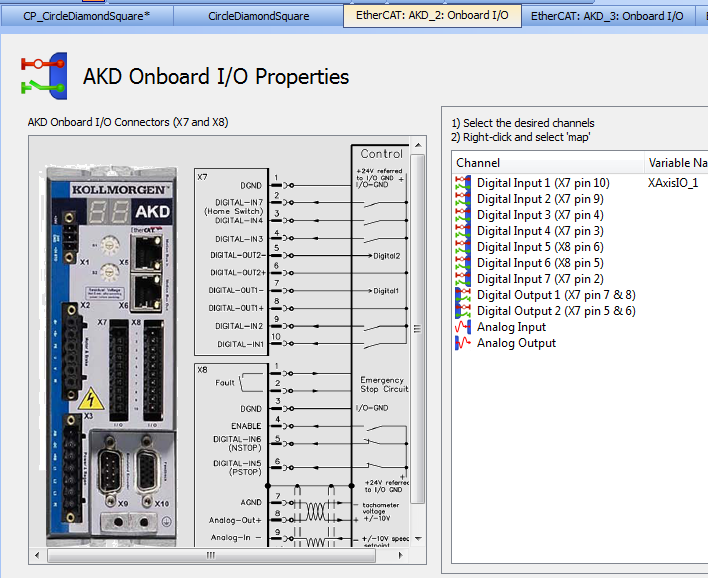
For each of the X, Y, and Z axes an input on the drive (on connector X7) was mapped for the axis homing functionality. The following shows the X axis mapping:
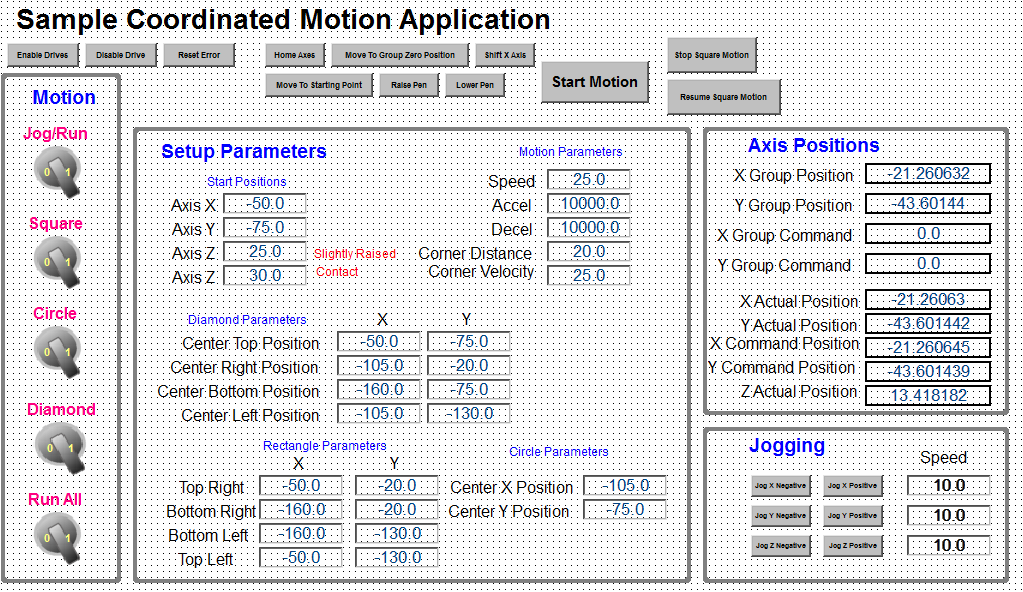
A Control Panel has been created to run the program:
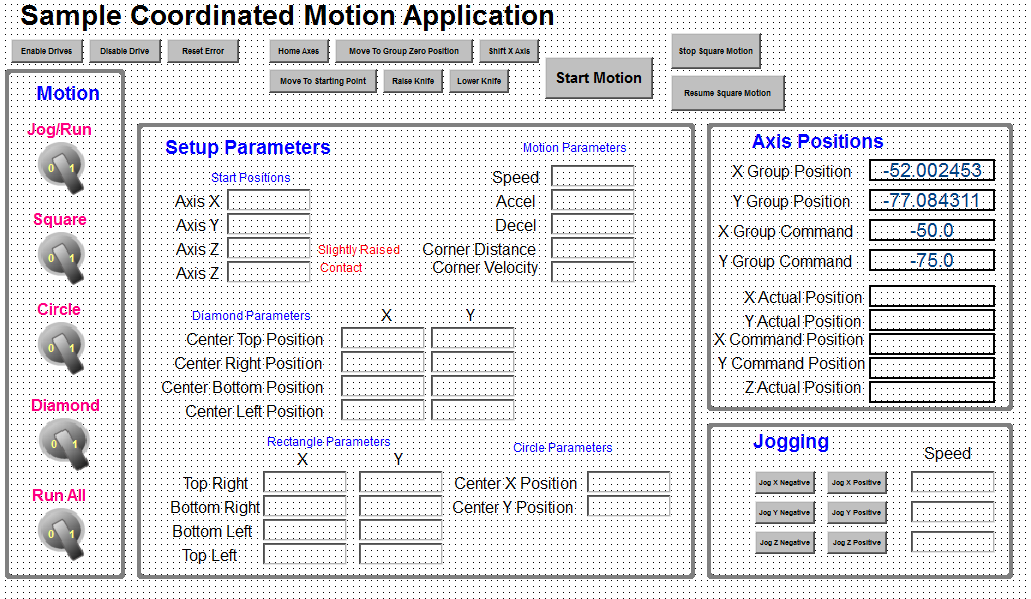
Motion
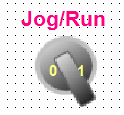
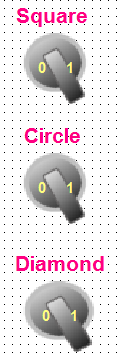
These bottons determine what motion is run. To jog the motors, select Jog in the Jog/Run bottom. To make a circle, diamond, square shape select Run and then the switch for the appropaite figure type or select the run all button to run all 3 figures.
Setup Parameters
These parameters setup the circle, diamond, or square motions.
Axis Position
Axis and Group Positions are both shown.
There can be a different coordinate system for each
Jogging
These controls are for the jogging motion.
Top Buttons




|
Stay Connected with Kollmorgen       
|
Copyright © 2015 Kollmorgen™ |

|