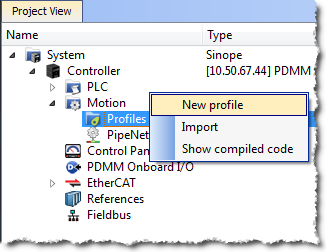
Figure 4-42: Cam - New Profile
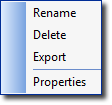
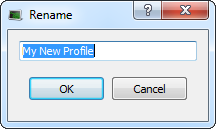
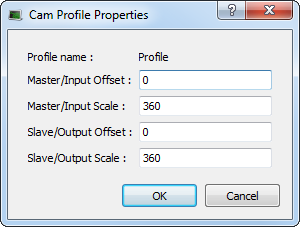
Figure 4-43: Cam - Define Profile Filename
To create a cam profile, do as follows:
Figure 4-42: Cam - New Profile
Figure 4-43: Cam - Define Profile Filename
| Field | Description |
|---|---|
| Profile name |
The name of the Profile which is:
|
|
Master/Input Offset Master/Input Scale Slave/Output Offset Slave/Output Scale |
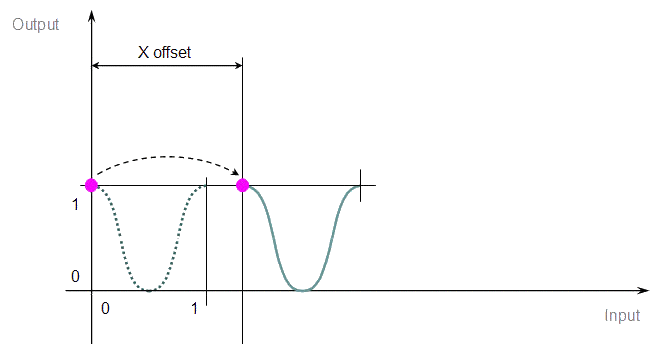
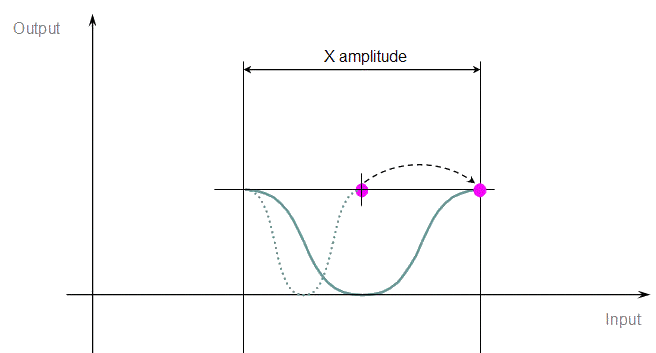
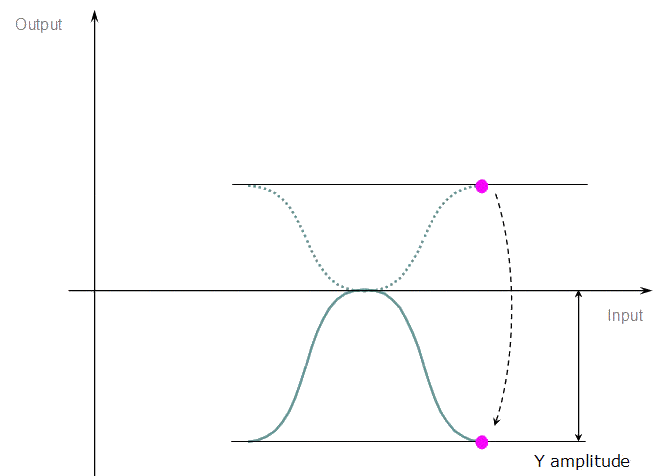
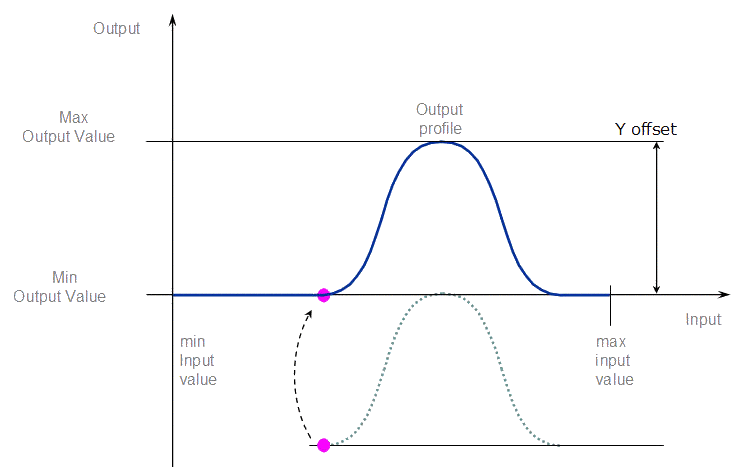
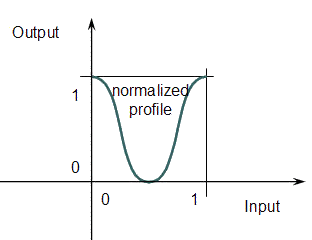
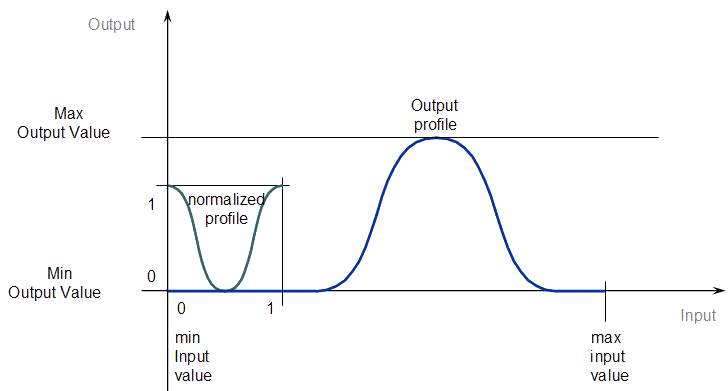
Offsets and scales on the X and Y axes transform the normalized profile into the output profile as shown on the two figures below:
Figure 4-44: Cam - Normalized Profile
Figure 4-45: Cam - Output Profile For more details, refer to the paragraph below: Four Parameters Transforming the Cam Profile |
Table 4-1: Cam Profile Parameters
When you change a Cam Profile property, a dialog box indicates the progression of the operation.
For more details about editing the profile, refer to Cam Profile Editor.
See also: Use Cam Profiles
|
Stay Connected with Kollmorgen       
|
Copyright © 2015 Kollmorgen™ |

|
 Four Parameters Transforming the Cam Profile