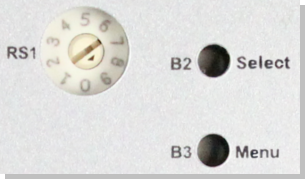
 The B3 “Menu” push-button will cycle through a list of menu items displayed on the 7-segment LED. Pressing and holding the B3 button during the boot sequence (before the Boot Startup Script runs) provides access to a menu of functions. Each B3 press will advance to the next menu item. The menu item will be displayed for 10 seconds. Press B2 to select the current menu item. If no button is pressed within the 10 seconds, the 7-segment display will return to Normal operation.





 Please note that when selected, the Start, Stop, Backup, Restore, and Reset functions do not initiate immediately; they require confirmation. The 7-segment displays flashes a "y", prompting for confirmation. Pressing B2 confirms the function and the process begins. If the function is not confirmed within 10 seconds the action is canceled.


