Modules — General Properties Tab
A device may have no modules, or it may have several. Double-clicking or right-clicking on the module allows access to the General Properties tab. This tab provides information about the selected module.
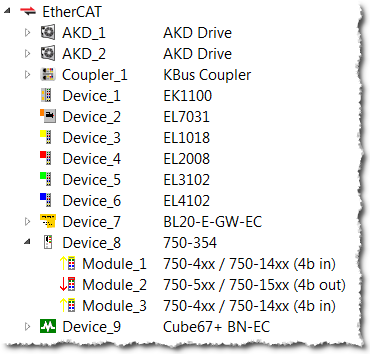
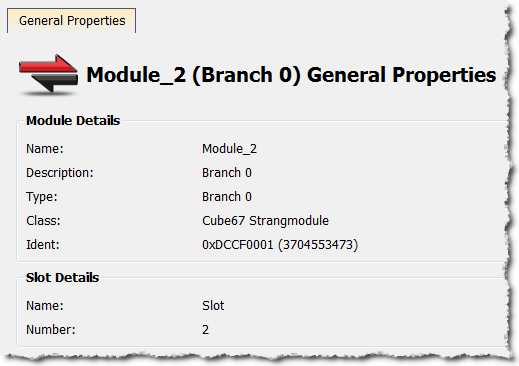
Figure 5-33: Devices in the EtherCAT list and the General Properties tab of a Device's Module.
The tab is divided into two sections, Module Details and Slot Details. Module Details provides the module's basic information. Slot Details provides the module's slot information.
|
Stay Connected with Kollmorgen       
|
Copyright © 2018 Kollmorgen |

|