Create the Pipe Network
To create the Pipe Network, do as follows:
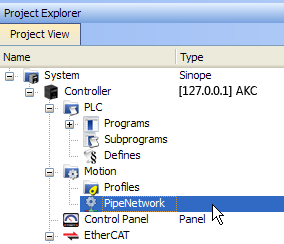
- In the Project Explorer, double-click the PipeNetwork button to open the graphical Pipe Network Editor
-
-
If you have created a project from a template (for instance the standard two-axis template) there is already a Pipe Network in the editor.
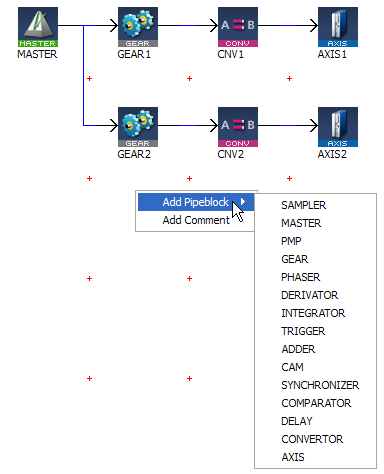
- To add a new Pipe Block, right-click on the editor's background and select the Add Pipeblock command in the menu
- Choose in the drop-down menu the type of Pipe Block you want to add
- To link the newly created Pipe Block, move the arrow to the corresponding Pipe Block with a drag-and-drop operation
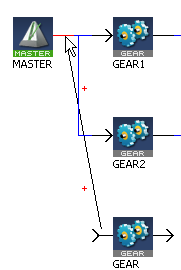
Figure 5-5: Pipe Network - Open Editor
Figure 5-6: Pipe Network - Add Pipeblock
For more details on Pipe Blocks, refer to Pipe Block and Pipe Blocks Description
 How to delete a Pipe Block?
There are two methods.
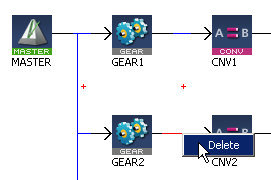
- Right-click on the Pipe Block and select the Delete command in the contextual menu.
- Select the Pipe Block by clicking on it and then press the Delete key.
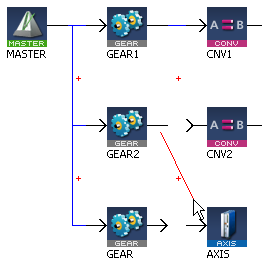
How to change a link?
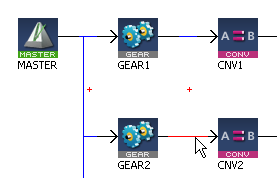
You can either:
See also §O.3: Application Notes for application examples
|
Stay Connected with Kollmorgen       
|
Copyright © 2018 Kollmorgen |

|