
 Function - Configures the Fast Input for the axis by writing the expected settings in the Latch Control Word.
Inputs
|
Input |
Data Type |
Range |
Unit |
Default |
Description |
|---|---|---|---|---|---|
|
En |
BOOL |
FALSE, TRUE |
N/A |
No default |
Enables execution. |
|
AxisID |
DINT |
1 to 1024 |
N/A |
No default |
ID of the Axis block. |
|
InputID |
DINT |
See Description. |
N/A |
No default |
ID of the FastInput of an axis (e.g., IN1 and IN2 on S300). InputID INT Range = 0 to 1
|
|
Mode |
DINT |
0 to 2 |
N/A |
No default |
Configures the Fast Inputs as:
|
Outputs
|
Output |
Data Type |
Range |
Unit |
Description |
|---|---|---|---|---|
|
Q |
BOOL |
FALSE, TRUE |
N/A |
|
Remarks
Fast Input can be armed on falling or rising edge.
Fast Homing - Inputs
See these topics for more information:
- Example: Fast Homing with the Pipe Network Motion Engine Axis Pipe Block
- Example: Fast Homing with the PLCopen Motion Engine
- Fast Inputs with Pipe Network Motion
- Pipe Network Registration and Fast Homing
- Example: Registration Position Capture with Pipe Network Trigger Block
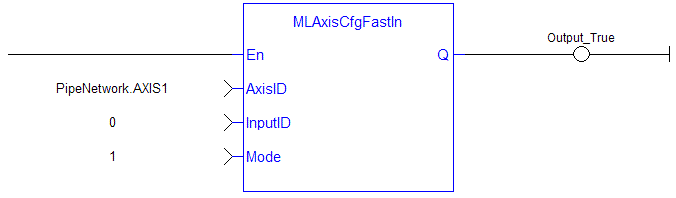
FBD Language Example

FFLD Language Example
IL Language Example
Not available.
ST Language Example
MLAxisCfgFastIn( PipeNetwork.Axis1, 0, 1 ) ;
See Also


