Editable PDOs
This section lists all of the PDOs which can be edited. (Figure 1)
- PDOs can be created (Add PDO), modified (Edit PDO), or removed from the project (Delete PDO).
- See the EtherCAT device-specific documentation for more information.
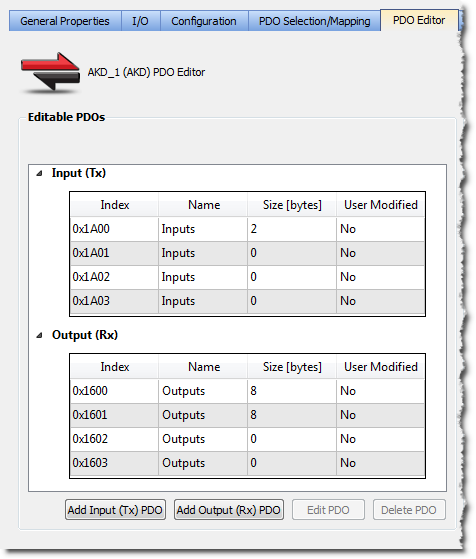
Figure 1: PDO Editor tab - Editable PDOs area
The Input (Tx) and Output (Rx) PDOs are grouped separately.
Each PDO table contains this information:
|
Name |
Description |
|---|---|
|
Index |
Identification value for the PDO. The range is defined by the EtherCAT specification.
|
|
Name |
|
|
Size [bytes] |
Total length for the PDO object(s) data. |
|
User Modified |
|
- The KAS-IDE compiler enforces restrictions on the sizes of individual PDOs and the sum of the sizes of PDOs.
- See PDO Restrictions and Compiler Errors.


