Add a Device
There are several different ways to add a device:
- Select the Project node (root node) and from its view click Add New Device. The device created is added to the project as the last device.
- Right-click on the Project node or on a Group node and select the Add Device... option.
- Select the Project node or the Group node under which you want to add a device and click the Add New Device... link at the bottom of the device tree. See Project View for more information.
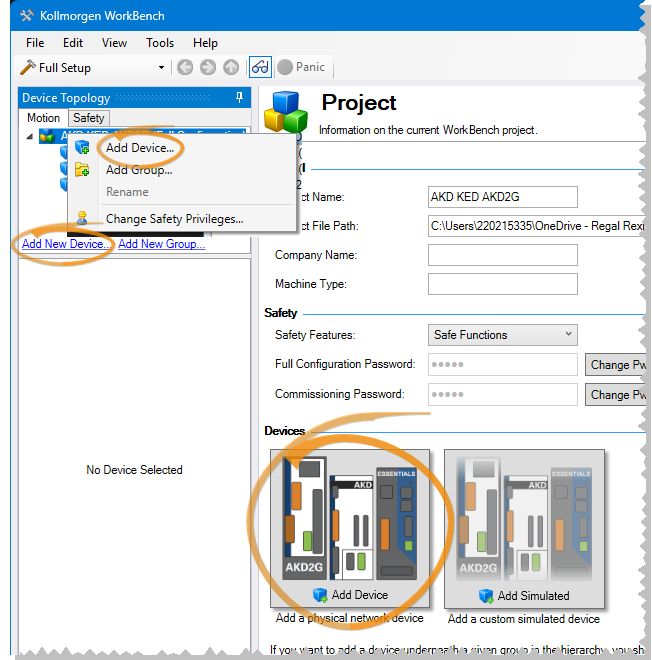
You will be prompted to choose what kind of device to add. There are two main categories:
- Online Devices — these are physical devices connected to one of your networks. See Adding an Online Ethernet Device
- Offline Devices — these are simulated devices, allowing you to work without an actual device. See Adding an Offline Device for more information.
-
- The device will not be duplicated when adding a physical device to the same project a second time. Instead of adding it again, WorkBench selects the existing device in the tree and tries to connect to it.


