

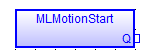
 Function - Starts the motion engine, motion bus driver, clears the EtherCAT diagnostic registers of all nodes, and initializes EtherCAT network to operational mode.
- Applicable to PLCopen and Pipe Network motion engines.
- MLMotionStart does not clear any pre-existing error conditions.
- Returns TRUE if the function succeeded.
- Returns FALSE if the motion engine is in the Error state.
-
-
- This function returns FALSE when the number of axes created in the application is greater than the maximum number permitted for the controller model.
- When this axis limit is exceeded, the controller generates error E45.
- This error is shown on the 7-segment display and on the Diagnostics tab of the Web server.
- See E45 for an explanation and recommended corrective actions.
- When this axis limit is exceeded, the controller generates error E45.
- The maximum axis count specified for each controller model applies only to physical axes.
- This includes both PLCopen and Pipe Network axes.
- This limit does not apply to virtual axis or digitizing axis.
- This function returns FALSE when the number of axes created in the application is greater than the maximum number permitted for the controller model.
Inputs
There are no Inputs for this function / function block.
Outputs
|
Output |
Data Type See Data Types. |
Range |
Unit |
Description |
|---|---|---|---|---|
|
Default (.Q) |
BOOL |
FALSE, TRUE |
N/A |
|
FBD Language Example
FFLD Language Example

IL Language Example
Not available.
ST Language Example
//Initialization code to start EtherCAT network.
//First initialize network with MLMotionInit command
//Then wait for command to finish by monitoring MLMotionStatus output
//Once initialized, create any cam profiles and PLCopen or Pipenetwork devices
//Then call MLMotionStart and monitor MLMotionStatus again before beginning rest of program
FirstCycle := TRUE;

On FirstCycle DO //Initialize the motion engine
   MLMotionInit( 1000);
END_DO;

MotionEngineStatus := MLMotionStatus();//Check the current status of the motion engine
//Once motion engine is initialized, create CAM profiles and defined Axis, then start the motion engine
ON MotionEngineStatus = MLSTATUS_INITIALISED DO
   Profiles( MLPR_CREATE_PROFILES );
   PLCopen( 0 );
   MLMotionStart();
END_DO;

IF MotionEngineStatus = MLSTATUS_RUNNING THEN
   bMotionEngineStarted := TRUE;
ELSE
   bMotionEngineStarted := FALSE;
END_IF;
See Also


