
 Function Block - Returns the slave axis position for starting an MC_CamIn move.
Inputs
|
Input |
Data Type |
Range |
Unit |
Default |
Description |
|---|---|---|---|---|---|
|
Enable |
BOOL |
FALSE, TRUE |
N/A |
No default |
Enables execution. |
|
Master |
AXIS_REF |
AXIS_NUM - 1 to 256 |
N/A |
No default |
Master axis. |
|
Slave |
AXIS_REF |
AXIS_NUM - 1 to 256 |
N/A |
No default |
Slave axis. |
|
MasterOffset |
LREAL |
No range |
User units |
No default |
Profile shift along the master axis. This input is not used if the StartMode input is set to 1 for Resume Mode. |
|
SlaveOffset |
LREAL |
No range |
User units |
No default |
Profile shift along the slave axis. This input is not used if the StartMode input is set to 1 for Resume Mode. |
|
MasterScaling |
LREAL |
No range |
User units |
No default |
Master axis scale factor. Scaling must be a positive value greater than 0 (zero). |
|
SlaveScaling |
LREAL |
No range |
User units |
No default |
Slave axis scale factor. Scaling must be a positive value greater than 0 (zero). |
|
CamTableID |
INT |
0 to 255 |
N/A |
No default |
|
Outputs
|
Output |
Data Type |
Range |
Unit |
Description |
|---|---|---|---|---|
|
Done |
BOOL |
FALSE, TRUE |
N/A |
TRUE = the function block has successfully calculated the slave position. The slave position is available at the SlavePos output. |
|
Error |
BOOL |
FALSE, TRUE |
N/A |
TRUE = an invalid input was specified or an error occurred in the calculations. The value at the SlavePos output is undefined. |
|
ErrorID |
INT |
No range |
N/A |
Indicates the error if Error output is TRUE. |
|
SlavePos |
LREAL |
No range |
User units |
If the Done output is TRUE, this output returns the:
|
Remarks
-
- This function block starts a motion-related action and stores data for calculations and error checking.
If using a dual-core controller, see Program a Multi-Core Controller.
- This function block returns the slave axis position for the specified profile, based on the current position of the master axis.
- This slave axis position can be used to command the slave axis to move to the proper location prior to commanding a MC_CamIn move with StartMode = 0 (Start mode).
- The typical application of MC_CamStartPos is to aid in positioning a slave axis to its starting position for a MC_CamIn move with a slave absolute profile.
- See Position an Axis Before Starting Camming for instructions.
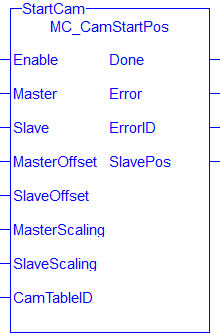
Figure 1: MC_CamStartPos
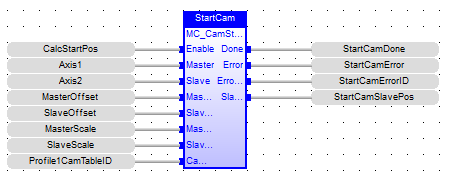
FBD Language Example
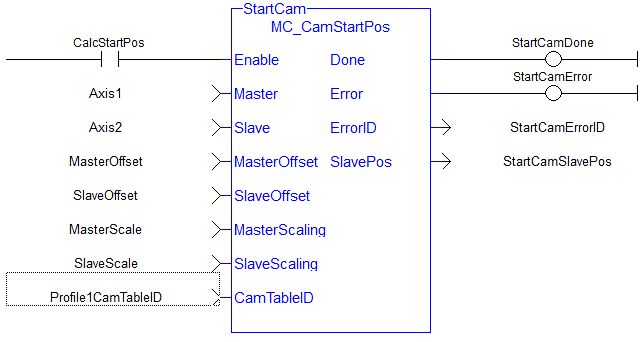
FFLD Language Example
IL Language Example
Not available.
ST Language Example
Inst_MC_CamStartPos( TRUE, Axis1, Axis2, MasterOffset, SlaveOffset, MasterScale, SlaveScale, Profile1CamTableID);


