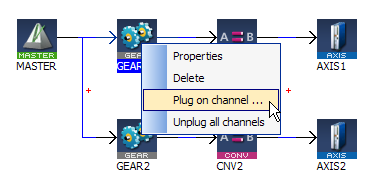
Figure 4-64: Plugging a Motion Variable
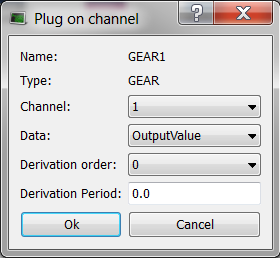
The Softscope retrieves the variable values from the Motion Simulator. You can only plug objects which exist in the Motion Simulator. While the PLC"Programmable Logic Controller" A Programmable Logic Controller, PLC, or Programmable Controller is a digital computer used for automation of industrial processes, such as control of machinery on factory assembly lines. Used to synchronize the flow of inputs from (physical) sensors and events with the flow of outputs to actuators and events variables exist all the time, the Motion objects are only created after the start of the application.
When your application is running, do the following:
Figure 4-64: Plugging a Motion Variable
The complete list of data are only visible when your application is running
For more details on the parameters, refer to Plugging Probes
The Softscope allows the recording and display of motion at points any where in a Pipe Network.
The following example shows the difference between the input and output of the Phaser Pipe Block (called AngleAdvance).

The red line is the input, the green line is the output and the blue line shows when the phase advance change was active.
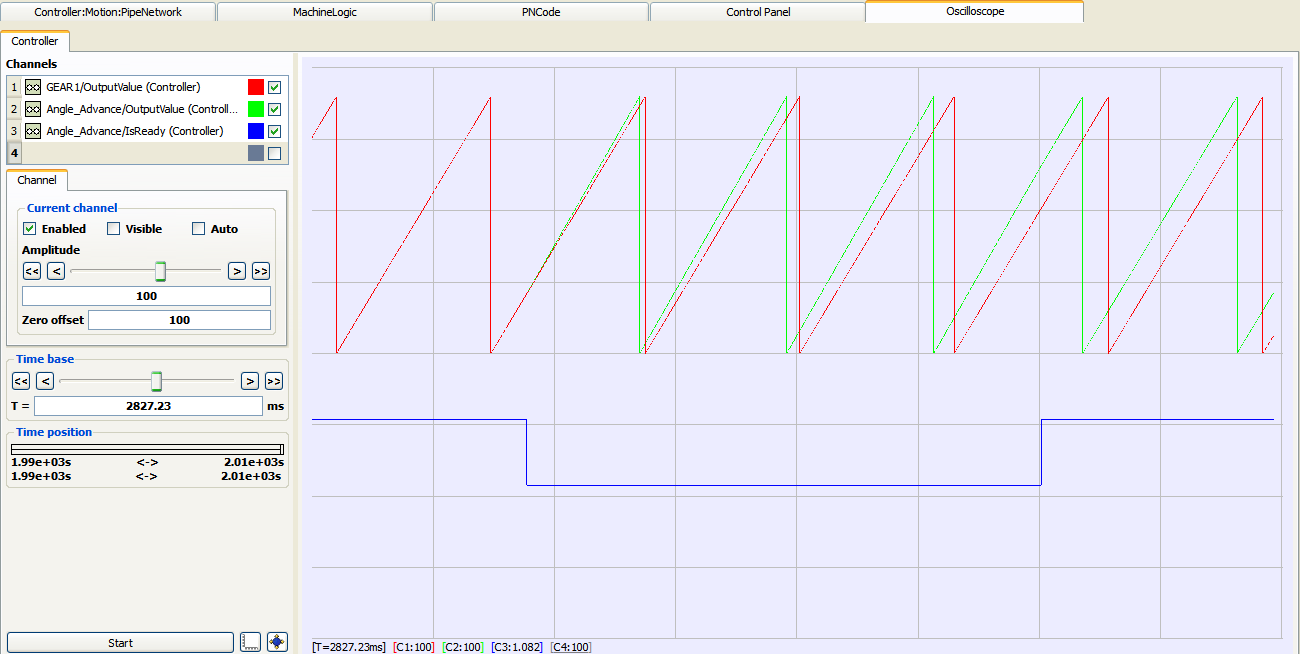
Figure 4-66: Example of Plugging a Pipe Block
|
Stay Connected with Kollmorgen       
|
Copyright © 2015 Kollmorgen™ |

|