

The machine powers up in standby mode. During start up the following screens are displayed:
After Start up the machine enters the Standby MachineThe complete assembly of all connected parts or devices, of which at least one is movable State
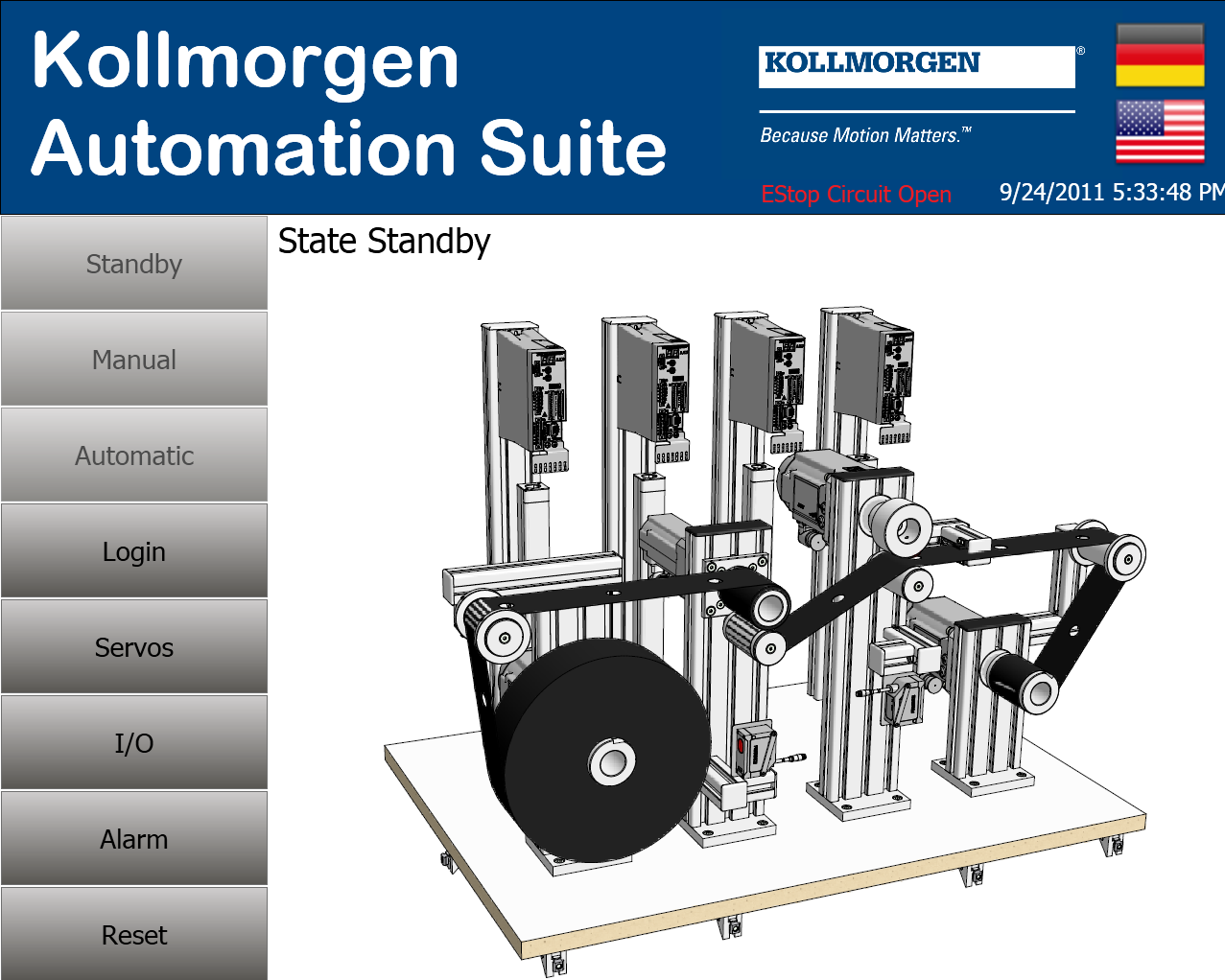
If the ESTOP circuit is open “EStop Circuit Open” will be blinking in red. The ESTOP button must be closed before the machine can be run.
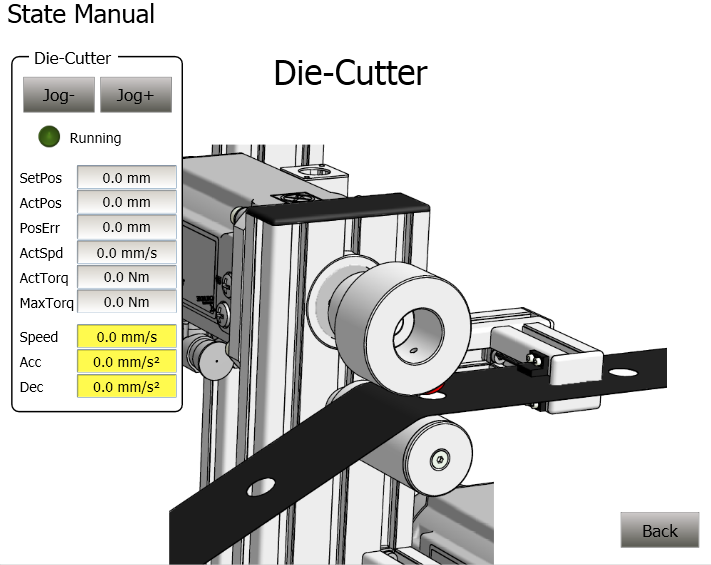
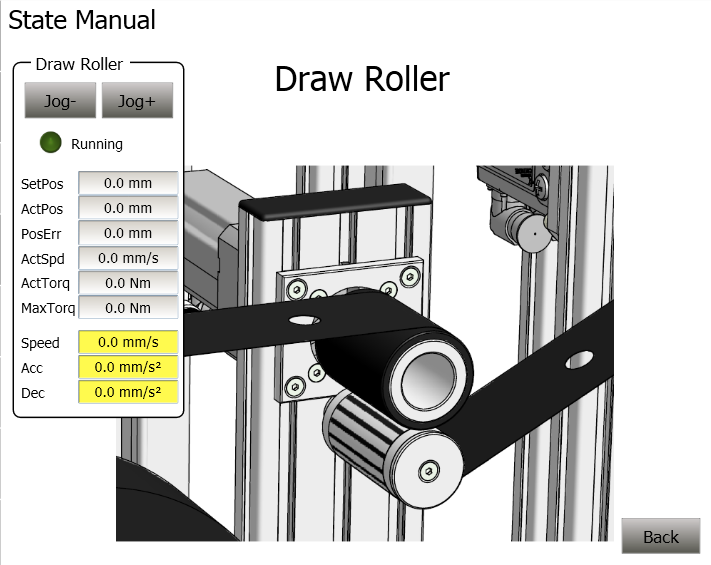
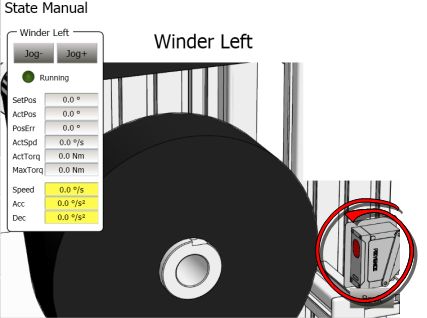
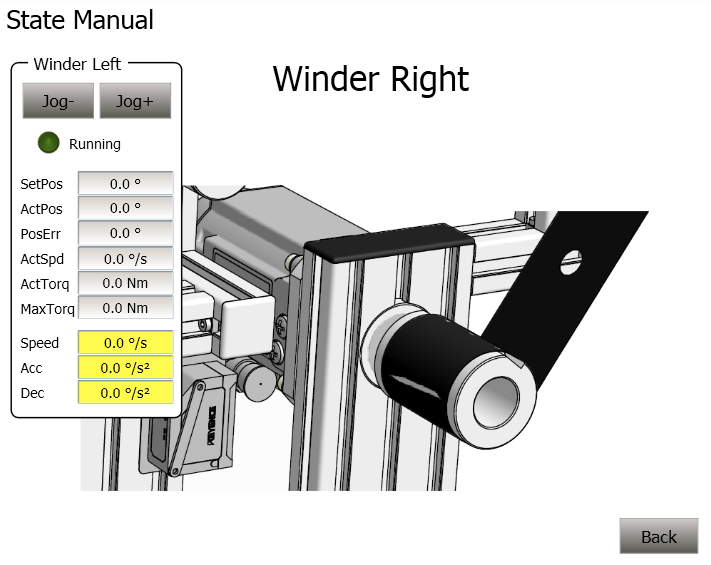
In Manual State each axis can be individually jogged, although movement will be limited if the material is fully loaded on the machine. The user can enter the speed, accel, and decel for the individual axis jog. The following are the supporting screens in the Kollmorgen AKI:
 |  |
 |  |
| Axis | Program |
|---|---|
Left Winder | A1_StateController |
Draw Roller | A2_StateController |
Die Cutter | A3_StateController |
Right Winder | A4_StateController |
The code for each axis is located in step 302.
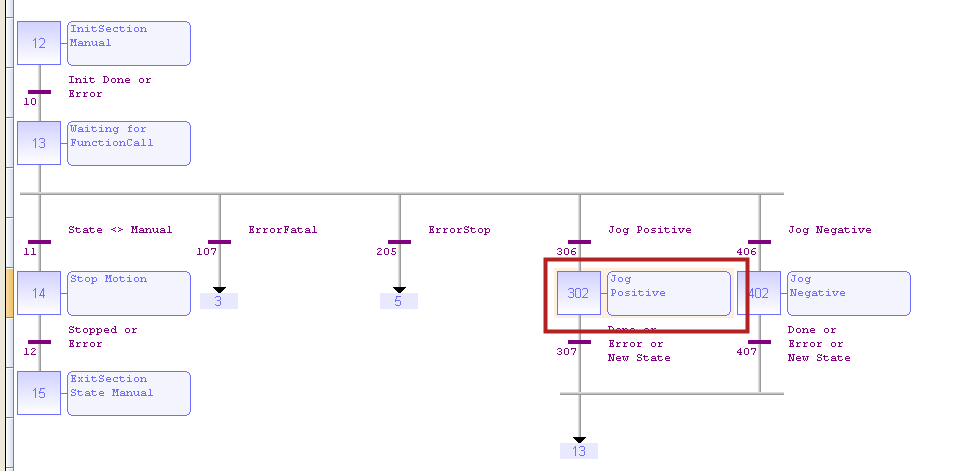
The code for making a Positive Jog Move is inside step 302 and is as follows:
CASE StepCounter OF
0:
MLAxisRun(PipeNetwork.AXI_A1_Axis, A1_JogSpeed);
StepCounter := 1;
1:
IF A1_JogSpeed <> OldJogSpeed THEN
MLAxisRun(PipeNetwork.AXI_A1_Axis, A1_JogSpeed);
OldJogSpeed := A1_JogSpeed;
END_IF;
IF NOT bA1_CallManualFunction1 THEN
MLAxisRun(PipeNetwork.AXI_A1_Axis, LREAL#0.0);
StepCounter := 2;
END_IF;
2:
IF MLAxisGenIsRdy(PipeNetwork.AXI_A1_Axis) THEN
bA1_Running := FALSE;
StepCounter := 3;
END_IF;
3:
// Wait
ELSE
END_CASE;
Step 402 contains code for a jog move in the reverse direction
Stay Connected with Kollmorgen        | Copyright © 2015 Kollmorgen™ |  |