Open topic with navigation
Enhanced Write Filter
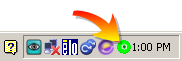 The Enhanced Write Filter () is a Microsoft® Windows® XP embedded operating system feature which provides write-protection to a partition on the compact flash (CF) card. All write requests to the partition are redirected to RAM when EWF is enabled. The EWF feature protects the CF image from changes due to sudden power loss, improper shutdown, or other user configurations.When the EWF is active its icon is shown in the system tray, as seen to the right. When the EWF is disabled its system tray icon is a red slashed-circle
  .
.
The EWF should be activated on the after the system is running and the PAC configuration is complete. If you want to change the CF image (such as a new KAS version or downloading a new application), then turn off the EWF filter, make the change, and then reactivate EWF.
There are two ways to manage the EWF:
Practical Applications
- For the KAS installation, using the "commitanddisable" method (via either command line or the application) is strongly recommended. If some operations have been performed previously, the remaining memory will not be sufficient using another method.
- For a New application download, the "Perform Small Changes on a Protected Volume" method is convenient because the usual PLC application does not exceed 10 MB.
|
|
Copyright © 2015 Kollmorgen™
|
|

|
Open topic with navigation


