 MC_InitAxis
Description
 A vendor -and product- independent worldwide association active in Industrial Control and aiming at standardizing PLC file formats based on XML Servo Axis' data. A call to this function is automatically generated when the application is compiled, based on the data entered in the PLCopen Axis Data dialog.
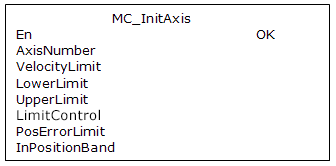
Arguments
For more detail on how inputs and outputs work, refer to PLCopen Function Blocks - General Rules
Input
|
En |
Description |
Request to initialize a PLCopen servo axis |
|
Data type |
BOOL |
|
|
Range |
0, 1 |
|
|
Unit |
n/a |
|
|
Default |
— |
|
|
AxisNumber |
Description |
Servo axis number |
|
Data type |
UINT |
|
|
Range |
[1,256] |
|
|
Unit |
none |
|
|
Default |
— |
|
|
VelocityLimit |
Description |
Velocity limit |
|
Data type |
LREAL |
|
|
Range |
— |
|
|
Unit |
User unit/sec |
|
|
Default |
— |
|
|
LowerLimit |
Description |
Lower position limit |
|
Data type |
LREAL |
|
|
Range |
— |
|
|
Unit |
User unit |
|
|
Default |
— |
|
|
UpperLimit |
Description |
Upper position limit |
|
Data type |
LREAL |
|
|
Range |
— |
|
|
Unit |
User unit |
|
|
Default |
— |
|
|
LimitControl |
Description |
Establishes how position limits are applied 0 = apply position limits 1 = ignore position limits 2 = ignore limits until referenced |
|
Data type |
UINT |
|
|
Range |
[0,2] |
|
|
Unit |
n/a |
|
|
Default |
— |
|
|
PosErrorLimit |
Description |
Position error limit – when the Position Error (command position – actual position) exceeds this value, an E-stop is generated |
|
Data type |
LREAL |
|
|
Range |
— |
|
|
Unit |
User unit |
|
|
Default |
— |
|
|
InPositionBand |
Description |
In-position bandwidth |
|
Data type |
LREAL |
|
|
Range |
— |
|
|
Unit |
User unit |
|
|
Default |
— |
Output
|
OK |
Description |
Indicates the initialization is complete See more details here |
|
Data type |
BOOL |
Example
Structured Text
(* MC_InitAxis ST
AxisNumber1 := 1;
VelocityLimit1 := 10000; (*User unit/second*)
LowerPosLimit1 := 0;
UpperPosLimit1 := 0;
LimitControl1 := 0; (* Ignore lower and upper pos limit*)
PosErrorLimit1 := 10; (*User unit*)
InPosBand1 := 0;
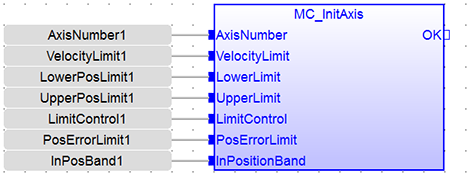
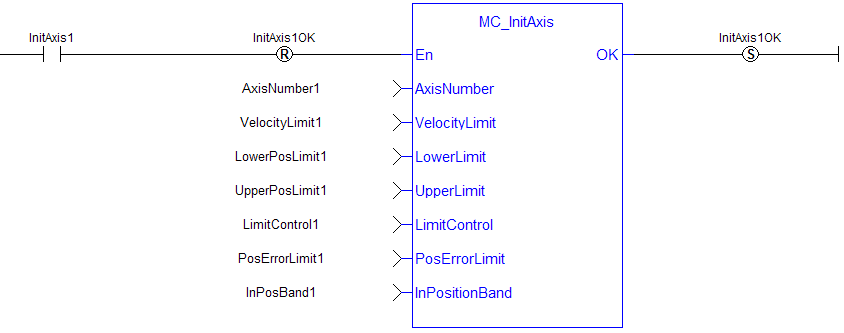
MC_InitAxis(AxisNumber1, VelocityLimit1, LowerPosLimit1, UpperPosLimit1, LimitControl1, PosErrorLimit1, InPosBand1);
Function Block Diagram
Ladder Diagram
 [Top]
[Top]
|
Stay Connected with Kollmorgen       
|
Copyright © 2018 Kollmorgen |

|