
 Function - Initializes an axis object.
Inputs
|
Input |
Data Type |
Range |
Unit |
Default |
Description |
|---|---|---|---|---|---|
|
Acceleration |
LREAL |
Acceleration > 0 (zero) |
User unit/sec2 |
No default |
|
|
AxisID |
DINT |
No range |
N/A |
No default |
ID of the Axis block. |
|
Deceleration |
LREAL |
Deceleration > 0 (zero) |
User unit/sec2 |
No default |
|
|
FeedbackUnitsPerRev |
DINT |
No range |
User units |
No default |
|
|
InitialPosition |
LREAL |
No range |
User units |
No default |
Initial position value expressed in user logical units.
|
|
Modulo |
BOOL |
FALSE, TRUE |
N/A |
No default |
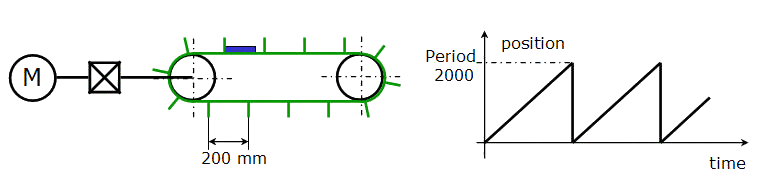
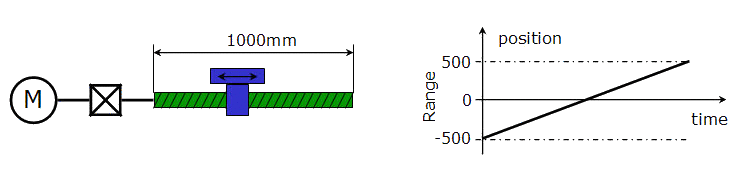
The available modes are Modulo (TRUE) and No Modulo (FALSE).  Click for details on Modulo or No Modulo axis Click for details on Modulo or No Modulo axis
Depending on the type of the moving object the axis acts on, you can define the MODULO_POSITION parameter or not.
Figure 1: Mode - Modulo No Modulo
Figure 2: Mode - No Modulo |
|
ModuloPosition |
LREAL |
No range |
User units |
No default |
|
|
Speed / Travel Speed |
LREAL |
No range |
User units |
No default |
|
|
UserUnitsPerRev / |
LREAL |
No range |
User units |
No default |
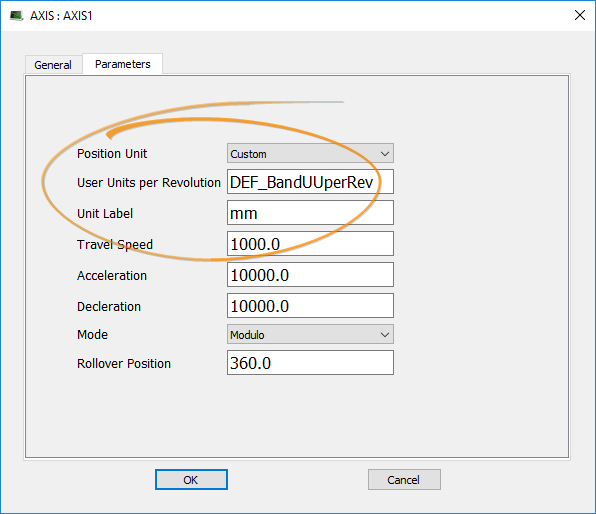
To divide the current axis into graduations adapted to your project, you must define the unit that is equivalent to one revolution of the physical motor (e.g., 3600 means that you define the user unit to be tenth of a degree). You can rely on expressions to define values. Example with Expressions Gear factor 1:3 and 1000.0 User Units per one gear shaft revolution. // user units per revolution calculation example
Figure 3: Define Value with Expressions See Use the Defines List. |
Outputs
|
Output |
Data Type |
Range |
Unit |
Description |
|---|---|---|---|---|
|
Default (.Q) |
BOOL |
FALSE, TRUE |
N/A |
|
Remarks
- Returns TRUE if the function succeeded.
- The axis object can be mapped to servo or stepper drives.
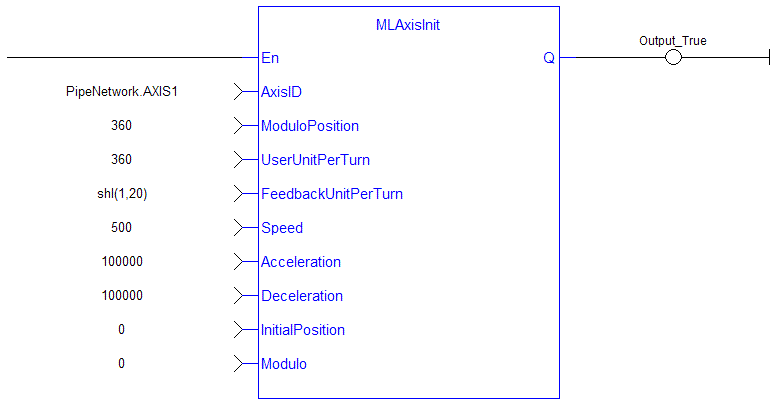
FBD Language Example
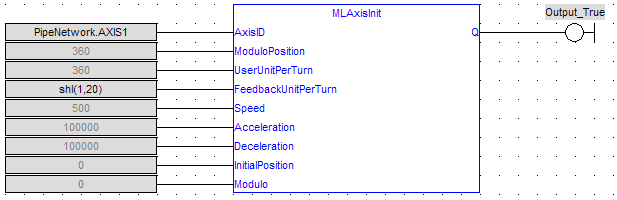
FFLD Language Example
IL Language Example
Not available.
ST Language Example
MLAxisInit( PipeNetwork.Axis1, 360.0, 360.0, SHL(1,20), 500.0, 100000.0, 100000.0, 0.0, true ) ;


