MLSyncInit

 Function - Initializes a synchronizer Pipe Block.
Inputs
|
Input |
Data Type |
Range |
Unit |
Default |
Description |
|---|---|---|---|---|---|
|
BlockID |
DINT |
1 to 1024 |
N/A |
No default |
ID name of the Pipe Network Block. |
|
ModuloPosition |
LREAL |
0 to 1.0x10300 |
User units |
No default |
|
|
CurveType |
DINT |
1 to 2 |
N/A |
No default |
When synchronizing, specifies which type of curve (parabolic or polynomial) has to be implemented for merging with the master. The options are:
|
|
DeltaS |
LREAL |
No range |
User units |
No default |
|
Outputs
|
Output |
Data Type |
Range |
Unit |
Description |
|---|---|---|---|---|
|
Default (.Q) |
BOOL |
FALSE, TRUE |
N/A |
|
Remarks
- Returns TRUE if the function succeeded.
- This FB is automatically created in the compiled code of a Pipe Network.
- This function block is part of the MLPN_CREATE_OBJECT to initialize the Pipe Network.
- It is called at the beginning of an application program with the function call:
PipeNetwork(MLPN_CREATE_OBJECTS);
FBD Language Example

FFLD Language Example
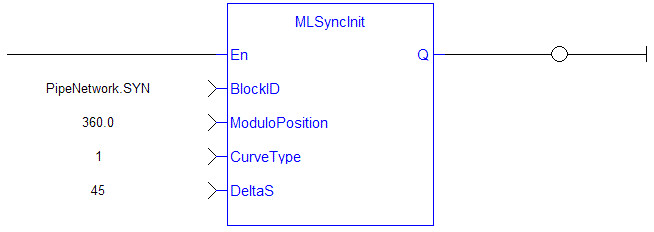
IL Language Example
Not available.
ST Language Example
//Initialize  a synchronizer  Pipe Block named “ SYN” with a modulo of 360, Curve Type of Parabolic, and a distance (DeltaS) of 30 to get in and out of synchronization
MLSyncInit( PipeNetwork.SYN, 360, 1, 30 );
See Also


