








Using CIP Sync with the Kollmorgen AKD2G-SPI and Supplementary AOIs
Each AKD2G-SPI with CIP Sync axis is commanded by a corresponding Virtual Axis in Studio 5000's Motion Group when streaming. Kollmorgen provides a special library of CIP Sync User-Defined Data Types, Add-On Instructions, and an EDS file for importation into the Studio 5000 environment and programming project. With the importation of the EDS file for CIP Sync the AKD2G is added to the hardware catalog as a Module and the Module’s connection must be configured for CIP Sync.
The Add-On Instructions in the AKD2G CIP Sync library provide the instructions needed to perform basic axis operations (i.e., enable, disable, home, fault reset, etc.) and to move the axes into the Streaming Enabled state, which enables CIP Sync position data point following (streaming) and the use of standard Motion Instructions in the Studio 5000 project (i.e., MAM (Motion Axis Move), MAJ (Motion Axis Jog), etc.) if the instructions meet the compatibility requirements. See Determining Motion Instruction Compatibility for more information.
It is important to note the following:
-
Only motion instructions which support AXIS_VIRTUAL can be used with the AKD2G-SPI with CIP Sync. It is important to reference the Logix 5000 Controllers Motion Instruction manual and determine if an instruction you wish to use supports the axis type AXIS_VIRTUAL.
-
Instructions that support AXIS_VIRTUAL are expected to be supported. It is recommended to test each instruction before use.
-
Instructions that do not support AXIS_VIRTUAL are not supported by the AKD2G CIP Sync drive/axis.
-
-
Some very common Motion Instructions are NOT supported by the AKD2G-SPI drive. See Determining Motion Instruction Compatibility.
Motion Instructions not supported by the AKD2G CIP Sync drive are supplemented with a Kollmorgen Add-On Instruction (AOI) to generate equivalent behavior:
Kollmorgen AOI
Replaces Studio 5000 Motion Instruction
CIP_Axis_Disable
MSF (Motion Servo Off)
CIP_Axis_Enable
MSO (Motion Servo On)
CIP_Axis_Home
MAH (Motion Axis Home)
CIP_Axis_Fault_Reset
MAFR (Motion Axis Fault Reset)
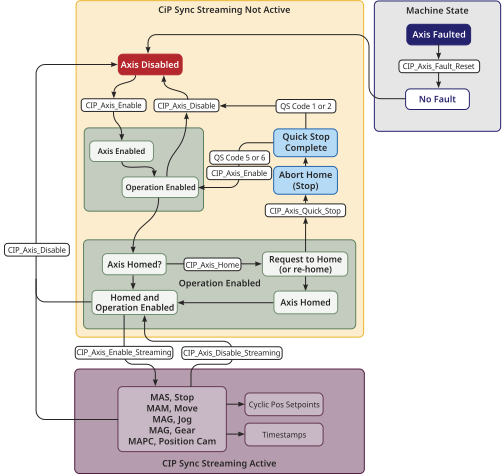
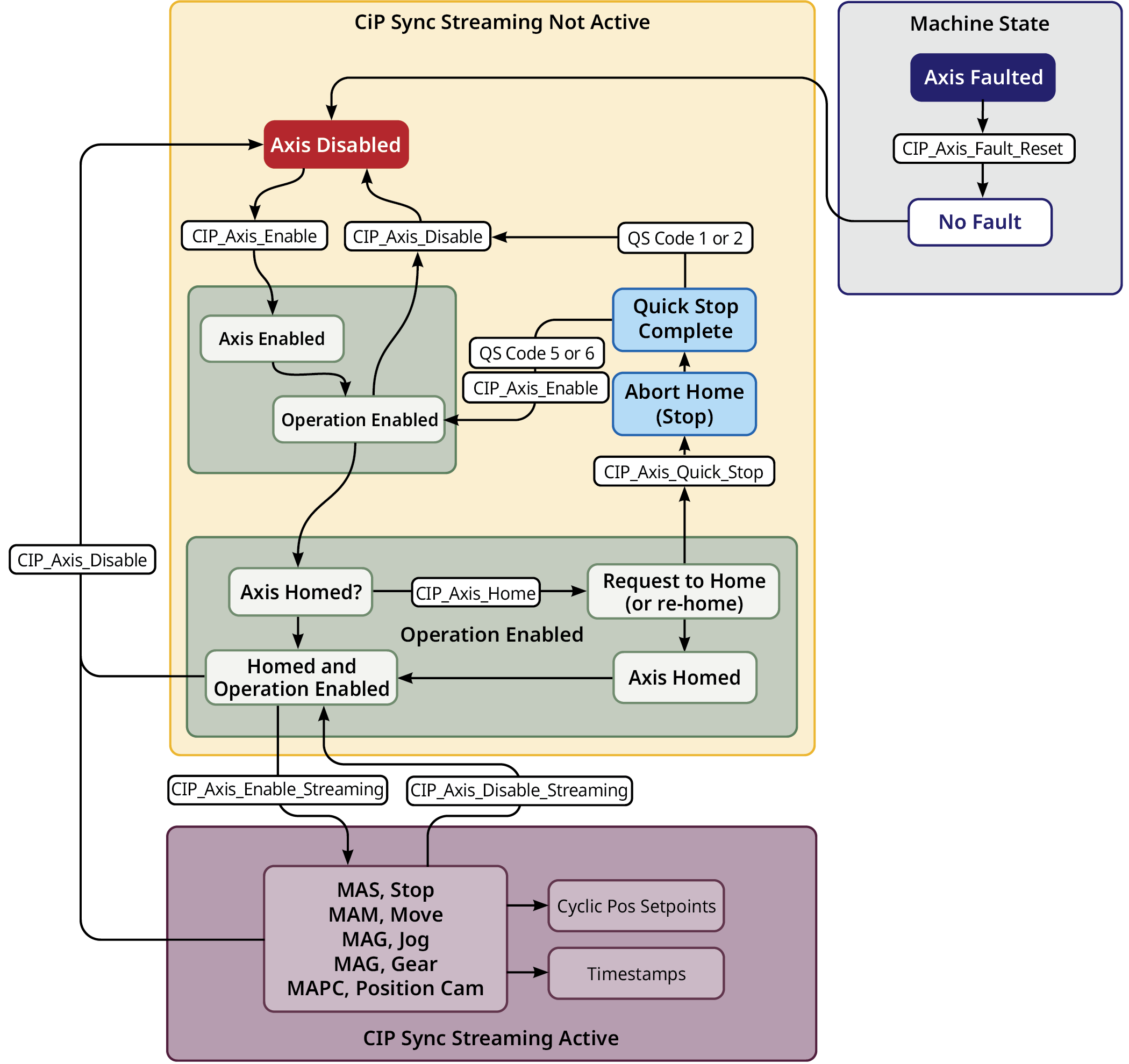
Figure 1: Basic Flow of operation provides a basic operation of using the AOIs and to change states and enable streaming. Once streaming is enabled, the AKD2G-SPI axis will respond to the virtual axis and standard Motion Instructions.
The Basic Flow Of Operation diagram does not account for every possible transition and scenario (e.g., CIP_Axis_Disable while streaming will disable the axis and streaming will become inactive).
Simplified Steps To Enable CIP Sync Position Following (streaming):
- Clear any Axis Faults using the CIP_Axis_Fault_Reset AOI.
- Enable Axis using the CIP_Axis_Enable AOI.
- Home Axis (if necessary; not using absolute feedback types) using the CIP_Axis_Home AOI.
- Enable Axis CIP Sync Position Following (streaming) using the CIP_Axis_Enable_Streaming AOI.
Once streaming is active, the AKD2G axis will follow the trajectory of the Virtual Axis it is correlated to in the MotionGroup.


