Create a Program
Once the project has been created and the EtherCAT devices have been defined, a program may be created.
-
-
The KAS-IDE programming environment provides language dedicated editors for:
- Right-click the Programs item in the project tree.
- Click New Programs and select the language to use. (Figure 1)
- Name the program.
- Click Ok to create the program and open the language-specific editor. (Figure 3)
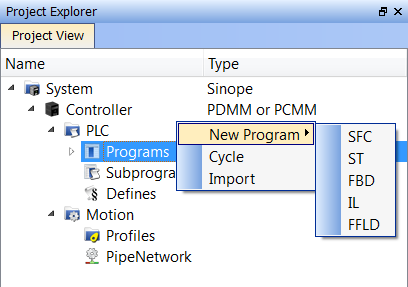
Figure 1: Programs > New Program
The New Program dialog box opens. (Figure 2)
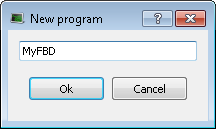
Figure 2: New Program dialog box
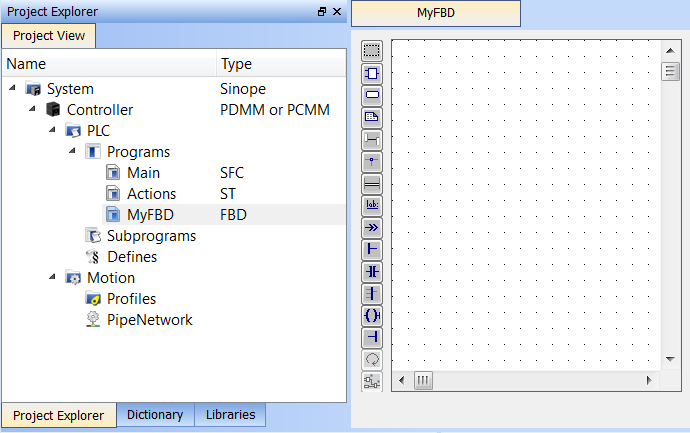
The empty program is ready for you to add functions and function blocks.
Other information you may need to complete your program includes:
- Create Variables
- Create and/or Call Functions or Function Blocks
- Using Constants
- Map Input and Output to Variables
See IEC 61131-3 Editors in the Programs: Structure and Syntax section for more in-depth information on the programming languages.


