|
Name |
Description |
|---|---|
|
Clears the flag of an initiated Trigger block. |
|
|
Initializes a Trigger object for use in a PLC program. |
|
|
Checks if the selected block has been triggered. |
|
|
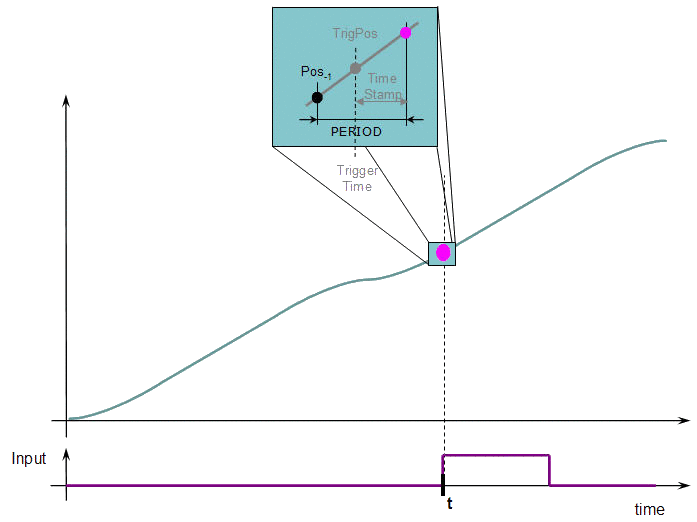
Returns the time the trigger block uses to compensate the delay of the sensor that captures the triggering signal. |
|
|
Returns the position of the block at the moment when it was triggered. |
|
|
Returns the time of the moment where the block was triggered in milliseconds. |
|
|
Sets the edge configuration for a trigger block (e.g., rising, falling, etc.) |
|
|
Sets the time the trigger block uses to compensate for the delay introduced by the sensor that captures the triggering signal. |
Purpose
 Click to view the Purpose of Trigger
Computes the local pipe value from the timestamp of a Fast Input time event.
- Pipe input values are passed through to the block output with no influence on the flow of pipe values.
- Typical application is for PLCopen Registration.
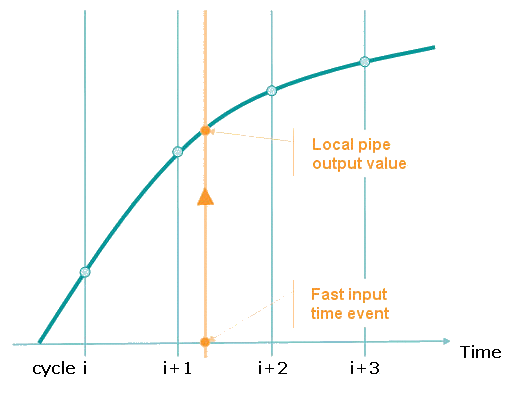
Figure 1: Example: Trigger extrapolates output value
There are network and mechanical delays in systems that make capturing a correct pipe position difficult.
To remove the delays, use a sampler block to capture the actual position of an axis.
Figure 2 shows how this works:
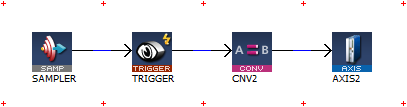
Figure 2: Example: Trigger Block
- This sampler block is configured to capture the actual position of axis 1.
- The conversion and axis blocks are only needed to terminate the pipe.
- MLTrigWriteDelay may still be needed to compensate for sensor delay.
- If you need to calculate the master pipe value corresponding to the captured axis position, add the difference between the axis command position and the master pipe value.
Parameters
Click to view Parameters for Trigger
|
Parameter |
Description |
|---|---|
|
Input_Axis |
Name of the axis where the Fast Input is located. |
|
InputID |
ID number of the Fast Input. InputID INT Range = 0 to 1
|
|
TriggerMode / Edge |
The edge to trigger on.
|
Example: Trigger Functions
Click to view Trigger Function examples
-
-
- The trigger delay must be calculated by you and set with MLTrigWriteDelay.
- This delay belongs to the sensor.
- It is in addition to the MLTrigReadTime / MLTrigReadPos.
When you call the MLTrigClearFlag function, the flag for trigger is reset to FALSE. (Figure 3)
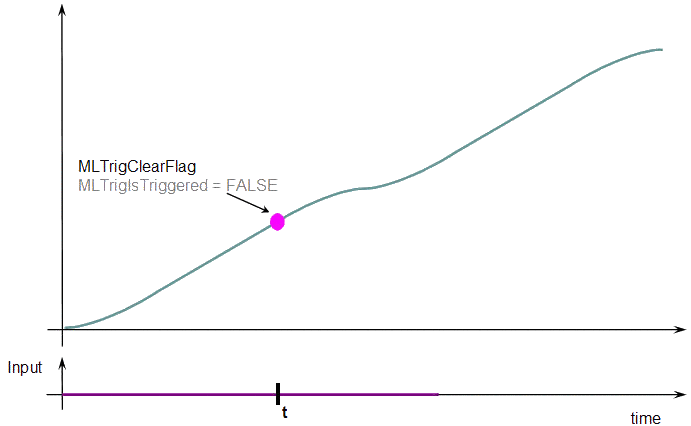
Figure 3: Example: MLTrigClearFlag = FALSE
When a Fast Input is set, the MLTrigIsTriggered function returns TRUE. (Figure 4)
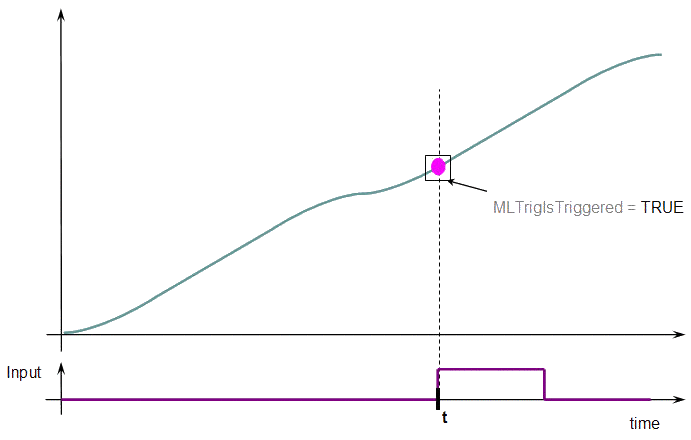
Figure 4: Example: MLTrigIsTriggered = TRUE
Then call the MLTrigReadPos and MLTrigReadTime functions to get more details. (Figure 5)
Associated Data
- OutputValue: Output value of the data flows.
- TRIG_POS: interpolated position calculated when the time event was triggered (reserved for debugging purposes).
- TRIG_TIME: time when the event was triggered (reserved for debugging purposes).
- DELTA_TRIG_TIME: reserved for debugging purposes.


