You are here: Using the PDMM or PCMM Controller > Working with the Hardware > EtherCAT Devices Backup and Restore > EtherCAT Devices Restore

EtherCAT Devices Restore

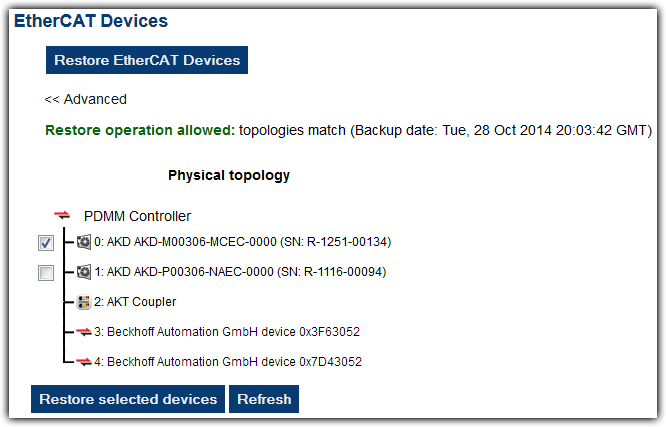
The Restore operation discovers the devices on the EtherCATEtherCAT is an open, high-performance Ethernet-based fieldbus system. The development goal of EtherCAT was to apply Ethernet to automation applications which require short data update times (also called cycle times) with low communication jitter (for synchronization purposes) and low hardware costs network and compares the physical topology information to the topology information stored in the backup. A Restore will detect the replaced AKD devices and restore them. Advanced users can manually select the specific AKD devices and restore them. The backup files containing the topology information, AKD firmware file, and AKD parameters are retrieved from the controller’s local storage.

Controller Local Storage
PAC Compact Flash Card
PDMM or PCMM SD Memory Card (see SD Card Support for more information)

Steps

  1. From the web server home page, click on the Backup & Restore tab:
  2. Under the Restore tab, you can choose to restore the replaced EtherCAT AKD devices or manually select the AKD devices with the Advanced view.

When the restore is complete, the web server will indicate whether it was successful.


Stay Connected with Kollmorgen

Copyright © 2015 Kollmorgen™